 Jonathan Blake

Most people searching “GoHighLevel Voice AI” already know it answers the phone. What they want is the part the overview posts skip: which settings matter, what a minute really costs, what it cannot do, and what to write in the prompt. That is this post.
Short answer: Voice AI is a good fit if your phone number, calendar and CRM already live in HighLevel. Build the agent under AI Agents, then Voice AI, deploy it to an LC Phone or Twilio number, and set working hours and a forwarding timeout. Pay per use it runs roughly $0.10 to $0.20 a minute for the AI, plus phone charges.
I run HighLevel for local service businesses, I am a HighLevel affiliate, and I sell premium home exteriors for a living. I will point out where another tool is the better pick.
I am not repeating the overview here. For the lineup and the sales angle, read GoHighLevel AI agents. For the human-versus-AI decision, read virtual receptionist. For booking logic, read AI appointment setter. For building a business around it, read how to start an AI voice agency. This post goes one level deeper, into settings, costs and limits. Its siblings are GoHighLevel Conversation AI, which covers texts and chat, and GoHighLevel AI Employee, which covers the plans. For what changed recently, see GoHighLevel updates.
What you need before you build
HighLevel’s create guide lists the prerequisites. Here they are in plain English.
- The right number. Voice AI only works on LC Phone or Twilio numbers. A number ported in from elsewhere needs to be one of those two before an agent can use it.
- The right permission. Your user needs the “View & Manage Voice AI Agents” permission in the sub-account.
- A calendar, workflow or transfer number for any action you want. Build those first.
- Outbound approval. Outbound calling needs compliance setup before it works, even in testing.
The agent is created in the sub-account, under AI Agents, then Voice AI, then Agent List, then + Create Agent. You pick one of three paths.
| Path | What it is | Pick it when |
|---|---|---|
| Browse Marketplace | Prebuilt agents you review and customize | You want a head start, and you will replace the business-specific knowledge base content before going live |
| Create Custom Agent | A prompt, a voice and actions you set yourself | You want control and will write the prompt yourself (my usual choice) |
| Flow Based Builder | A visual flow with templates | You want branching call paths without writing one long prompt |
The Flow Builder templates, per HighLevel’s help article, are Business FAQ Assistant, Front Desk Receptionist, Lead Qualification, Post-Call Automation and SMS Follow-Up. A blank flow starts with a Start Call node connected to an AI Agent node, and HighLevel warns that the starter flow is thrown away unless you save it.
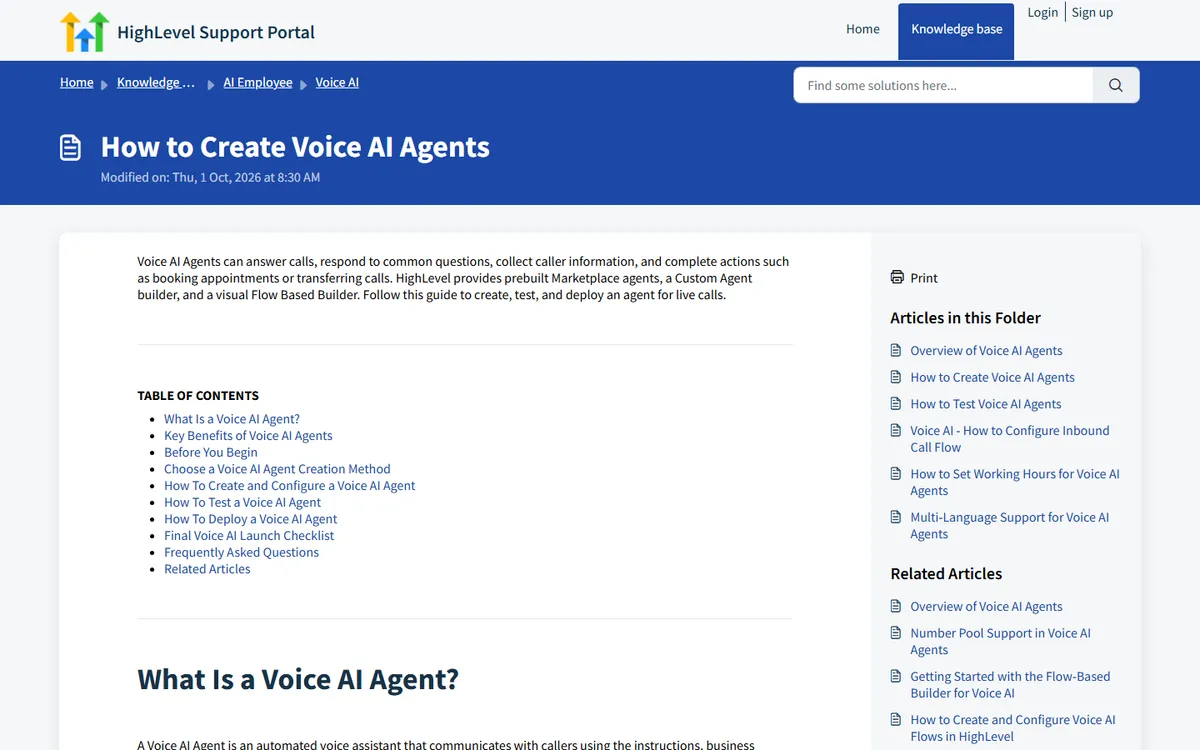 HighLevel’s guide to creating Voice AI agents, November 2026.
The settings that matter, in order
Here is the core configuration from HighLevel’s create guide, with my notes on what to do with each.
- Agent name. Name it after the job, such as “After Hours Receptionist.”
- Voice, model and language. Pick all three. HighLevel’s article does not list the voices, models or languages, so check the dropdowns in your account.
- Timezone. Set it with the clock icon in the toolbar. A wrong time zone makes “we open at 8” wrong on every call.
- Prompt. Role, goal, what to collect, what to avoid, when each action runs, when to transfer, how the call ends. HighLevel’s pricing article says agent prompts are capped at 15K tokens. You will not need that much, so do not try to fill it.
- Welcome message. Inbound and outbound get separate messages. The inbound one is the most important sentence in the whole build.
- Speaking order and pause before speaking. Let the agent speak first on inbound calls, and test the pause so it does not talk over a caller who is still dialing in.
Turn on Show advanced settings at the bottom of the panel to reveal more. HighLevel groups them as:
- Call Settings: call duration, idle reminders, silence handling.
- Agent Behavior: response speed, interruption sensitivity, response style.
- Transcription and Speech: speech recognition, pronunciation, keywords.
- Voice Settings: speed and volume.
- Post-Call: notifications, workflows, summaries, and whether the AI call summary is saved to the contact’s notes.
- System Prompts: advanced system-level instructions.
HighLevel’s advice is to keep the defaults where they fit, change one setting at a time and retest. I agree. Do not touch five things and then wonder which one broke the call.
Idle reminder, silence and call length
Three limits worth knowing, from HighLevel’s help articles.
- Idle reminder timer. It lives under Call Settings, takes 1 to 20 seconds and defaults to 8. If the caller stays silent for more than 15 seconds after the reminder, the call ends automatically.
- Maximum call length. HighLevel’s FAQ says calls are cut off after two hours, and a longer conversation needs a new call.
- Prompt size. The 15K token cap covers the prompt, so keep the prompt for rules and put facts in the knowledge base.
The cheapest Voice AI minute is the one you set up so it does not run longer than it has to. A short idle reminder, a one-goal prompt and a clean hand-off to a human all trim the minutes you pay for.
Knowledge base and actions
Add a knowledge base for hours, services, areas, price ranges and what you do not do. Then tell the agent when to search it. HighLevel’s guide says to test common questions and edge cases, and to instruct the agent not to guess when information is missing. Put that last one in the prompt in plain words.
Actions are what make it more than a talking FAQ. HighLevel lists these types:
| Action | What it does |
|---|---|
| Appointment Booking | Books on one calendar, or routes across several eligible calendars |
| Call Transfer | Sends the caller to a human or external number |
| Agent Transfer | Hands the live call to another Voice AI agent (up to three destination agents per setup, no circular transfers) |
| Send SMS | Texts the caller during or after the call |
| Update Contact Field | Writes what the caller said to the CRM |
| Trigger a Workflow | Starts a HighLevel workflow, in real time or after the call |
| Custom Action | A real-time webhook to another system |
After-call actions can run without interrupting the caller. That is where I put follow-up texts, tasks for the team and opportunity updates.
Start your free HighLevel trial 30-day trial · cancel anytime · keep the bonuses I may earn a commission if you sign up through my link, at no extra cost to you. DetailsDeploy it: number, routing, hours and the timeout trap
Building the agent is half the job. The Deploy tab decides whether callers ever reach it.
- Phone. Choose an eligible LC Phone number, Twilio number or number pool. You can buy a number from this screen.
- Call routing. Choose Answer Calls Directly or Use as Backup. Direct means the agent picks up every call. Backup means your phone or team rings first.
- Working hours. Choose All Hours or Custom Schedule. Under a custom schedule you pick days and time ranges, and schedules can run past midnight. HighLevel says the hours do not update on their own when your schedule changes, so edit them by hand.
- Check the number’s own settings. Go to Settings, Phone System, Manage Numbers, Edit Configuration, Call Forwarding and select Voice AI under call routing.
Then the part that bites people. HighLevel says that if call forwarding is not enabled on a number assigned to a Voice AI agent, the agent answers every call, except on your default sub-account number. Do not assign your default number to the agent. For a backup setup, set the inbound call timeout. HighLevel’s article suggests a low value, 1 to 3 seconds or even 0, depending on your routing. One more caveat from the same article: if a caller hits local voicemail first, HighLevel marks the call completed and the agent never answers. A lower timeout prevents that.
HighLevel’s help pages give two different timeout hints. One inbound-handling article mentions about 20 seconds as a common ring time before a backup picks up, and the Voice AI inbound-flow article says to set a low value. These cover different setups, so test your own: call the number from another phone and count the rings.
What Voice AI really costs per minute
I keep these rates consistent with my GoHighLevel pricing breakdown. Here is the Voice AI part, from HighLevel’s AI Product Pricing article.
| Pay per use item | Rate |
|---|---|
| Voice engine | $0.045 per minute (from May 20, 2026) |
| TTS voice, examples | OpenAI $0.015, Cartesia Sonic 3 $0.015, ElevenLabs Flash V2.5 $0.035, ElevenLabs V3 $0.17 per minute |
| Model tokens | Billed on top for the voice engine route |
| Speech to speech, all in per minute | Gemini 3.8 Live $0.10, GPT Live 1 $0.12, GPT Realtime 2 $0.20 |
| Phone charges (LC Phone) | Inbound about $0.01165 a minute, outbound about $0.0166 a minute |
HighLevel’s own example: a 10 minute call on OpenAI TTS costs $0.60 before model tokens and phone charges. The article says the total is call minutes times the voice engine plus TTS rate, plus the model token cost, plus phone system charges.
The flat options, per sub-account per month:
| Plan | Price | Voice AI inside it |
|---|---|---|
| AI Employee Growth | $50 | 100 minutes a month, shared across inbound, outbound and widget |
| AI Employee Unlimited | $97 | Inbound, outbound and widget Voice AI under fair use |
Phone charges still apply on every plan. HighLevel’s fair use language says it may throttle, limit, require an upgrade or end access for excessive use. When the Growth minutes run out, extra usage is paused by default until an Agency Admin turns on Extra Usage, which bills at pay per use rates. My AI Employee post covers that choice in full.
HighLevel Voice AI
Pros
- Phone, calendar, CRM and texting in one account
- Bookings, tags and tasks land in the CRM without glue tools
- Web call testing, call logs and a prompt optimizer built in
- Flat plans or pay per use, both published
Cons
- Only LC Phone or Twilio numbers work
- Phone charges bill on top of every AI plan
- Call transfer cannot be tested in a web call
- Menus and rates change often
- No consent checking on outbound calls
Limits, in one list
- Numbers: LC Phone or Twilio only.
- Prompt: capped at 15K tokens.
- Call length: disconnected after two hours.
- Idle: the call ends after a reminder and 15 more seconds of silence.
- Agent transfer: up to three destination agents per setup, and the destination’s greeting does not play. The root agent’s call time, working hours and backup settings apply down the chain.
- Web call tests: Call Transfer does not run.
- The chat widget: call transfer is not yet supported there, and recording is not supported for the widget.
- Outbound: 8:00 AM to 8:00 PM in the contact’s time zone, 5,000 calls a day and 10 a minute per location, a number called once a day and up to 14 times in 14 days, same-country domestic numbers only, and the location must complete its required KYC.
Compliance: recording, texting and outbound calls
I am not a lawyer, so treat this as a checklist of things to ask yours.
- Call recording consent. Some states need every party on the call to agree to a recording, not just one. The safe habit is to say it at the start: “This call may be recorded.” I put that line in the welcome message. I could not confirm from HighLevel’s pages whether a standard Voice AI phone agent records calls by default, so check your call logs. HighLevel says Voice AI call logs show recordings when recording is enabled and available, and that the Voice AI chat widget does not record.
- A2P 10DLC for SMS. If the agent texts a caller after the call, that is business texting, and US business texting needs A2P 10DLC registration. My pricing breakdown covers the fees, and my setup guide covers getting registered.
- TCPA for outbound calls. HighLevel’s help center says calls covered by the TCPA need consent from the call recipient unless an exception applies, and that some states add rules. HighLevel’s newer outbound framework article says it does not validate contact consent before an outbound Voice AI call, and that accepting the location terms does not count as contact consent. An older article said consent checks for forms, surveys and calendars exist. The newer article is dated later, so I treat the older one as out of date.
HighLevel does not check consent before an outbound AI call, so that job is yours. Honor opt-outs and do not call anyone you do not have written permission to call. In the agent’s Outbound Settings, HighLevel’s guide lists an AI Disclosure and a Verbal Opt-out. Use both. My AI outbound calling guide covers the rules in more depth.
Use cases by business
Same feature, six different jobs. These are examples of how I would configure it, not promised results, and I have no numbers to quote.
Roofer or exterior contractor
I sell premium home exteriors in the Midwest, and the pattern is always the same. Calls spike after a storm or a leak, and they land when the crew is on a roof, the estimator is in a kitchen and the office is closed. A voicemail does not book anything.
The agent’s job is to capture, qualify lightly and book a free inspection or estimate. Use a roofing-specific tool for measurements, insurance and production, and keep HighLevel for the front end. My CRM for roofers and roofing lead generation posts cover that split. Sample prompt:
ROLE
You are the phone assistant for [Company], a roofing and exterior
contractor serving [service area]. You are an AI assistant. If asked,
say so plainly. This call may be recorded.

GOAL
Book a free inspection or estimate. Capture the lead if you cannot.

ASK ONLY
1. What is going on (leak, storm damage, replacement, siding, windows)?
2. What is the property address?
3. Is water coming in right now?
4. What is the best number and the best time?

URGENT
If water is coming in or there is storm damage, say: "I will flag this
as urgent and have someone call you back right away." Tag "urgent",
text the on-call phone, and offer the first open inspection slot.

NEVER
Never quote a price, a timeline, a brand or an insurance outcome.
Never say a claim will be approved. Say: "The estimator will go over
that with you at the property."

HANDOFF
If the caller is upset, asks for a person, or mentions an insurance
adjuster or a legal issue, take a message and tag "needs-callback".
A short sample call:
Agent: Thanks for calling [Company], this is the virtual assistant. This call may be recorded. What is going on? Caller: I have water coming through my ceiling after last night. Agent: I am sorry, that is stressful. I will flag it urgent. What is the address? Caller: 412 Alder Street. Agent: Got it. I can have an inspection Tuesday at 9 or 1. Which works? Caller: Nine. Agent: Booked for Tuesday at 9. I am also texting the on-call lead now.
HVAC and plumbing
Calls here split into emergencies (no heat, a burst pipe, a gas smell) and bookings. HighLevel’s own Field Services module, which is in beta, includes an AI receptionist that handles both chat and voice, as the owner confirmed on 2026-11-16 and as I saw in my test. See my Field Services review before building around it, because it is still a beta. Prompt idea: one emergency path that transfers to the on-call number and tags the contact, and one booking path that offers two specific times. The HVAC CRM, HVAC lead generation and plumbing lead generation posts cover the rest. For a gas smell, the prompt should tell the caller to leave the house and call the gas company first, and never try to diagnose.
Dental and med spa
This one needs a HIPAA caution. A call about an appointment can quickly turn into a symptom, a medication or a procedure, and that is protected health information. HighLevel sells a HIPAA add-on at $297 a month, and Enterprise includes it. I could not find a HighLevel article that says Voice AI is covered by it, and HighLevel’s own notes list outside AI providers behind the feature. So before a practice puts patient calls through Voice AI, ask HighLevel for written confirmation. Until you have it, keep the agent to booking, hours and new-patient intake, and have it hand off anything clinical. My CRM for dentists post covers the practice side, and my voice agency post has a full med spa prompt.
ROLE
You are the front desk assistant for [Practice]. You are an AI assistant.
This call may be recorded.

DO
Book consultations and cleanings, give hours and location, and take
new-patient names and phone numbers.

DO NOT
Do not discuss symptoms, medications, results or pricing for treatment.
If the caller mentions pain, a reaction or a medical question, say:
"I want the clinical team to help with that. Can I take your number?"
Tag "clinical-callback" and stop.
Law firm (intake rules)
A voice agent can collect a name, a number and a one-line reason for calling. It should not give legal advice, say whether the caller has a case, or promise a callback time the firm cannot keep. Intake rules I would write into the prompt: say it is an AI assistant, say the call does not create an attorney-client relationship, collect only what the intake form needs, and hand off immediately on anything urgent such as a deadline or an arrest. Ask the firm’s own counsel what their bar rules require for recorded calls and conflict checks before you launch. See CRM for law firms.
Real estate
For agents and teams, the value is speed on new inquiries and after-hours showings requests. The agent can take the property of interest, the timeline and a preferred showing time, then book a call or tour on the right calendar. Keep it away from price negotiation and anything that could read as advice. My real estate CRM post covers the pipeline side, and speed to lead covers why the first minutes matter.
Agency reselling it
If you resell Voice AI, rebilling matters. AI usage can be rebilled: Unlimited passes it through at cost, and adding your own markup is a $497 Founder feature, set up in Agency settings. Price a flat monthly fee plus usage, and write down who pays for phone charges. The white label guide, SaaS mode guide and snapshots guide cover packaging it. Our own add-on at The Lead Venture is $197 a month plus usage, and I explain why in the AI agents post.
Testing before a caller finds the problems
HighLevel lets you test in the browser with a Web Call (no number needed) or on the phone with a Phone Call (full telephony). Run these cases: a common request, a knowledge base question, a question the agent should decline, an unclear request, each action, a transfer request, silence, interruption and the closing sequence. Remember that transfers need a Phone Call test.
After go-live, open AI Agents, then Voice AI, then Dashboard and Logs to review calls. HighLevel says each row has a summary, transcript and recording where one exists, and that transcripts can be incomplete if audio was poor or the call ended early.
When HighLevel Voice AI is not the right choice
- You do not otherwise need HighLevel. If all you want is an AI on the phone, a dedicated voice platform or a human service may fit better. HighLevel’s value is the CRM and calendar under it.
- Your calls are mostly sensitive. A human answering service is safer for emotional, medical or legal calls. See virtual receptionist.
- You need guaranteed HIPAA coverage for voice. Get it in writing first.
- You make cold outbound calls. The consent burden is yours, and the rules are strict. If your list is not warm and opted in, do not do this.
- You want fixed costs. Pay per use varies with your call volume. Compare it with the flat plans before you commit.
Two ways to run HighLevel
Path 1: your own HighLevel account. Start a trial, build the agent and test it on a spare number.
Start your 30-day extended free trial 30-day trial · cancel anytime · keep the bonuses I may earn a commission if you sign up through my link, at no extra cost to you. DetailsPath 2: prefer it set up for you? My Growth Plan is $97 a month for white-label HighLevel already set up for local service businesses. See the Growth Plan page. Ask what AI is included, because usage is billed separately.
Next steps
- Get an LC Phone number live and confirm a real call rings through.
- Build the agent with a one-goal prompt and a short knowledge base.
- Deploy it on a spare number, set working hours and test the timeout.
- Test transfers with a Phone Call, not a Web Call.
- Do the math on pay per use against the flat plans before you quote anyone.