 Jonathan Blake

If you search for an AI appointment setter, you are usually asking one thing: can software answer my leads and book them so I stop losing people to whoever replies first? I sold face to face since 2015, ran a tree service for six years, and now co-own The Lead Venture, where we run HighLevel for home service clients. I have built these bots, watched them work, and watched them break.
Short answer: an AI appointment setter is software that replies to leads by text, chat or voice, asks a few questions and books a time on your calendar. In HighLevel you build one with Conversation AI for text and chat, and Voice AI for calls. Setup takes an afternoon. The hard part is the prompt and the guardrails, not the software.
What an AI appointment setter does
A human setter does one job. A lead comes in, the setter reaches out fast, asks what they need, and gets a time on the calendar. Then the setter hands off to the person who does the appointment.
An AI setter does the same job in software. It can:
- Reply to a new lead in seconds, at any hour.
- Ask two or three qualifying questions in plain language.
- Offer open times from a live calendar and book the one the lead picks.
- Send a reminder and follow up if the lead goes quiet.
- Tag the contact, update your pipeline and alert a human.
It does not close the sale, quote a custom job or handle an upset customer well. This is the same idea behind speed to lead: the first business to reply usually gets the conversation. The setter makes sure that business is you, even when you are on a roof.
Do this today: write down the last five appointments you booked and the exact questions you asked before booking. That is your setter’s script.
Your options: HighLevel vs standalone tools
There are two ways to get an AI setter.
Inside HighLevel. Conversation AI answers texts, web chat and social messages. Voice AI answers phone calls. Both live in the same account as your CRM, calendars and workflows, so a booking tags the contact and creates an opportunity without any extra wiring. I cover both in my GoHighLevel AI agents guide, and if the phone is your main problem, my virtual receptionist post compares the answering options.
Standalone AI setter tools. Plenty of vendors sell a stand-alone bot that sits in front of your calendar and your lead sources. I’m not going to quote their prices, because I have not verified them on the vendors’ pages and they change. Qualitatively, the trade-offs look like this:
| Item | HighLevel (Conversation AI + Voice AI) | Standalone AI setter |
|---|---|---|
| Where it lives | Same account as CRM and calendar | Separate tool, connected by integration |
| Setup | One platform, one login | Connect your CRM, calendar and lead sources |
| Follow-up automation | Built-in workflows | Often limited or needs another tool |
| Data | Conversations stay in your CRM | Often synced back, sometimes with gaps |
| Best for | Businesses already on HighLevel, agencies | Teams on another CRM who want only the bot |
HighLevel
- Where it lives: Same account as CRM and calendar
- Best for: Businesses already on HighLevel, agencies
Standalone setter
- Setup: Connect your CRM, calendar and lead sources
- Best for: Teams on another CRM who want only the bot
If you already use HighLevel, or you are thinking about it, keeping everything in one place is the simplest path. If you are on another CRM and happy there, a standalone tool may fit better. I’d test any tool on a free trial before you commit, and I’d check how it hands off to a human before anything else.
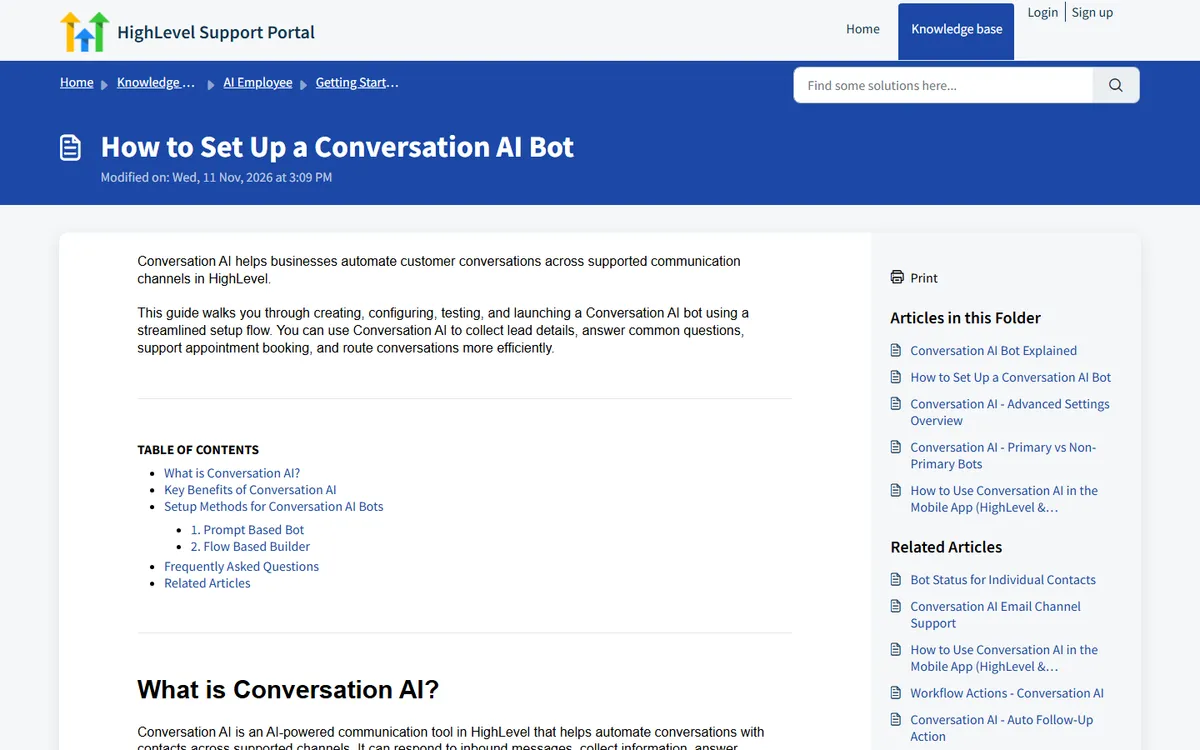 HighLevel’s help article on setting up a Conversation AI bot, November 2026.
What it costs
These are HighLevel’s published numbers as of late 2026. Check the help center before you budget, because they change.
| Option | Price | What you get |
|---|---|---|
| AI Employee Starter | $20/month per sub-account (Starter is for Founder-plan agencies only) | Ask AI, AI Studio, unlimited Content AI (only on the $497 agency plan) |
| AI Employee Growth | $50/month per sub-account | 1,000 Conversation AI responses, 100 Voice AI minutes, unlimited Reviews AI |
| AI Employee Unlimited | $97/month per sub-account | Unlimited Conversation AI responses and Voice AI minutes |
| Pay per use | Varies | Voice AI runs $0.10 to $0.20 per minute; Conversation AI is billed by tokens the model uses |
Phone and texting charges apply on top. On LC Phone, an SMS is $0.00747 per segment and a local number is $1.15 a month, plus carrier fees. The AI plan covers the brain. LC Phone still bills the minutes and texts. My pricing breakdown lists every usage cost in one place.
At The Lead Venture we sell AI as an add-on at $197 a month plus usage, so one client’s busy month doesn’t eat our margin.
Close rate calculator
Plug in your own numbers. The starting values are examples, not data about your business.
-
Close rate
Add your numbers
-
Jobs needed for your goal
Add your numbers
-
Leads needed at this close rate
Add your numbers
Do this today: estimate your monthly new leads, multiply by roughly five messages each, and compare the result to the 1,000-response cap on the Growth plan.
How to set up an AI appointment setter in HighLevel
Menu names shift as HighLevel updates the builder, so look for the closest match. The logic stays the same. If your number and texting registration are not set up, start with my GoHighLevel setup guide.
- Build the calendar first. Create a calendar with your real availability, buffer times and a clear name. A setter can only book what the calendar allows, so fix double-booking and odd hours now.
- Create the bot. In the AI agent settings, create a new Conversation AI bot. Name it after the job, such as “New Lead Setter.”
- Set the goal to book an appointment. Choose the booking-focused mode if your account offers one. The bot’s single goal is a booked time, not a wide-ranging chat.
- Connect the calendar. Pick the calendar from step one so the bot can read open slots and book them.
- Pick the channels. Turn on text first. Add web chat and social messages after the text version works. Don’t light up every channel on day one.
- Paste the prompt. Use a short prompt like the one below and edit it for your business.
- Add the knowledge base. Hours, service area, what you do and don’t do, and the answers to your five most common questions. Anything not in there, the bot should hand off.
- Set the hand-off. Add a trigger for phrases like “talk to a person,” anger, three failed attempts, or any question about price, warranty or a complaint. The trigger tags the contact and alerts a human.
- Turn on the workflow. Add a workflow that fires when a new lead arrives, sends the first text, hands the thread to the bot when they reply, and stops if a human takes over.
- Optional: add Voice AI. For inbound calls, connect a number, reuse the same knowledge base and give it the same goal. For outbound calls, read my AI outbound calling guide first, because consent rules are stricter.
Here is the prompt I start from. Replace the brackets.
ROLE
You are the scheduling assistant for [Business Name], a [type of
business] serving [service area]. You reply to people who contacted us
by text. Your tone is friendly, short and plain. Write like a real
person, in one to three short sentences.

GOAL
Book an appointment on the calendar. That is your only goal.

HOW TO WORK
1. Greet the person by name if you have it: {{contact.first_name}}.
2. Ask what they need help with.
3. Ask one qualifying question: [address or zip / type of job / timeline].
4. Offer two open times from the calendar and ask which works.
5. Once they pick one, book it and confirm the day, time and address.

RULES
- Never quote a price, give a diagnosis, promise a result or make a
  guarantee. Say: "[Owner name] will go over that when we see you."
- Only use facts from the knowledge base. If you don't know, say:
  "Let me have someone call you about that."
- If the person asks for a human, is upset, mentions a complaint,
  an injury or a legal issue, stop and hand off immediately.
- Do not argue. Do not keep chatting after the appointment is booked.
- If the person says STOP, stop messaging.

HAND-OFF
When handing off, say: "I'm getting [Owner name] to reach out to you
right now." Then tag the contact "needs-human."If you’d rather not build all this yourself, the Growth Plan ($97/month, white-label HighLevel, set up for you) is on my bonuses page.
Do this today: build the calendar and write the knowledge base answers before you touch the bot. Both take less time than you expect, and the bot is only as good as they are.
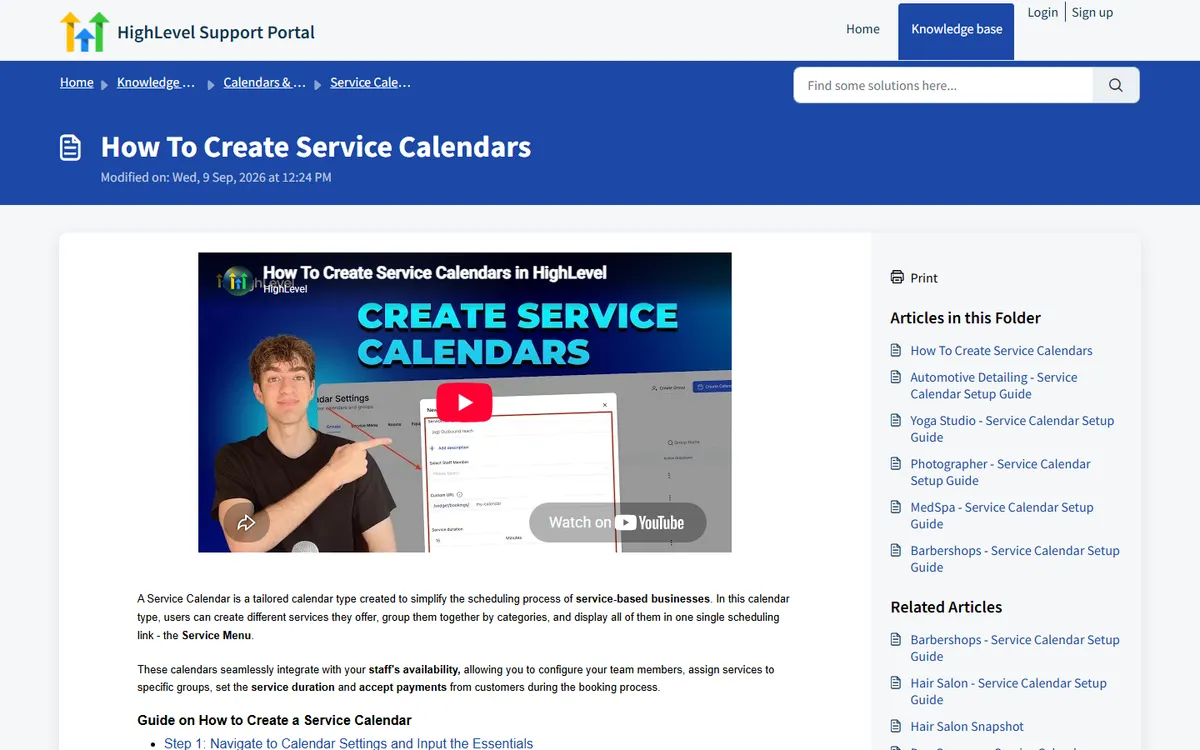 HighLevel’s help article on creating service calendars, the calendar your setter books into, November 2026.
Guardrails that keep it from embarrassing you
An AI setter is only as good as its exit to a human. Everything below is about making that exit easy and the bot’s mistakes small.
- One goal. Booking only. A bot with five jobs does all of them badly.
- No prices, no promises. Pricing, warranties and diagnoses belong to a person. The bot can say you’ll go over it at the visit.
- A short knowledge base. Facts only. If it isn’t written down, the bot says “let me have someone call you.”
- A clear hand-off trigger. Anger, complaints, injuries, legal questions, a request for a human, or three failed tries all stop the bot.
- Business hours for hand-off. A hand-off at 11 pm should send a text saying when someone will reach out, not leave a lead hanging.
- Quiet hours. I keep texts between 8 am and 8 pm in the contact’s local time.
- Opt-out always works. STOP means stop, immediately, and the contact never re-enters a campaign.
- Review weekly. Read at least ten real conversations a week for the first month. You will find fixes every time.
Do this today: write your hand-off triggers as a list of five phrases or situations, and add them before anything else.
The testing checklist
Test it like a stranger, because your customers will. Use a phone and an email that aren’t connected to your business.
- Happy path. Reply the way a normal lead would. Does it book a slot, confirm the details and tag the contact?
- Taken slot. Try to book a time that’s already booked. Does it offer another one instead of double-booking?
- Odd question. Ask something it was never told, like “do you work on boats?” It should hand off, not make something up.
- Price question. Ask “how much is it?” It should not quote a number.
- Angry message. Write something frustrated. It should stop and alert a human.
- Human request. Type “let me talk to a person.” The hand-off should fire at once.
- STOP. Reply STOP. Confirm it stops and the contact is marked do-not-contact.
- Typos and short answers. Reply “tmrw?” or “yes.” Does it still make sense of it?
- After hours. Send a lead at an off-hours time and check the response matches your hours.
- Calendar side. Confirm the booking shows on the right calendar with the right name, time and notes.
Run the whole list again after any change to the prompt. Small edits break things you didn’t touch.
Do this today: put the checklist in a document and run it before every launch.
Where an AI setter fails
I would rather tell you than have you find out on a real lead.
AI appointment setter in HighLevel
Pros
- Replies in seconds at any hour, including nights and weekends
- Never forgets a follow-up
- Books straight onto a live calendar and updates your CRM
- Cheap per conversation compared to paying for a person to cover every hour
Cons
- Handles upset or confused people poorly
- Can sound stiff or repeat itself if the prompt is long or vague
- Makes things up if the knowledge base has gaps and the rules don't stop it
- Needs a human watching it for the first weeks, and a regular review after that
- Doesn't replace a person for trust-heavy, high-ticket or complicated sales
A few specific failures I’ve seen:
- It books people you can’t serve. If the bot doesn’t ask about service area, you get appointments 90 miles away. Add the qualifying question.
- It loops. A confused reply makes the bot repeat its question. A “three failed tries” rule fixes it.
- It sounds like a bot. Long messages and formal wording give it away. Keep sentences short.
- It books and then nobody shows up. A setter doesn’t fix a no-show problem. Add reminders and a confirmation text.
- It talks to the wrong people. Vendors, job applicants and spammers will message you too. Add a rule to tag and ignore them.
The bot is a first responder. A person still runs the visit and closes the job.
Do this today: list the three worst things a bot could say to your customers, then write a rule that forbids each.
Next steps
Start small. Pick one lead source, such as your web form, and run the setter on text only for two weeks. Read every conversation. Fix the prompt. Then add chat, then voice.
Three numbers tell you if it is working:
- Reply rate. Leads who answered the bot’s first message divided by leads texted.
- Booked rate. Appointments booked divided by leads.
- Show rate. People who showed up divided by appointments booked.
If you also have old leads sitting in your CRM, the same setter can handle the replies to a database reactivation campaign, which is one of the best places to try it. And if you run an agency, a setter is an easy add-on to sell: show the owner a text arriving seconds after a form fill and a booking landing on their calendar.
Quick wins
Want clients this month? Start here
Set up your own house first. One clear offer for one niche, a simple site, a booking link and your own HighLevel account running the same automations you'll sell. Prospects trust what they can try.
Start with people who already know you
Past employers, old customers, friends who own businesses. Tell them exactly what you set up for local service businesses and ask for 20 minutes.
Do daily outreach
Calls, emails and DMs to a tight list in one niche. Volume and follow-up beat clever copy.
Demo, don't describe
Build a quick AI agent or missed-call text-back demo in your own HighLevel account and let them try it on the call.
Post what you build
Short screen recordings of real automations. One a day on the platform your buyers use.
Partner with people who own your buyers
Web designers, bookkeepers and software resellers already have the relationship. Trade introductions.
Answer every lead in under a minute
Practice what you sell. Set up your own speed-to-lead automation first.
Work a local area in person
- Pick one area and walk into ten businesses in a row. Ask for the owner, keep it to two minutes and leave a card.
- Bring a one-page printout that shows the problem you fix (missed calls, slow follow-up, no reviews) with their name on it.
- Go back a week later. Most first visits are about being remembered, not closing.
Ask for introductions, not referrals
"Know anyone who could use this?" gets a polite "I'll think about it." Asking to be introduced to a specific kind of person gets names. Set it up when they sign:
"If this works the way I think it will, would you be against introducing me to one or two other local service businesses you know? I'll give them a a free lead-response audit."
Then follow up once they're seeing results. With a client you get along with, a little humor works:
"So are you keeping me a secret on purpose, or do you just not like your friends?"
Only joke like that with clients you know well. With everyone else, keep it simple and thank them either way.