 Jonathan Blake
Searches for “AI outbound calling” keep growing, and most of what ranks is either a vendor pitch or a warning with no how-to. I’ll give you both halves. I’ve sold face to face since 2015, ran a tree service for six years, and now co-own The Lead Venture, where we run AI voice and text agents on HighLevel. I’ve seen what this does well, and I’ve seen where people get themselves in trouble.
Short answer: AI outbound calling is an AI voice agent placing calls and holding the conversation. It works well for people who already asked to hear from you, like a lead who filled out a form. It is a bad idea, and often illegal, for cold lists. In HighLevel you build it with Voice AI plus a workflow, and it costs well under a dollar for a typical call.
What AI outbound calling is (and is not)
With inbound, the customer calls you and the AI picks up. With outbound, your system calls them. The AI speaks, listens, answers simple questions, and can book an appointment or transfer to a human.
It is not a magic dialer that turns a purchased list into customers. I’ll say it plainly.
If the person never asked to hear from you, the AI should never dial them.
That rule is not just my opinion. In February 2024 the FCC ruled that AI-generated voices are “artificial” under the Telephone Consumer Protection Act (TCPA). Calls made with them need the same consent as a prerecorded robocall. I cover that in detail in the compliance section, because it decides which use cases are safe.
Do this today: write down who you would call and, for each group, how they gave you their number and what they agreed to.
Four legit use cases
These all share one trait: the contact has a relationship with you or asked for the call.
1. Calling back inbound leads who asked to be contacted
Someone fills out “request a call back” on your site or a lead form. The AI calls within a minute. Speed matters here, and I go deeper on it in my speed to lead playbook. The agent confirms what they need, asks two qualifying questions, and offers two appointment times.
2. Appointment confirmations and reminders
A call the day before a booking: “Just confirming your 2 pm appointment tomorrow. Press or say yes to confirm, or tell me if you need to reschedule.” This cuts no-shows, and the AI can rebook on the spot. These are service calls to people who already booked.
3. Reactivating opted-in past customers
You have a list of past clients who agreed to receive calls or texts from you. The AI can call and ask whether they want to book a follow-up visit. Keep it to people who opted in. A customer list is not the same thing as a consent list, and I’ll explain why below.
4. Web form follow-up
Same idea as number one, for forms where the person typed their phone number and agreed to be contacted. A quote request, a consultation request, a “get pricing” form. The AI calls, confirms the details and books the next step.
If you want the text version of the same idea, my missed call text back playbook works for the callers who reach you first.
Do this today: pick one of the four and build only that one. Don’t launch all four.
What it costs per minute
Using HighLevel’s published rates as of late 2026:
| Item | Cost |
|---|---|
| Voice AI, speech-to-speech, pay per use | about $0.10 to $0.20 per minute |
| AI Employee Growth plan | $50/month per sub-account, includes 100 Voice AI minutes |
| AI Employee Unlimited plan | $97/month per sub-account, unlimited Voice AI minutes |
| Outbound phone call (LC Phone) | about $0.0166 per minute |
| Local number | about $1.15/month |
Pay per use
- Voice AI: About $0.10 to $0.20 per minute
- Best for: Low or unpredictable call volume
AI Employee Growth
- Price: $50/month per sub-account
- Includes: 100 Voice AI minutes
AI Employee Unlimited
- Price: $97/month per sub-account
- Includes: Unlimited Voice AI minutes
Phone charges still apply on top of the AI plan. The AI covers the “brain,” and LC Phone bills the minutes. For the full picture, see my GoHighLevel pricing breakdown.
Most calls are shorter than three minutes, and many go to voicemail. Decide up front how the agent handles voicemail, because a long message costs minutes too.
Do this today: estimate your monthly call volume and multiply by 3 minutes and $0.65 to get a worst-case budget.
How to set it up in HighLevel Voice AI
HighLevel’s Voice AI can run outbound as well as inbound. The product changes often, so menu names and options may differ from what I describe. Look for the closest match, and check HighLevel’s help center for your version.
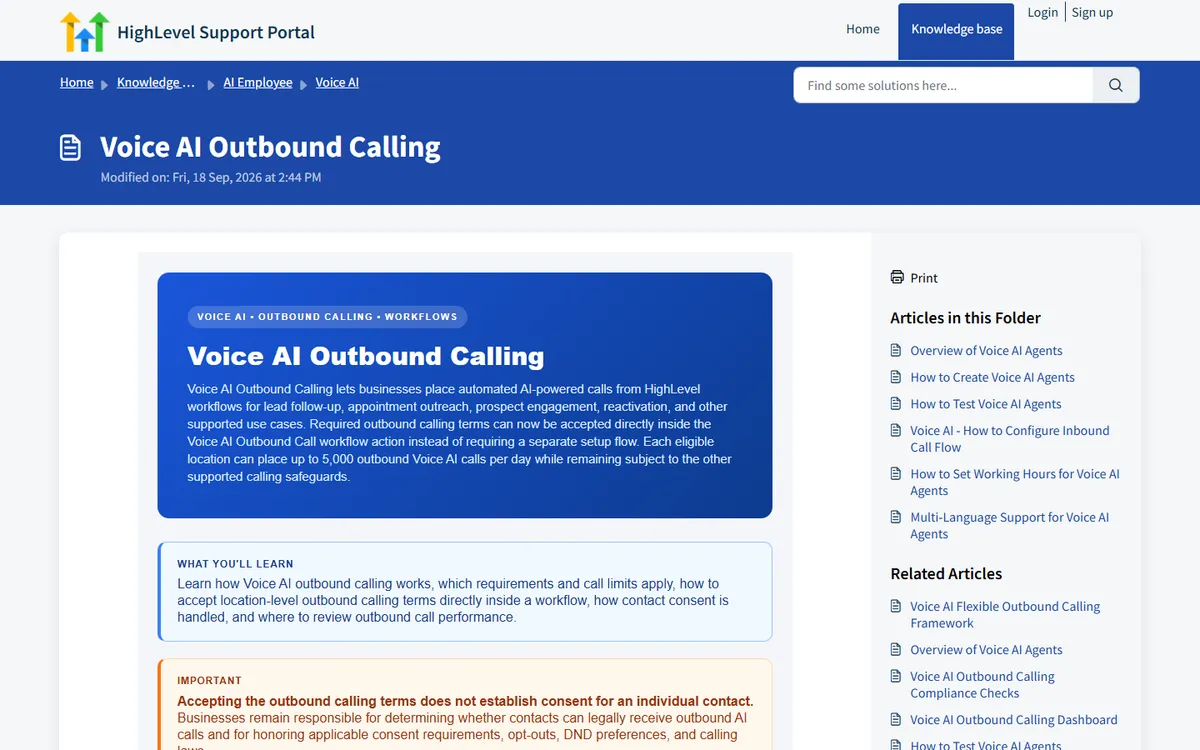 HighLevel’s help article on Voice AI outbound calling, November 2026.
- Get a phone number working. You need a real HighLevel number that can place and receive calls. Test it by calling your own cell. If you are starting fresh, my GoHighLevel setup guide covers it.
- Create the Voice AI agent. In the sub-account, find the AI agents or Voice AI section and create a new agent. Choose an outbound-capable setup if the product asks you to pick a direction.
- Write the prompt. Use the sample below. One job per agent: confirm, call back, or reactivate. Not all three.
- Add the knowledge base. Hours, services, price ranges, address, what you don’t do. Keep it short and factual.
- Add actions. Book an appointment on a calendar, tag the contact, transfer to a human, and mark do-not-call if the person asks.
- Build the trigger workflow. Under Automation, create a workflow. The trigger is the event: form submitted, tag added, or appointment booked. Add a wait if needed, then the action that starts the Voice AI call to that contact.
- Set calling hours. Add a time window in the workflow so calls only go out between 8 am and 9 pm in the contact’s local time. I recommend a tighter window than that, such as 9 am to 7 pm.
- Add the stop conditions. If the contact replied by text, booked, or opted out, exit them from the workflow so the AI doesn’t call them anyway.
- Test on yourself. Submit your own form with your cell number and let the AI call you. Then be a rude caller and an upset caller and see what it does.
Do this today: run your own test call and listen to the recording. Fix the first thing that sounds stiff.
A sample prompt for a lead callback agent
This one is for a fictional dental office calling someone who just requested an appointment on the website. Change the details for your business.
ROLE
You are the virtual assistant for Bright Smile Dental in Columbus, Ohio.
You are calling a person who just asked us to contact them about booking a visit.
You are an AI assistant. If asked, say so plainly.

OPENING
"Hi, is this {{contact.first_name}}? This is the virtual assistant at Bright Smile
Dental. You asked us on our website to get in touch about an appointment.
Is now a good time for a quick minute?"

IF NOT A GOOD TIME
"No problem. When would be better to call?" Note the time, then end the call politely.

IF THE PERSON DID NOT REQUEST THE CALL OR WANTS NO CALLS
Apologize, say "I'll take you off our list right away," tag the contact
"do-not-call", and end the call. Do not try to continue the conversation.

QUALIFY (only what you need)
1. Is this for a checkup, a specific problem, or something else?
2. Are you a new patient or have you been here before?
3. Do you have insurance you'd like us to check?

BOOKING
Offer two specific times. Confirm name, mobile number and time.
Read the number back. Say a text confirmation is on its way.

RULES
Keep each reply to one or two sentences.
Do not give medical advice or quote exact prices.
If the caller is upset, mentions pain or an emergency, or asks for a person,
say "Let me get someone from the team to call you right now" and transfer or
tag the contact "needs-callback".
If you reach voicemail, leave this message only: "Hi {{contact.first_name}},
this is Bright Smile Dental returning your request for an appointment.
Call us back at 614-555-0100 or reply to our text. Thanks."Notice the opt-out branch. The agent should treat “stop calling me” as the most important instruction in the prompt, and your workflow should honor it too.
Do this today: add an opt-out branch to whatever prompt you write, then test it by saying “take me off your list.”
Compliance: the part you cannot skip
This is not legal advice. I’m explaining what I understand and what I follow. Talk to a lawyer who knows telemarketing law, especially if you call on behalf of clients.
The FCC ruling
In February 2024 the FCC issued a declaratory ruling that calls made with AI-generated voices are “artificial” voice calls under the TCPA. The practical meaning: the same consent rules that apply to prerecorded robocalls apply to AI voice calls. The FCC’s announcement is linked in the sources below.
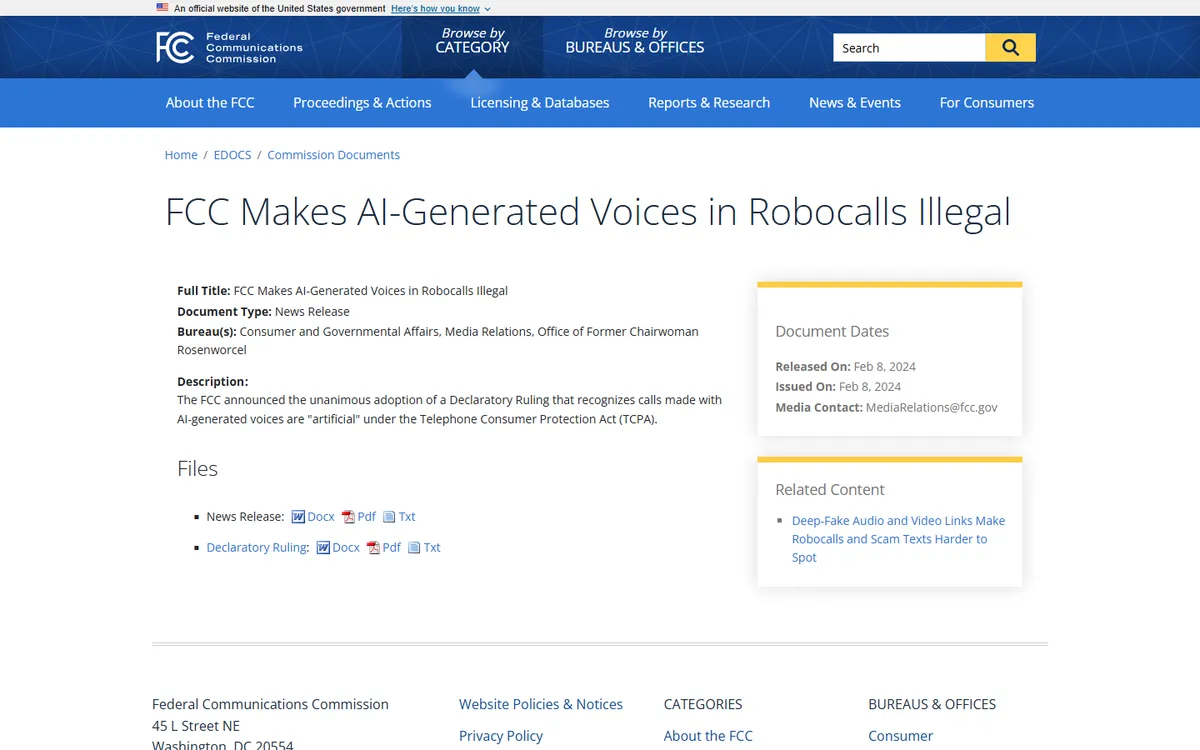 The FCC’s announcement of the AI voice ruling, released February 8, 2024.
Consent is the whole game
The TCPA generally requires prior express consent for artificial or prerecorded voice calls to a cell phone. For marketing and telemarketing calls, it requires prior express written consent. The difference matters:
- Informational or service calls (an appointment confirmation, a callback the person requested): prior express consent, which can be given by providing the number for that purpose.
- Marketing calls (reactivation offers, promotions): prior express written consent, meaning a signed or electronically agreed statement that specifically allows this type of call.
A web form that says “we may call or text you about your request” supports the callback. It does not clearly support a promotional campaign six months later. Your form language matters, and so does keeping a record of who agreed to what and when.
Do Not Call lists
Check the National Do Not Call Registry for telemarketing calls, and keep your own internal do-not-call list. If someone says “don’t call me again,” the AI must stop and your system must remember. There are some exemptions, such as established business relationships under certain conditions, but those are narrow and tricky with artificial voices. Ask a lawyer before relying on any of them.
Calling hours
Federal telemarketing rules generally limit calls to between 8 am and 9 pm in the called party’s local time. Some states are tighter. Build the time window into the workflow so it never depends on someone remembering.
State laws
Several states have their own telemarketing and robocall rules, and some are stricter than federal law. Florida and Oklahoma have specific telephone solicitation statutes, and others have their own consent and hours rules. If you call across state lines, the stricter rule is the safe one to follow.
Also do these
- Disclose the AI. Have the agent say it is a virtual assistant and answer honestly if asked.
- Recording consent. Many states require everyone on the call to consent to recording. Say it in the opening or turn recording off.
- Keep records. Save the consent source, timestamp and wording for every contact you call.
- Never cold-call with AI. I mean this as a firm rule, not a suggestion.
The AI is not the risk. The list is.
Do this today: audit your contact list. For each source, write down what the person agreed to. Remove anyone you can’t prove consent for.
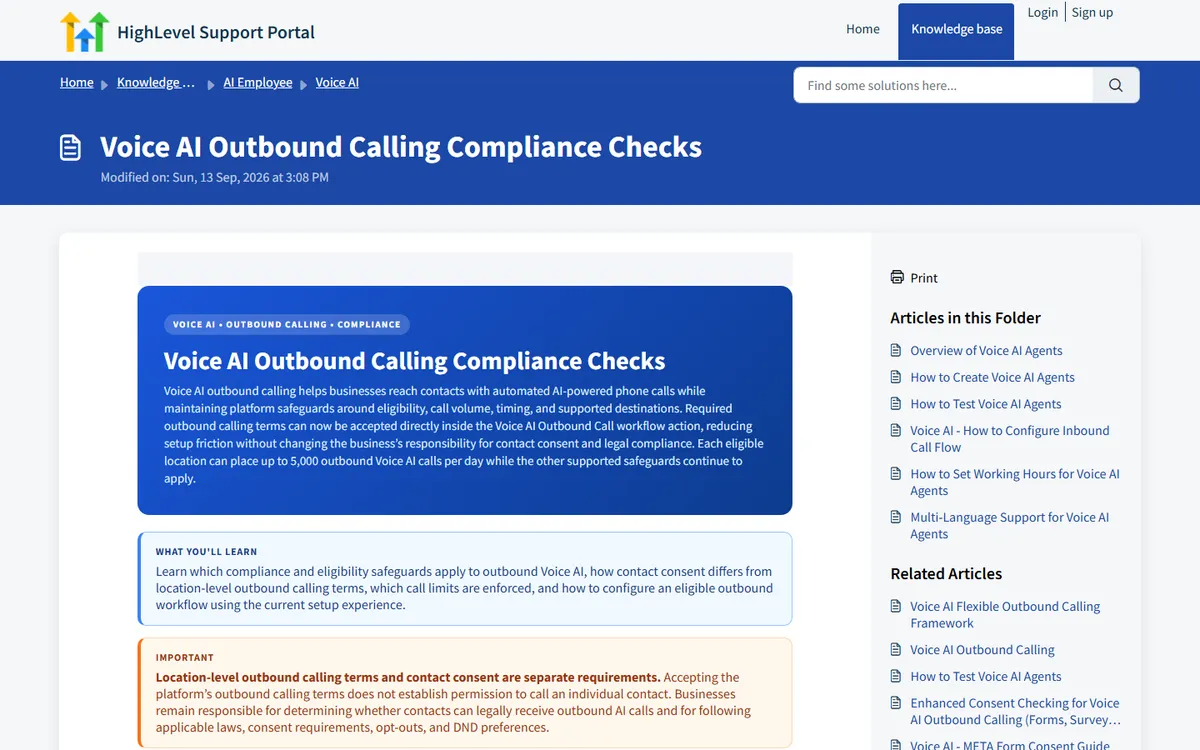 HighLevel’s help article on outbound compliance checks. Accepting the platform terms does not give you consent to call anyone, November 2026.
Where AI outbound calling falls short
AI outbound calling
Pros
- Calls leads within a minute, every time, at any hour you allow
- Costs well under a dollar per typical call
- Books straight onto your calendar and into your CRM
- Handles confirmations and reschedules without staff time
Cons
- Consent rules are strict and mistakes can be expensive
- Some people hang up the moment they hear it is an AI
- Needs a tested prompt, a clean list and a human to take over hot leads
- Voicemail handling and call quality vary, so you have to listen to recordings
My view: use it for speed and follow-through, not for finding new customers. A human voice still wins the cold conversation, and the law is on its side too.
Selling this to clients (agencies)
If you run an agency, outbound AI calling is a strong add-on for businesses that already collect leads. The pitch is simple: “Every form lead gets a call in under a minute.” Make the compliance setup part of the service. That means consent language on forms, recording and AI disclosure in the greeting, and a do-not-call tag. Put responsibility for the lead lists in your client agreement.
I’d start with one client and one use case, such as the form callback, and review the first 20 call recordings before you scale. If you want a done-for-you starting point on HighLevel, the Growth Plan ($97/month, white-label HighLevel, set up for you) is on my bonuses page.
For the inbound side of the same technology, read my guides on starting an AI voice agency and GoHighLevel AI agents.
Next steps
- Pick one legit use case from the four above.
- Confirm consent for every contact you plan to call.
- Build the agent and workflow in a test account, with calling hours and an opt-out branch.
- Call yourself, listen to the recording, and fix what sounds off.
- Launch to a small group and review the first 20 calls.