 Jonathan Blake
Short answer: a GoHighLevel snapshot is a saved copy of an account’s setup (pipelines, workflows, forms, calendars, templates) that you can load into a new sub-account in minutes instead of building from scratch. It doesn’t copy contacts, conversations or billing. The snapshot is what turns a one-off build into a repeatable agency.
I co-own an agency that runs on HighLevel for home service clients, and our snapshots (“TLV Client - Growth” and “TLV Client - Full Suite”) are the single biggest reason we can onboard a new client in an afternoon instead of a week. Here’s what a snapshot actually is, how to build and share one, and the mistakes that cause a snapshot to break on launch day. If you’re new to HighLevel, start with my start here page first.
What a snapshot is, and what it doesn’t copy
A snapshot captures the structure of a sub-account:
- Pipelines and opportunity stages
- Workflows and automations
- Funnels, websites and forms
- Calendars
- Custom fields and custom values
- Email and SMS templates
What it doesn’t carry over: contacts, conversations, team members, billing, connected phone numbers, and most integrations. Every new account built from a snapshot still needs its own phone number, its own email sending setup and its own A2P 10DLC texting registration before it can go live. Plan for that in your onboarding timeline, not as a surprise on launch day.
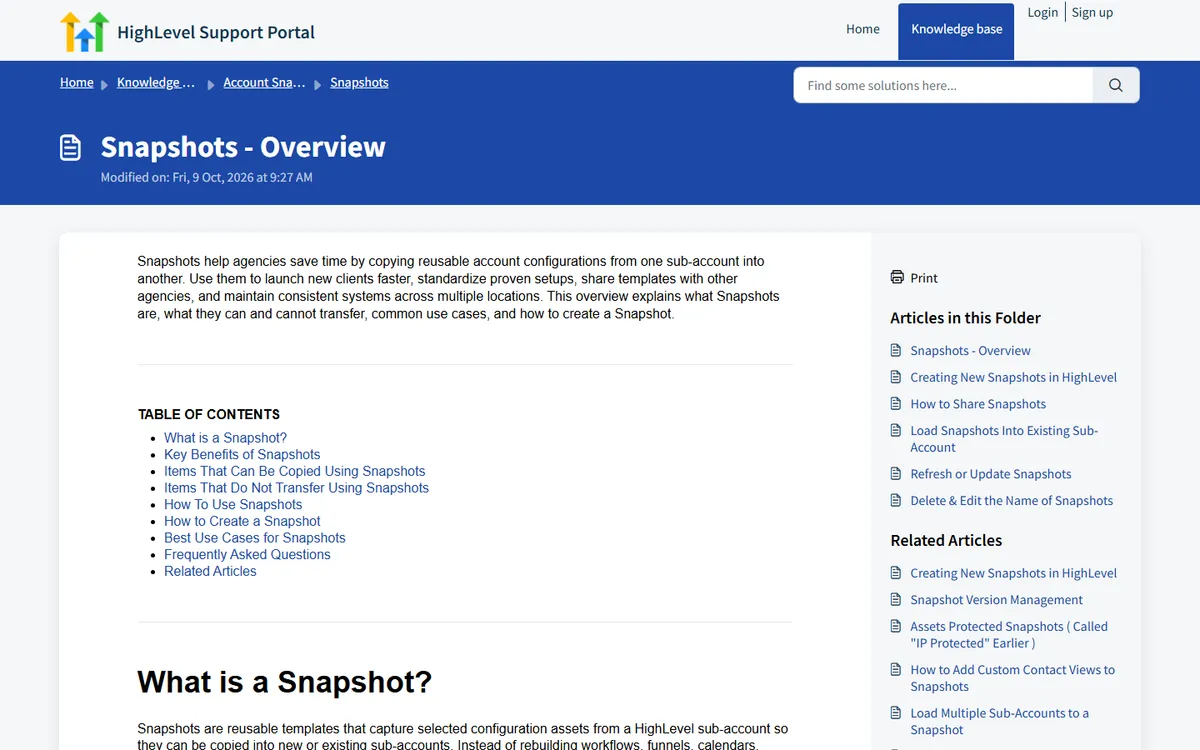 HighLevel’s Snapshots overview in its help center, November 2026.
| Carries over | Does not carry over |
|---|---|
| Pipelines and opportunity stages | Contacts and conversations |
| Workflows and automations | Team members and billing |
| Funnels, websites and forms | Connected phone numbers |
| Calendars, custom fields and custom values | Most integrations |
| Email and SMS templates | A2P 10DLC registration |
How to import, share and update a snapshot
Importing: from your agency settings, choose a snapshot and load it into a new or existing sub-account. It merges in rather than wiping the account clean, so load it into a fresh sub-account whenever you can.
Sharing: you can share a snapshot with another agency by sending a share link, or sell it through HighLevel’s snapshot marketplace. The recipient imports it the same way.
Updating: HighLevel lets you push updates from your master snapshot out to accounts that already have it installed. This is powerful and also the easiest way to accidentally overwrite a client’s own customizations. Test every update in one account first, and keep a short changelog so you know what changed and when.
Start your free HighLevel trial 30-day trial · cancel anytime · keep the bonuses I may earn a commission if you sign up through my link, at no extra cost to you. DetailsFree vs paid snapshots: what’s worth buying
Free snapshots floating around YouTube and Facebook groups are a decent way to see how a workflow or a pipeline is built. Most of them are generic, built for nobody’s specific niche, and they thin out fast once you look past the first screen.
Paid snapshots are worth it when they’re built and proven for your niche by someone who actually runs client accounts in it, not just assembled to sell. Before you buy one, ask what business it was tested on, what’s included beyond the obvious (custom values, A2P guidance, onboarding templates), and whether updates are included.
The snapshot that’s made us the most money is the one we built ourselves from real client work, not one we bought. Snapshots are also the backbone of the white label SaaS model, since they are what you hand each new client.
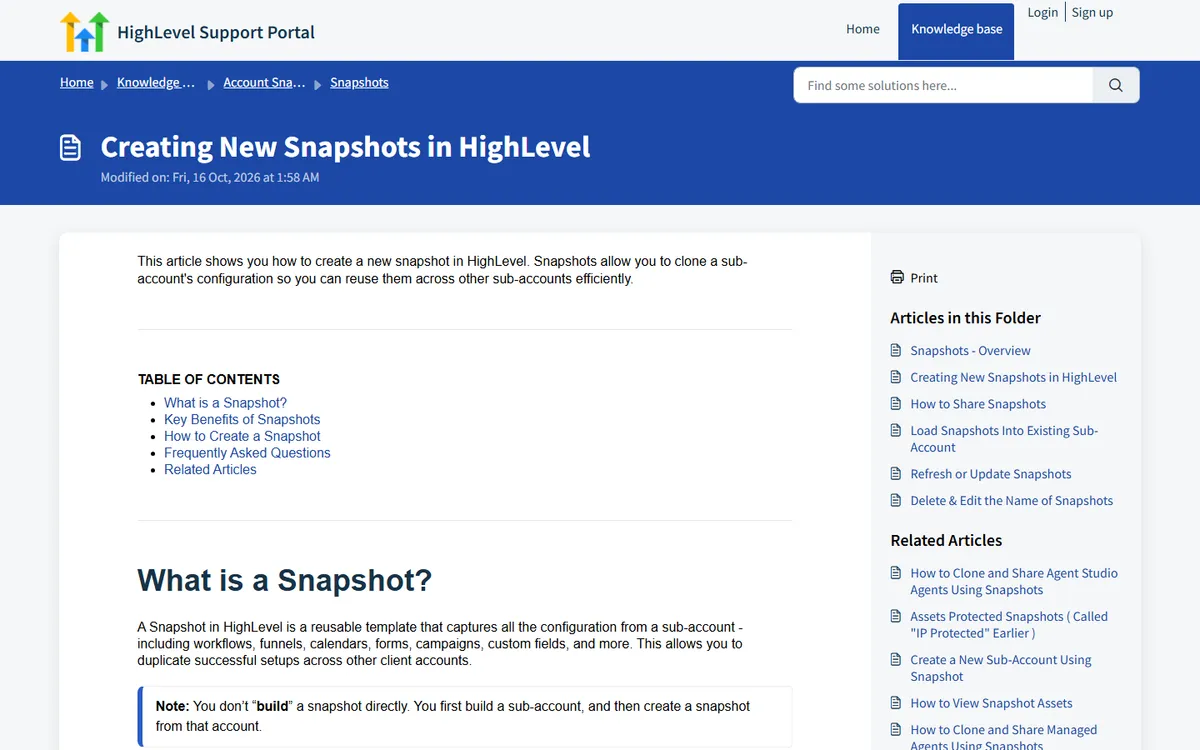 HighLevel’s guide to creating a snapshot, November 2026.
Free snapshots
- Where: YouTube and Facebook groups
- Catch: Generic, built for nobody's niche
Paid snapshots
- Ask: What business it was tested on
- Check: Custom values, A2P guidance, onboarding templates, updates
Build your own
- Source: Real client work
- Benefit: You know what every piece does and why
Building your own niche snapshot: how we built ours
Build the account you’d want to hand a client, then save it. Don’t design a snapshot before you’ve built the real thing once. Here’s the order I’d follow, which is the same order we used building “TLV Client - Full Suite”:
- Build the real thing first, in a real account. A 30-day extended free trial through my link gives you enough runway to do this properly instead of rushing it inside HighLevel’s standard 14 days. Pick one client (or your own fake business in that niche) and build the whole system: pipeline stages that match how the business actually sells, a missed-call text-back workflow, a booking calendar, a review request workflow, and a reactivation campaign for old leads.
- Test every piece as a customer would. Call it, text it, book through it, let a lead go cold and watch the reactivation workflow catch it.
- Clean up before you save. Strip out anything specific to that one client (their actual phone number, their specific pricing) and replace it with custom values you’ll fill in per client.
- Export it as a snapshot and name it clearly. “TLV Client - Growth” tells our whole team exactly what it is and who gets it.
- Load it into a brand-new test account and build a client from scratch using only the snapshot and your onboarding checklist. Anything confusing in that test run gets fixed before a real client sees it.
A snapshot doesn’t sell your agency. It makes the second client cost a tenth of what the first one did.
Snapshots as a product: selling them yourself
Once your snapshot is proven across a handful of clients, some agencies sell it as its own product, either directly or through HighLevel’s snapshot marketplace. If you go that route:
- Document what’s included and, just as importantly, what isn’t (a snapshot is not a done-for-you agency; the buyer still has to set up their own phone number, email domain and A2P registration).
- Keep a version you update separately from the one your own clients run, so changes for buyers don’t accidentally hit your active client accounts.
- Price it like a product, not like your hourly rate. The value is the time it saves, not the hours you spent building it once.
Snapshot mistakes that cause problems on launch day
- Hardcoding custom values instead of using placeholders. A phone number, business name or pricing baked directly into a workflow instead of a custom value means editing every workflow by hand for every new client.
- Forgetting phone number and A2P setup isn’t included. Build this into your onboarding checklist explicitly, since the snapshot itself can’t do it for you.
- Not testing the snapshot as a stranger would. The person who built it knows where everything is. A new client, and their customers, don’t.
- Updating a master snapshot without testing first. One change meant to improve a workflow can quietly break something in every account that already has it installed.
- Skipping documentation. A snapshot with no notes on what each workflow does becomes a maze six months later, even for the person who built it.
If you’re earlier in the process and still deciding whether HighLevel is the right platform, start with my full GoHighLevel review. If your plan is to turn your snapshot into a sellable subscription with automatic billing, read how SaaS mode works next. And if you’re building a snapshot specifically to launch an AI agency, I cover picking your stack and your first offer in how to start an AI agency. Already signed up through my link? Claim your free onboarding, or book a call if you’d rather have the snapshot built with you.
Quick wins
Want clients this month? Start here
Set up your own house first. One clear offer for one niche, a simple site, a booking link and your own HighLevel account running the same automations you'll sell. Prospects trust what they can try.
Start with people who already know you
Past employers, old customers, friends who own businesses. Tell them exactly what you set up for home service businesses and ask for 20 minutes.
Do daily outreach
Calls, emails and DMs to a tight list in one niche. Volume and follow-up beat clever copy.
Demo, don't describe
Build a quick AI agent or missed-call text-back demo in your own HighLevel account and let them try it on the call.
Post what you build
Short screen recordings of real automations. One a day on the platform your buyers use.
Partner with people who own your buyers
Web designers, bookkeepers and software resellers already have the relationship. Trade introductions.
Answer every lead in under a minute
Practice what you sell. Set up your own speed-to-lead automation first.
Work a local area in person
- Pick one area and walk into ten businesses in a row. Ask for the owner, keep it to two minutes and leave a card.
- Bring a one-page printout that shows the problem you fix (missed calls, slow follow-up, no reviews) with their name on it.
- Go back a week later. Most first visits are about being remembered, not closing.
Ask for introductions, not referrals
"Know anyone who could use this?" gets a polite "I'll think about it." Asking to be introduced to a specific kind of person gets names. Set it up when they sign:
"If this works the way I think it will, would you be against introducing me to one or two other home service businesses you know? I'll give them a a free copy of our starter snapshot checklist."
Then follow up once they're seeing results. With a client you get along with, a little humor works:
"So are you keeping me a secret on purpose, or do you just not like your friends?"
Only joke like that with clients you know well. With everyone else, keep it simple and thank them either way.
Bottom line
A snapshot is what makes an agency scale instead of just repeating the same manual build over and over. Build it in a real account you’d be proud to hand a client, test it like a stranger would, document what’s missing (phone, email, A2P), and update it carefully once it’s in client accounts. Get this right once, and every client after the first one gets easier.
Start your 30-day extended free trial 30-day trial · cancel anytime · keep the bonuses I may earn a commission if you sign up through my link, at no extra cost to you. Details