 Jonathan Blake

SaaS mode is the HighLevel feature that gets the most hype and the least explanation. People talk about it like it turns your agency into a software company overnight. It doesn’t. What it does do is take a lot of manual work out of signing up, billing and setting up clients, and it lets you charge for usage you’d otherwise eat.
I co-own an agency that sells HighLevel-powered plans to home service businesses. Here’s how SaaS mode works, what it costs, a worked rebilling example with real rates, and what I’d do differently.
What SaaS mode is, in plain English
Normally, an agency on HighLevel creates a client account by hand, invoices the client separately, and pays for that client’s calls and texts from the agency’s own wallet.
SaaS mode changes three things:
- You sell plans, not just services. You create subscription plans (say, a basic plan and a full plan) with your own prices and features.
- Signup and billing are automatic. A client checks out through your page, pays through your connected Stripe account, and gets an account built from the snapshot you assigned to that plan.
- Usage gets rebilled. Calls, texts, emails and AI usage are charged to the client’s own wallet, with your markup.
The client sees your brand the whole way through. Combined with white label (covered in GoHighLevel white label), it looks like your own software. For the wider model of reselling software under your own brand, see white label SaaS.
Do you need the Founder plan?
As of late 2026, SaaS mode is only on HighLevel’s $497 per month plan, which the pricing page now lists as the Founder plan. Older content calls it Agency Pro or SaaS Pro. People search all of those names (and “SaaS mode”) looking for the same $497 plan, so I’ll use “Founder plan” and “SaaS mode” together here.
| Item | Starter ($97) | Unlimited ($297) | Founder plan ($497) |
|---|---|---|---|
| Sub-accounts | 3 | Unlimited | Unlimited |
| White-label desktop app | No | Yes | Yes |
| Pass usage to clients at cost | No | Yes | Yes |
| Rebill usage with your markup | No | No | Yes |
| SaaS mode (plans, checkout, auto-provisioning) | No | No | Yes |
| AI Employee Starter ($20/month per sub-account) | No | No | Yes |
You need the Founder plan if you want to sell fixed software-style plans, have clients sign up and pay without you, or make a margin on usage. You don’t need it yet if you have a few clients on custom retainers and you’re fine invoicing them yourself. In that case Unlimited is enough, and I’d upgrade once your offer is repeatable. The GoHighLevel pricing breakdown has every plan detail.
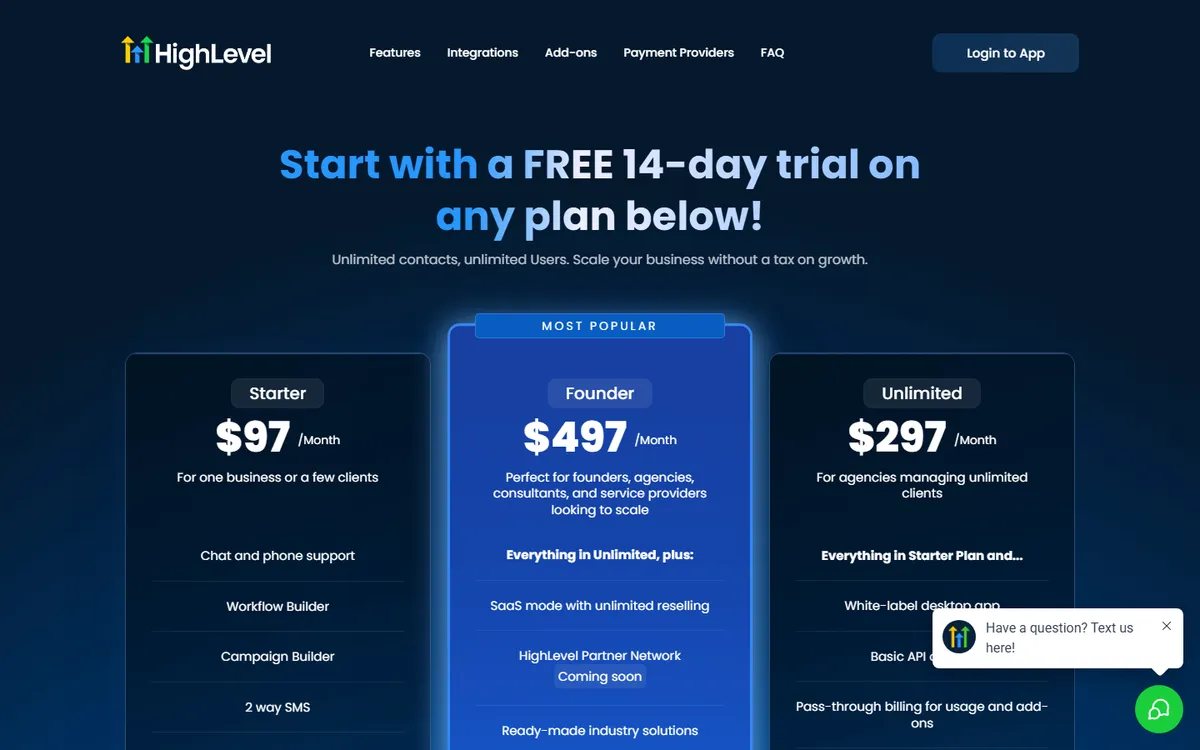 HighLevel’s pricing page, where SaaS mode sits on the Founder plan, November 2026.
SaaS mode
Pros
- Signup, billing and account setup run automatically
- Rebilling turns usage into a line item clients pay
- Clients see your brand the whole way through
Cons
- Only on the $497 Founder plan
- Needs a finished snapshot and a repeatable offer first
- Every new client still needs A2P texting registration
How rebilling works, with a worked example
Every client account has a wallet. When the client’s account sends a text or makes a call, the cost comes out of their wallet instead of yours. With rebilling and a markup turned on, the client pays your price, HighLevel takes its cost, and you keep the difference.
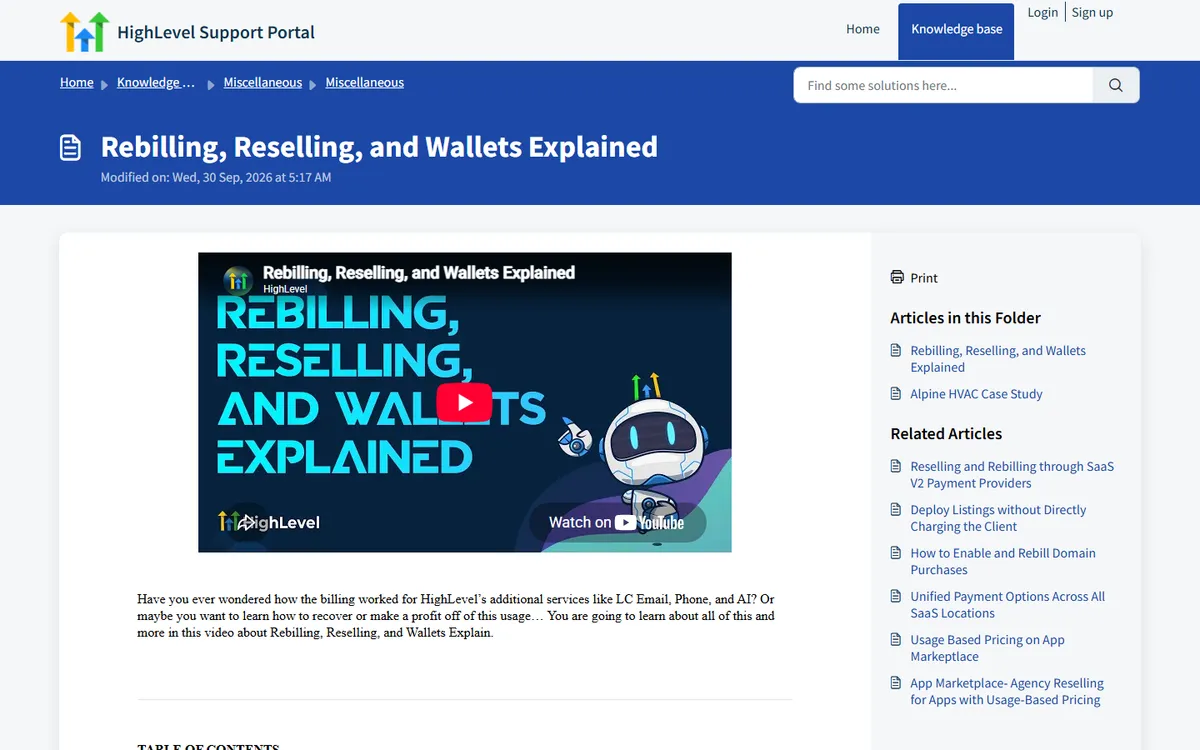 HighLevel’s help article on rebilling and wallets, November 2026.
Here’s an example using HighLevel’s published US rates as of late 2026, for a made-up home service client in a busy month:
| Usage | Volume | HighLevel cost | Rate |
|---|---|---|---|
| SMS segments | 1,500 | $11.21 | $0.00747/segment |
| Outbound call minutes | 600 | $9.96 | $0.0166/min |
| Inbound call minutes | 400 | $4.66 | $0.01165/min |
| Local phone number | 1 | $1.15 | $1.15/month |
| Total | $26.98 |
Carrier and A2P fees come on top. When rebilling is on, HighLevel applies a fixed 5% markup to those at the sub-account level.
Now say you rebill phone usage at twice HighLevel’s cost. The client pays about $54, and you keep about $27. That doesn’t sound like much for one client. Across 30 clients it’s roughly $800 a month, which covers the $497 plan with room to spare. Check the configurator for the markup range HighLevel currently allows.
AI is where usage gets big. If that same client used Voice AI for 300 minutes on pay-per-use speech-to-speech pricing ($0.10 to $0.20 per minute), the AI alone would cost $30 to $60, plus about $3.50 in inbound phone minutes. If you’re not rebilling that, a busy month comes straight out of your margin. My GoHighLevel AI agents guide covers setting Voice AI and Conversation AI up in the first place.
Start your free HighLevel trial 30-day trial · cancel anytime · keep the bonuses I may earn a commission if you sign up through my link, at no extra cost to you. DetailsSetting up SaaS mode, step by step
HighLevel moves its menus around, so use their help center for exact clicks. The order I follow:
- Finish your snapshot first. Every SaaS plan assigns a snapshot to new accounts. If the snapshot isn’t ready, you’ll be fixing accounts one by one later. My GoHighLevel snapshots guide covers building and testing one properly.
- Connect Stripe to your agency account and run a test payment.
- Turn on SaaS mode and open the SaaS configurator.
- Create your plans. Name, monthly price, any setup fee or trial, and which features each plan turns on.
- Assign a snapshot to each plan. Our plans map to our two snapshots: “TLV Client - Growth” and “TLV Client - Full Suite.”
- Set rebilling for phone, email and AI, including your markup and how client wallets get topped up.
- Build the checkout. A simple page with your plans and a form that sends people to checkout.
- Test the whole thing as a fake client: sign up, pay, log in, get a text, check the wallet charge, cancel.
Step 8 is the one people skip, and it’s the one that catches the problems.
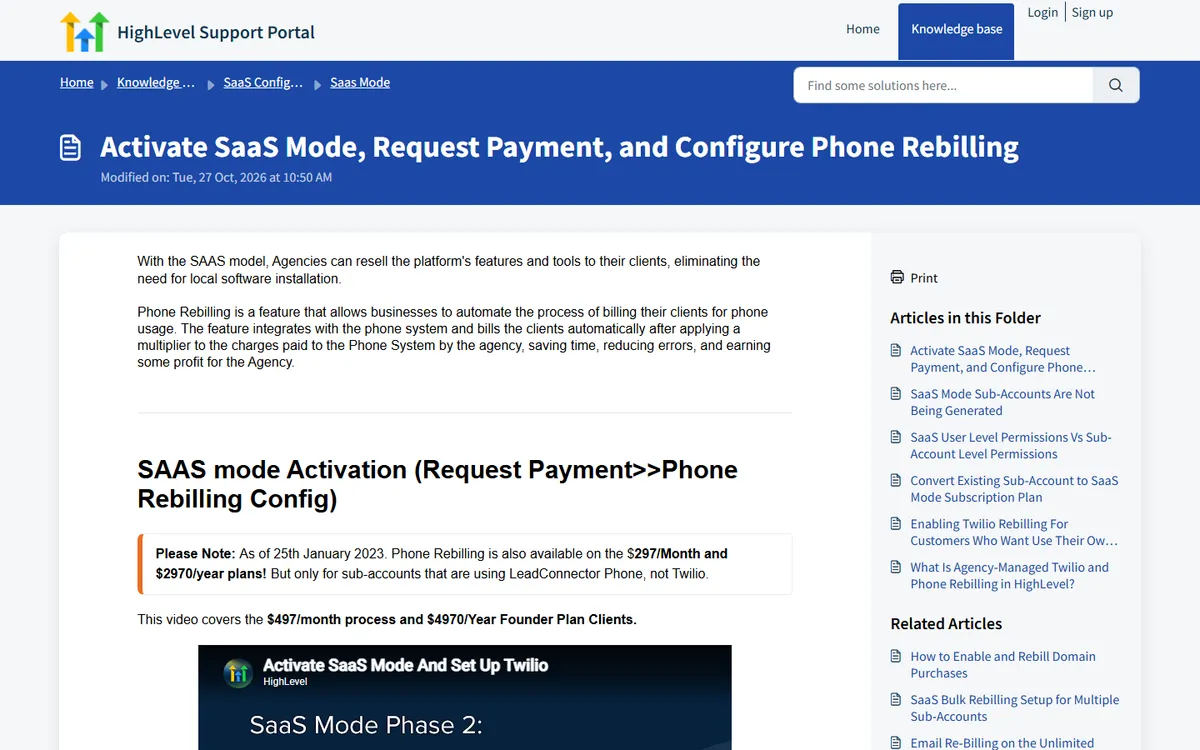 HighLevel’s SaaS mode activation guide, November 2026.
What the client experiences
It helps to picture SaaS mode from the client’s side, because that’s what you’re really building:
- They click a link on your site or in a text from you and land on a checkout page with your branding.
- They pick a plan and pay with a card. The payment goes to your Stripe account.
- They get a welcome email from you with a login to your branded app.
- Their account already has your pipelines, workflows, forms and calendars from the snapshot.
- When their account sends texts or makes calls, the cost comes out of their wallet, which is funded by their card on file.
If any of those steps feels clunky, clients notice. Walk through it yourself on your phone before you send the link to anyone.
A SaaS launch checklist
Before you sell your first SaaS plan, I’d want all of these done:
- Snapshot finished and tested in a fresh sub-account
- Stripe connected and a real test payment refunded
- Two or three plans created with clear names and prices
- A snapshot assigned to each plan
- Rebilling turned on for phone, email and AI, with your markup set
- White-label domain and branding live
- A checkout page that explains the result, not the features
- A welcome email and a short onboarding video
- A plan for A2P texting registration for every new client
- A support email or booking link that clients can actually find
It’s not glamorous, but every item on that list is something I’ve seen cause a problem when it was skipped.
Pricing your SaaS plans
Nobody buys software from a local agency. They buy a result that happens to run on software. Name and price your plans around the result.
Here’s how we price ours at The Lead Venture, for home service businesses:
| Plan | Price | How it’s built |
|---|---|---|
| Growth | $97/month | Our entry plan, set up from the “TLV Client - Growth” snapshot |
| Full Suite | $297/month | Our complete plan, set up from the “TLV Client - Full Suite” snapshot |
| AI add-on | $197/month plus usage | AI voice and Conversation AI, sold separately so usage never eats the base price |
Across our accounts, the automations that carry the most weight are missed-call text back, review requests and reactivation campaigns that text past customers.
A few rules I follow:
- Two or three plans, not five. More choices slow decisions down.
- The cheap plan should solve one painful problem completely. Missed calls are that problem for most service businesses.
- Price predictable things as flat fees, and pass through usage. That’s why AI is “add-on plus usage” for us.
These were my results based on my experience. Your results may be different.
SaaS mode vs done-for-you retainers
SaaS mode doesn’t replace selling. It replaces the paperwork after the sale.
At my agency, we use a SaaS-style setup because our offer is the same for most clients: the same snapshot, the same core automations, a few tweaks for their business. That’s when SaaS mode shines.
Done-for-you retainers make more sense when every client gets custom ads, content or strategy. You can still use HighLevel for those clients. You just may not need self-serve checkout for them.
SaaS mode plan
- Best for: A repeatable snapshot and core automations
- After the sale: Signup and setup are automatic
Done-for-you retainer
- Best for: Custom ads, content or strategy per client
- After the sale: Proposal, invoice and manual setup
Plenty of agencies do both: a SaaS plan for the software and automations, plus an optional retainer for services on top.
How SaaS mode changes the sales conversation
Before SaaS mode, the end of a sales call was paperwork: a proposal, an invoice, a setup call, then days of building the account. With SaaS mode, the end of the call can be “I’ll text you the link, pick the plan, and your account will be ready when you log in.”
That matters more than it sounds. In my years of selling in the field, the deals I lost after a yes were almost always lost in the gap between the handshake and the start. Shrinking that gap from days to minutes keeps buyers from cooling off. You still have to earn the yes. SaaS mode just stops you from losing it afterward.
Mistakes that kill SaaS margins
- Not rebilling usage. The most common one. You eat every text and call, and your busiest clients become your least profitable.
- Launching before the snapshot is done. Every gap in the snapshot turns into manual work in every account.
- Too many plans. Five plans with small differences confuse buyers and make support harder.
- Underpricing AI. AI usage swings a lot from month to month. Flat-pricing it without a cap is a gamble.
- No onboarding. Self-serve signup still needs a welcome call or a short video, or clients never set anything up and cancel.
- Skipping A2P registration. If a client’s texting isn’t registered, the core features don’t work.
- Selling “software” to people who want results. Local business owners don’t want a login. They want booked jobs.
Quick wins
Want clients this month? Start here
Set up your own house first. One clear offer for one niche, a simple site, a booking link and your own HighLevel account running the same automations you'll sell. Prospects trust what they can try.
Start with people who already know you
Past employers, old customers, friends who own businesses. Tell them exactly what you set up for home service businesses and ask for 20 minutes.
Do daily outreach
Calls, emails and DMs to a tight list in one niche. Volume and follow-up beat clever copy.
Demo, don't describe
Build a quick AI agent or missed-call text-back demo in your own HighLevel account and let them try it on the call.
Post what you build
Short screen recordings of real automations. One a day on the platform your buyers use.
Partner with people who own your buyers
Web designers, bookkeepers and software resellers already have the relationship. Trade introductions.
Answer every lead in under a minute
Practice what you sell. Set up your own speed-to-lead automation first.
Work a local area in person
- Pick one area and walk into ten businesses in a row. Ask for the owner, keep it to two minutes and leave a card.
- Bring a one-page printout that shows the problem you fix (missed calls, slow follow-up, no reviews) with their name on it.
- Go back a week later. Most first visits are about being remembered, not closing.
Ask for introductions, not referrals
"Know anyone who could use this?" gets a polite "I'll think about it." Asking to be introduced to a specific kind of person gets names. Set it up when they sign:
"If this works the way I think it will, would you be against introducing me to one or two other home service businesses you know? I'll give them a free missed-call audit."
Then follow up once they're seeing results. With a client you get along with, a little humor works:
"So are you keeping me a secret on purpose, or do you just not like your friends?"
Only joke like that with clients you know well. With everyone else, keep it simple and thank them either way.
Bottom line
SaaS mode is worth it once you have one repeatable offer and a snapshot that delivers it. It automates signup, billing and setup, and rebilling keeps usage from eating your margin. It won’t find clients for you or fix a vague offer.
If you’re still deciding on HighLevel itself, read my full GoHighLevel review. If you’re comparing it with a seat-based CRM, see GoHighLevel vs HubSpot. If you need help building the offer before the software, that’s what my coaching is for.
Start your free HighLevel trial 30-day trial · cancel anytime · keep the bonuses I may earn a commission if you sign up through my link, at no extra cost to you. Details