 Jonathan Blake

Most lists of CRM examples are a pile of logos with one sentence each. That does not help when you are a plumber, a realtor or an agency owner trying to figure out what these things look like when you open them on Monday morning.
I have sold face to face since 2015, ran a tree service for six years, and now co-own The Lead Venture, an agency that runs client accounts on HighLevel every day. I have seen what a CRM looks like on a paper notepad in the cab of a truck and on a screen in a real office. This post sorts real CRM examples into four types and describes what each one feels like day to day.
I make money if you sign up for HighLevel through my link, so weigh that. I will point out where a different type is the better choice.
Short answer: the best-known CRM examples are HubSpot, Salesforce, Pipedrive, Zoho CRM and GoHighLevel, plus industry tools like JobNimbus (roofing), Follow Up Boss (real estate) and Clio (law). They split into four types: all-in-one, sales pipeline, industry-specific and enterprise. Most small businesses should start with the first three.
What a CRM actually is, in one paragraph
A CRM (customer relationship management system) is a database of people with a memory attached. Every lead, customer and vendor gets a record, and every call, text, email and appointment lands on that record. On top of the database you get a pipeline (a board that shows where each deal stands), tasks (who needs a call today) and automations (things that happen without you).
If you want the database side explained with a sample record, read my post on the CRM database. Here I am staying on examples. If you are weighing hosted against installed software, my cloud-based CRM post explains what that term means.
A CRM example is only useful if you can picture a Tuesday in it. So for each type below I describe a normal Tuesday. If you run a dental office, my CRM for dentists guide pictures that Tuesday for a front desk.
The four types at a glance
| Type | Examples | Built around | Typical buyer |
|---|---|---|---|
| All-in-one platform | GoHighLevel, HubSpot | Leads, messaging, booking and automation in one place | Owners and agencies |
| Sales pipeline | Pipedrive, Zoho CRM | A visual board of deals | A salesperson or small sales team |
| Industry-specific | JobNimbus, Follow Up Boss, Clio | The job, the listing or the case | Trades, real estate, law |
| Enterprise | Salesforce | Custom objects, roles and reporting | Larger teams with an admin |
Now the detail.
Type 1: all-in-one platforms
An all-in-one platform treats the CRM as the center and builds the other tools around it: texting, calls, email, calendars, forms, funnels and automations.
Example: GoHighLevel
What Tuesday looks like: a call comes in while you are on a roof or a job site. Nobody answers. Within a minute the caller gets a text, a record is created, and a deal appears in the New lead stage. You open the conversations inbox in the truck, reply to two texts, and see that a booking came in overnight through the website form.
It works this way because the CRM and the follow-up tools share one database. My GoHighLevel CRM guide goes through everything inside it. As of late 2026, per the HighLevel pricing page, plans start at $97 a month with unlimited users and contacts. Texts, calls, email and AI usage are billed on top.
Where it is weaker: reporting depth and polish. Menus are dense, and you should plan a week or two of real use.
Example: HubSpot
What Tuesday looks like: a marketing manager opens the CRM, checks which contacts opened an email, adds a note after a sales call, and checks a dashboard. It is clean and easy to look at, and a lot of teams like it.
HubSpot’s pricing page lists a free plan for up to 2 users. Paid tiers are priced per seat, so the bill grows as the team does. As a reference point, I noted in my other posts that Sales Hub Professional listed at $90 per seat per month on annual billing plus a $1,500 onboarding fee as of late 2026. For the full comparison, see GoHighLevel vs HubSpot and HubSpot alternatives.
Start your free HighLevel trial 30-day trial · cancel anytime · keep the bonuses I may earn a commission if you sign up through my link, at no extra cost to you. DetailsType 2: sales pipeline CRMs
A pipeline CRM does one thing well: it shows every deal on a board, stage by stage, and tells you what to do next.
Example: Pipedrive
What Tuesday looks like: a salesperson opens a board with columns like Qualified, Demo, Proposal and Negotiation. Each deal is a card. They drag a card forward after a call, and an overdue activity turns red. There is not much else on the screen, which is the point.
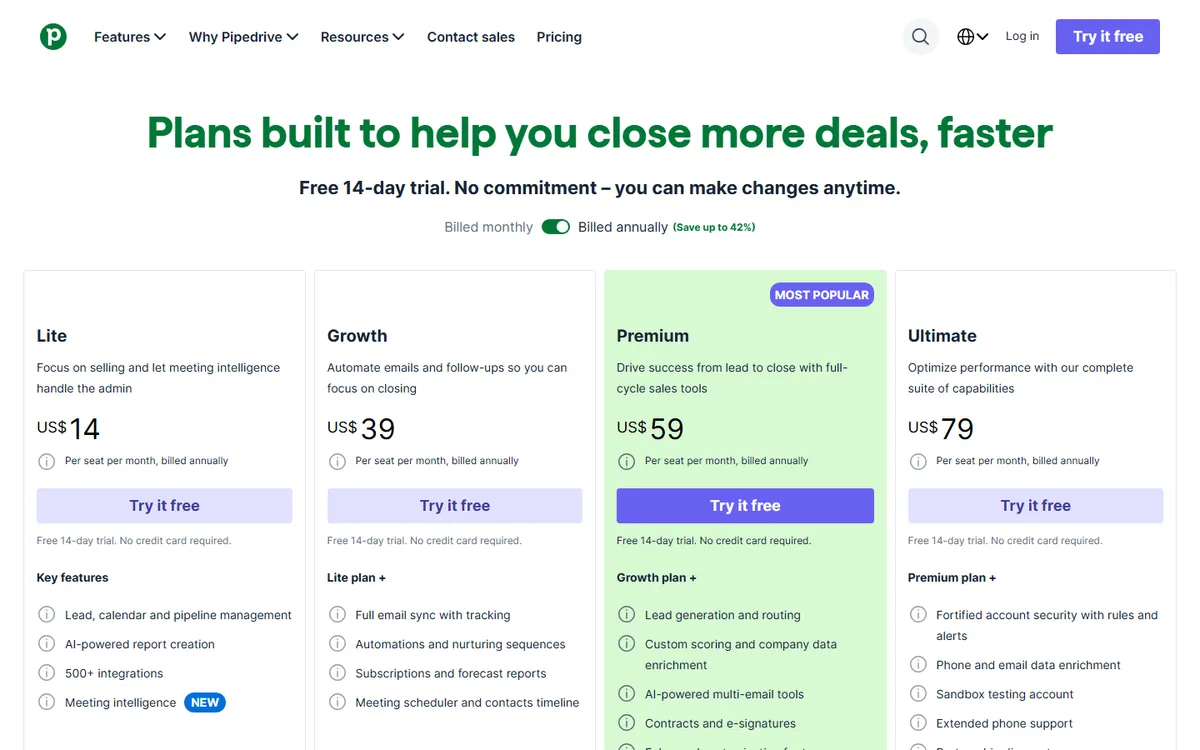 Pipedrive’s pricing page, November 2026. Per seat, billed annually.
Pipedrive is priced per seat. The page I captured shows plans from $14 to $79 per seat per month billed annually. It is quick to learn. For texting, funnels and bigger automations you will need other tools. My Pipedrive alternatives post covers where it runs out of room.
Example: Zoho CRM
What Tuesday looks like: similar to a pipeline tool, with more settings. Zoho is customizable, so a small business can add fields, views and rules. It also sits inside a large family of Zoho apps.
Zoho’s pricing page lists a forever-free plan for up to 3 users, with paid tiers from $14 to $40 per user per month on annual billing as of November 2026. See Zoho CRM alternatives for when people move off it.
Type 3: industry CRMs
An industry CRM is shaped around the thing your business actually sells. For a roofer it is the job. For an agent it is the listing and the buyer. For a lawyer it is the matter.
Example: JobNimbus (roofing and contractors)
What Tuesday looks like: a sales rep opens a board of jobs from lead to inspection to estimate to approved to installed. Photos, measurements and documents attach to the job. The office sees which jobs are waiting on a signature.
JobNimbus markets itself as a CRM for contractors. I walk through it and its roofing peers in my post on the best CRM for roofers.
Example: Follow Up Boss (real estate)
What Tuesday looks like: an agent opens a list of active leads, sees who has not been contacted, and works through calls and texts in order. New leads from portals and ad campaigns drop into the list automatically, and an agent sees who looked at which properties.
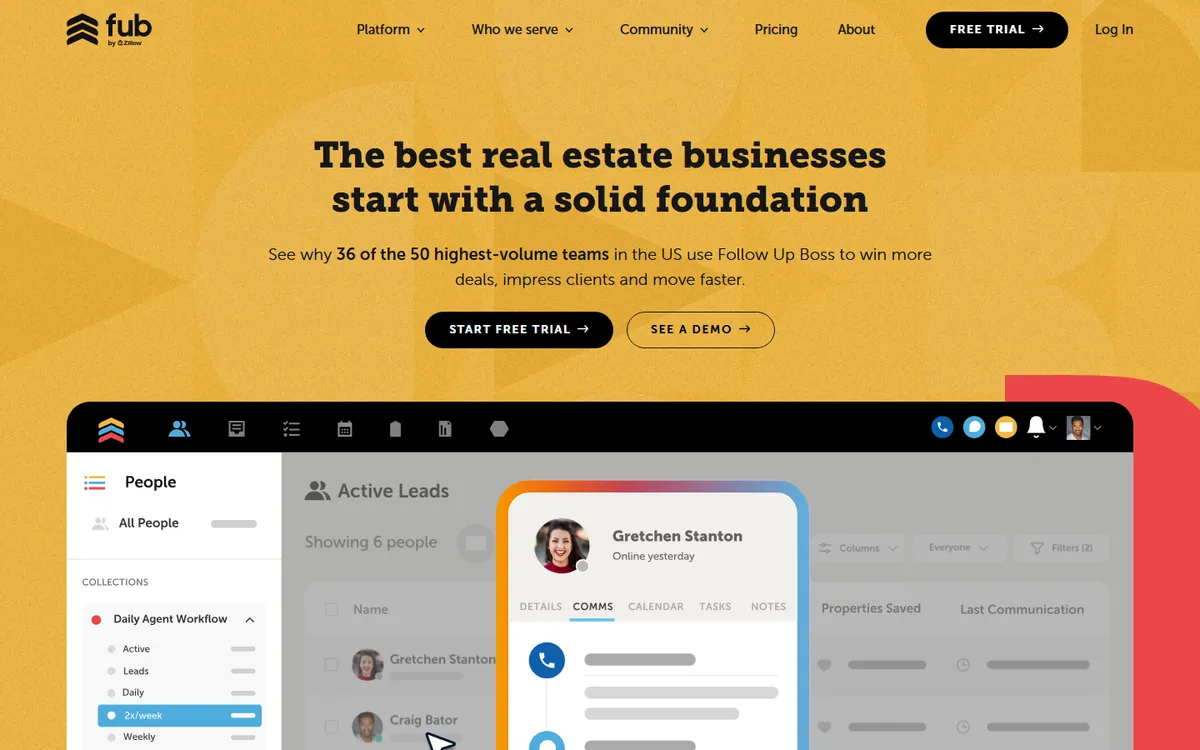 Follow Up Boss’s homepage, November 2026.
See my real estate CRM post for how it compares with the alternatives.
Example: Clio (law firms)
What Tuesday looks like: a legal intake person records a new inquiry, a lawyer opens the matter, and time and documents are tracked against it. The CRM piece (Clio Grow) handles the front end of that, from inquiry to signed client. Details are in CRM for law firms.
Why industry CRMs are worth a look
If your industry has its own CRM, it is already built around your workflow: the field names, the stages and the paperwork. That saves setup time. The trade-off is that the follow-up tools (texting, review requests, reactivation) are often weaker, and you may end up paying for a second tool.
I keep the full list of niche CRM guides on one page: CRM by industry. It covers plumbers, HVAC, landscaping, cleaning, auto repair, mortgage and insurance.
Type 4: enterprise CRMs
Example: Salesforce
What Tuesday looks like: an admin adjusts a custom object or a permission set, a sales manager checks a forecast report, and reps log activity against accounts, contacts and opportunities. Different roles see different screens.
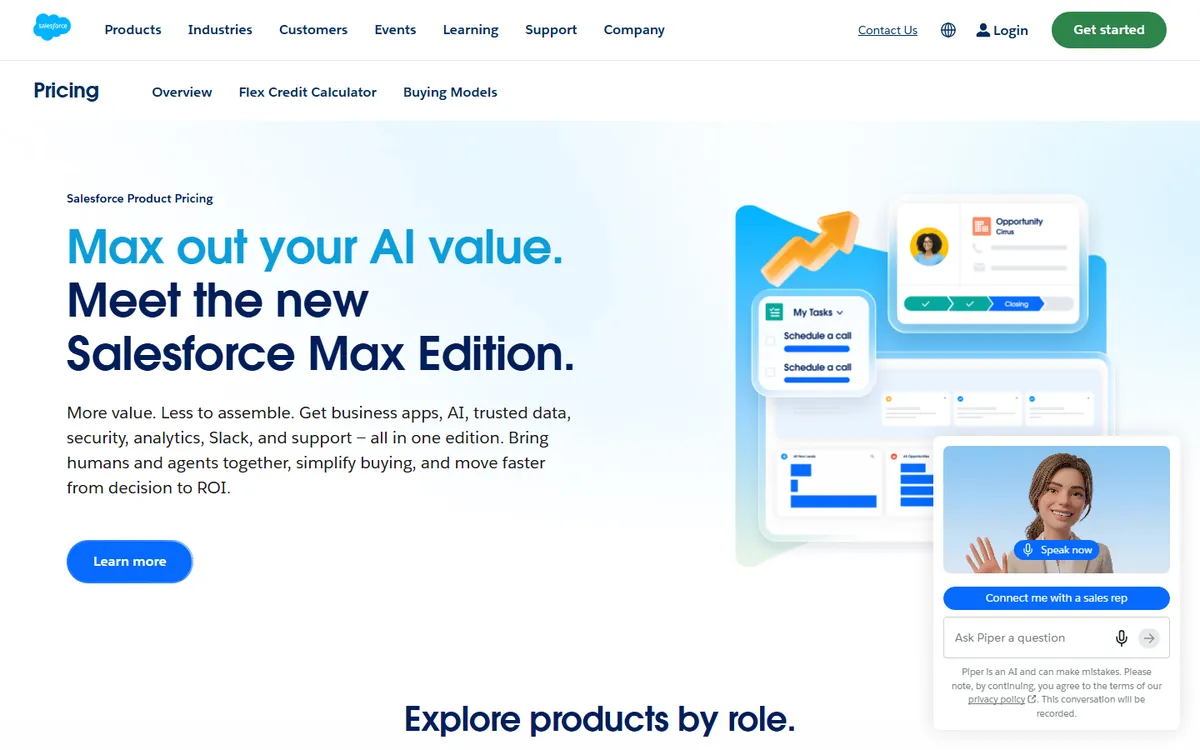 Salesforce’s pricing page, November 2026.
Salesforce is very capable, and that is both the appeal and the problem for a small business. It usually needs someone to configure and maintain it. If you are weighing it against something lighter, read my Salesforce alternatives post.
A side-by-side table for small businesses
I am only quoting prices that I could see on the vendor’s own page in November 2026. Everything else says “check current pricing.”
| Example | Type | Starting price | Texting and calls | Best for |
|---|---|---|---|---|
| GoHighLevel | All-in-one | $97/month (flat, unlimited users) plus usage | Built in | Phone-driven local businesses and agencies |
| HubSpot | All-in-one | Free for up to 2 users; paid per seat | Check current features | In-house marketing and sales teams |
| Pipedrive | Pipeline | From $14 per seat per month, billed annually | Needs other tools | A solo rep or small sales team |
| Zoho CRM | Pipeline | Free for up to 3 users; paid from $14 per user | Not the center of the product | Budget-minded owners |
| JobNimbus | Industry | Check current pricing | Check current features | Roofers and contractors |
| Follow Up Boss | Industry | Check current pricing | Check current features | Real estate agents and teams |
| Clio | Industry | Check current pricing | Check current features | Law firms |
| Salesforce | Enterprise | Check current pricing | Add-ons | Larger teams with an admin |
How to pick the type for your business
Use these questions. Answer them in order.
- Do most of your leads call or text? If yes, lean toward an all-in-one tool with built-in texting, or an industry CRM that texts well.
- Do you sell through a long, trackable sales process with one or two salespeople? A pipeline CRM fits.
- Does your industry have a CRM with your paperwork already built in? Try the industry CRM first.
- Do you have an admin and a long list of reporting needs? Then and only then look at enterprise.
Pick the type first and the brand second. A tool in the wrong type will fight you every week. A tool in the right type, even a plain one, gets used.
If you are comparing across types, the same logic works for the tool you are leaving. My software alternatives page lists every swap I have written up, and my best CRM for small business post ranks the options by business type.
Try one before you decide
You will learn more from one afternoon inside a CRM than from reading ten lists. Pick the type that fits, start a free trial or a free plan, and run it with 20 real contacts for a week. Ask one question at the end of the week: did a lead get answered faster than before?
If you want to try the all-in-one type, HighLevel’s standard trial is 14 days and my link gives a 30-day extended free trial.
Quick wins
Want clients this month? Start here
Set up your own house first. One clear offer for one niche, a simple site, a booking link and your own HighLevel account running the same automations you'll sell. Prospects trust what they can try.
Start with people who already know you
Past employers, old customers, friends who own businesses. Tell them exactly what you set up for small businesses picking a CRM and ask for 20 minutes.
Do daily outreach
Calls, emails and DMs to a tight list in one niche. Volume and follow-up beat clever copy.
Demo, don't describe
Build a quick AI agent or missed-call text-back demo in your own HighLevel account and let them try it on the call.
Post what you build
Short screen recordings of real automations. One a day on the platform your buyers use.
Partner with people who own your buyers
Web designers, bookkeepers and software resellers already have the relationship. Trade introductions.
Answer every lead in under a minute
Practice what you sell. Set up your own speed-to-lead automation first.
Work a local area in person
- Pick one area and walk into ten businesses in a row. Ask for the owner, keep it to two minutes and leave a card.
- Bring a one-page printout that shows the problem you fix (missed calls, slow follow-up, no reviews) with their name on it.
- Go back a week later. Most first visits are about being remembered, not closing.
Ask for introductions, not referrals
"Know anyone who could use this?" gets a polite "I'll think about it." Asking to be introduced to a specific kind of person gets names. Set it up when they sign:
"If this works the way I think it will, would you be against introducing me to one or two other small businesses picking a CRM you know? I'll give them a free CRM fit checklist."
Then follow up once they're seeing results. With a client you get along with, a little humor works:
"So are you keeping me a secret on purpose, or do you just not like your friends?"
Only joke like that with clients you know well. With everyone else, keep it simple and thank them either way.