 Jonathan Blake

When people search “GoHighLevel CRM,” they’re usually asking one of three things: is it actually a CRM, is it good enough to replace what I use now, and how hard is it to set up. I run my agency’s client accounts on it every day at The Lead Venture, so I’ll answer all three.
Short answer: yes, GoHighLevel is a CRM, and the CRM is included on every plan starting at $97 a month as of late 2026. It’s very good at capturing a lead, texting them back and moving them through a pipeline. It’s not as deep as HubSpot or Salesforce on reporting. If you run a local business or an agency that serves them, it can replace your CRM, your texting tool and your booking tool in one account.
What the GoHighLevel CRM does
A CRM that doesn’t text the lead back in a minute is just an expensive address book. That’s the real difference with HighLevel: the CRM and the follow-up tools share one database. Here’s what’s inside. If you want the data side, with a sample record, I wrote about the CRM database.
- Contacts. Every lead, customer or vendor is a contact record with name, phone, email, source, notes, tags, custom fields and a full timeline of calls, texts, emails and appointments.
- Smart lists. Saved filters that update on their own. “New leads from the last 7 days with no appointment” is a smart list, and you can send a campaign to it or use it as your daily call list.
- Custom fields. Add your own data points: service interested in, budget, property type, renewal date. Use them in workflows and in message templates.
- Tags. Fast labels like “hot-lead,” “missed-call” or “past-customer.” Workflows can add, remove and trigger off tags.
- Pipelines and opportunities. A kanban board of deals. Each opportunity has a stage, a value and an owner, and you drag it from “New lead” to “Won.”
- Conversations inbox. One inbox for SMS, email, calls, web chat and social messages. Reply from one screen, and every message is saved to the contact’s timeline.
- Tasks. To-dos attached to a contact, assigned to a team member with a due date. Workflows can create them for you.
- Calendars. Booking calendars for you or your team, with availability, buffers and reminders. A booking creates or updates the contact and can start a workflow.
- Reporting. Dashboards for opportunities, appointments, call and conversation activity, and attribution by source.
Around that sit workflows, the website and funnel builder, forms and surveys, reviews, and the AI agents. My GoHighLevel AI agents guide covers the AI side. Connections to outside tools, such as n8n, Make and webhooks, are in my GoHighLevel integrations guide.
What it costs (and which plan you need)
The CRM is part of every plan, so you don’t pay extra for it. As of late 2026, from HighLevel’s pricing page:
| Plan | Price | CRM included | Sub-accounts |
|---|---|---|---|
| Starter | $97/month | Yes | 3 |
| Unlimited | $297/month | Yes | Unlimited |
| Founder ($497 plan) | $497/month | Yes | Unlimited |
Starter
- Price: $97/month
- Sub-accounts: 3
- Best for: One business, or learning
Unlimited
- Price: $297/month
- Sub-accounts: Unlimited
- Best for: CRMs for more than 3 clients
Founder plan
- Price: $497/month
- Sub-accounts: Unlimited
- Best for: Reselling with SaaS mode
Users and contacts are unlimited on all of them. That’s a big difference from CRMs that charge per seat or by contact count.
Which should you pick? If you’re one business, or you’re learning, Starter is plenty. If you plan to run CRMs for more than three clients, you’ll need Unlimited. The $497 plan adds SaaS mode and usage markup, which you only need if you resell the software. My pricing breakdown has every plan and the usage costs.
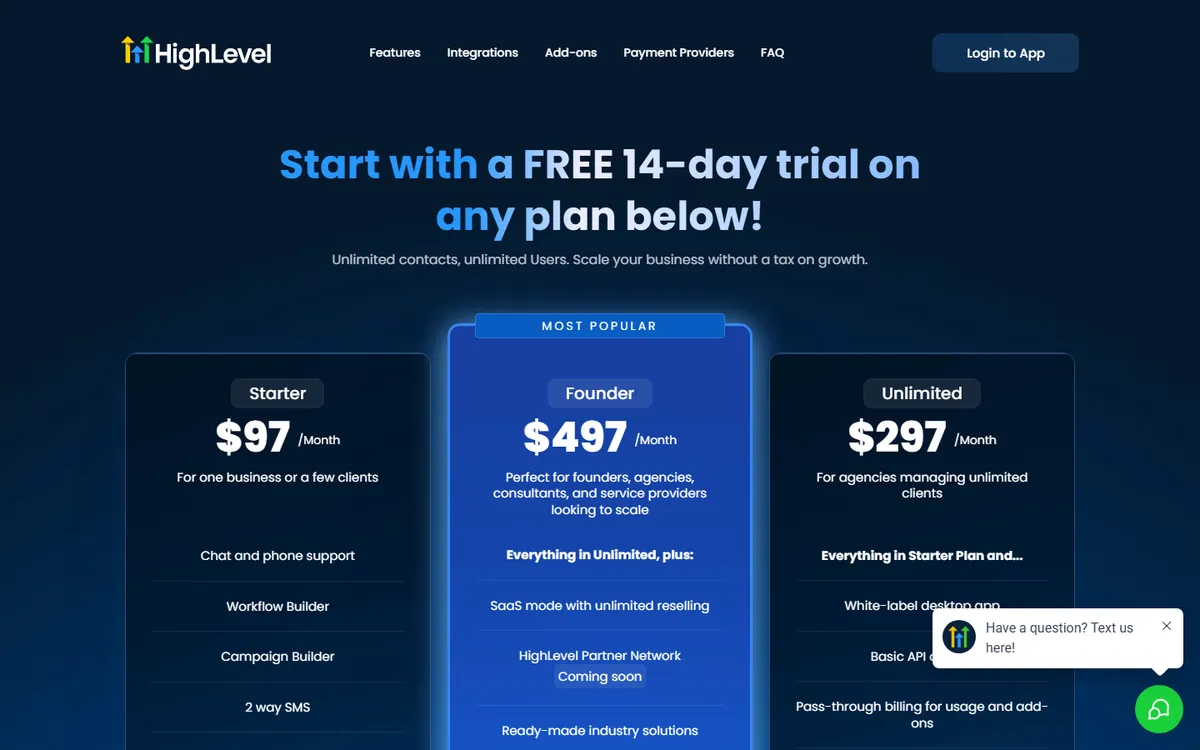 HighLevel’s pricing page, November 2026.
Usage is billed on top: calls, texts, email and AI come out of a wallet. That’s the part most people forget when they compare against a CRM with a flat seat price.
How to set it up in 15 minutes
These steps assume a fresh sub-account. Menu names change as HighLevel updates the product, so look for the section name if yours looks a little different.
-
Set your business profile (2 minutes). Open Settings and go to Business Profile. Add the business name, phone, address, time zone and logo. This feeds your calendars and message templates.
-
Add custom fields (2 minutes). Go to Settings and open Custom Fields. Add 3 to 5 that you will actually use, like “Service interested in” and “Lead source detail.” Skip the rest.
-
Create your tags (1 minute). Add tags in the Contacts area or under Settings. Start with five: new-lead, contacted, booked, customer, do-not-contact.
-
Build a pipeline (3 minutes). Open Opportunities, then Pipelines, and create one. Use 5 stages: New lead, Contacted, Booked, Proposal sent, Won. Add a “Lost” stage so dead deals leave the board.
-
Create a calendar (3 minutes). Open Calendars and choose Calendar Settings to create a booking calendar. Set the duration, hours and a reminder. Copy the booking link.
-
Connect phone and email (2 minutes). Under Settings, open Phone Numbers to buy a local number, and Email Services to set the sending domain. Texting in the US requires A2P registration, so start that early.
-
Make one smart list (1 minute). In Contacts, filter for “created in the last 7 days” with no appointment, and save it. This is your daily follow-up list.
-
Import or add a test contact (1 minute). Import a CSV and map the columns, or add yourself. Add a tag at import time so you can find the batch later.
If you are setting up a full agency account and not just the CRM, my GoHighLevel setup guide covers the whole checklist.
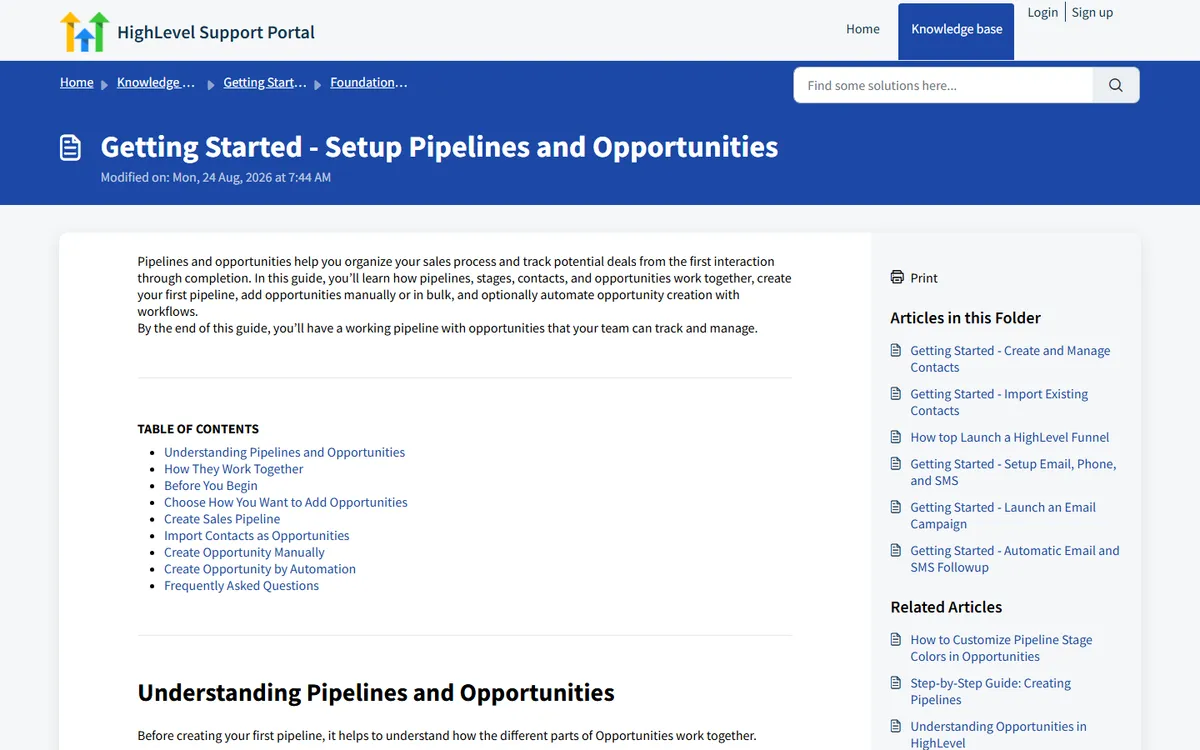 HighLevel’s help article on setting up pipelines and opportunities, November 2026.
5 ways I actually use it
Here are five real setups, with the outcome each one is built for.
- Missed-call text-back. A call comes in and nobody answers. A workflow texts the caller within a minute, tags them “missed-call” and creates an opportunity. At The Lead Venture this is the first thing we build for a new client.
- Old lead reactivation. A smart list of contacts with no activity in 90 days gets a text campaign. One home service account we run brought in $24,569 from 356 old leads this way, and that client closed over $60,000 for the season by March 2026. These were my results based on my experience. Your results may be different.
- Appointment pipeline with reminders. A booking creates an opportunity in the Booked stage, sends a confirmation and two reminders, and moves the deal when the appointment is marked showed or no-show.
- Review requests. When an opportunity moves to Won, a workflow waits a day and texts a review link. Happy customers answer it, and the contact timeline shows who did.
- Unified inbox for a small team. Two or three people share one conversations inbox. Texts, calls and web chat all land in one place, so nothing sits in one person’s phone.
Don’t judge a CRM by its contact list. Judge it by what happens in the first five minutes after a lead comes in. Every one of these five is about those first five minutes, or about the follow-up after.
Where it falls short
I like it, and I’d still tell you the downsides before you pay for it.
GoHighLevel CRM
Pros
- Flat pricing with unlimited users and contacts
- Texting, calls, email and booking built into the same record
- Workflows can act on any CRM event
- Snapshots let you copy a full setup to a new account
- Strong for local-business lead follow-up
Cons
- Dense menus and a real learning curve in the first few weeks
- Reporting is shallower than HubSpot or Salesforce, especially for custom analysis
- Usage fees (phone, email, AI) are billed on top of the subscription
- Texting needs A2P registration, which takes time
- Not built for large enterprise sales teams with complex territories or forecasting
A few of those need more detail.
The learning curve is real. The platform does a lot, so there are menus inside menus. Plan a week or two of regular use. Build one pipeline and one workflow first and ignore the rest.
Reporting is the gap I notice most. You can see opportunities by stage, appointments, call activity and lead source. If you need custom multi-touch reports, forecasting by territory or deep revenue analytics, HubSpot and Salesforce are ahead. For most local businesses, what you need is “how many leads came in and how many booked,” and HighLevel covers that.
It’s built for follow-up, not enterprise sales. If you run a 40-person sales team with approval chains, you want a different tool.
GoHighLevel CRM vs the tool you use now
I’m only listing what I can back up with published pricing and what I’ve seen in use. Check each vendor’s current pricing before you decide.
| Item | GoHighLevel | HubSpot | Pipedrive | Zoho CRM |
|---|---|---|---|---|
| Pricing model | Flat per account, unlimited users | Per seat, tiered | Per seat, tiered | Per seat, tiered |
| Built-in texting and phone | Yes, billed by usage | Mostly add-ons or integrations | Via integrations | Via integrations or add-ons |
| Booking calendar | Built in | Built in on paid tiers | Via add-on or integration | Via add-on or integration |
| Workflow automation | Built in | Built in, deeper on higher tiers | Built in | Built in |
| Reporting depth | Good for local business | Strongest of the four | Good for sales pipelines | Good, customizable |
| White label and resell | Yes, on higher plans | No | No | No |
| Best for | Agencies and local businesses | In-house B2B teams | Small sales teams | Budget-minded SMBs |
For a direct side-by-side with the biggest name, see GoHighLevel vs HubSpot. As a reference point, HubSpot Sales Hub Professional listed at $90 per seat per month on annual billing plus a $1,500 onboarding fee as of late 2026. If you’re an agency picking a CRM for your own clients, my guide to the best CRM for marketing agencies compares more options.
Next steps
- Start a trial and build the 15-minute setup above in a test account.
- Build the one workflow: lead in, text back in a minute, opportunity created.
- Import 50 real contacts with a tag, make your smart list, and run your follow-up from it for a week.
- Then decide. If it replaces your CRM, texting tool and booking tool, it has paid for itself.
If you want a hand with the build, that’s a standard consulting project, or book a call. Everyone who signs up through my link also gets a free onboarding call: claim it here.
Start your 30-day extended free trial 30-day trial · cancel anytime · keep the bonuses I may earn a commission if you sign up through my link, at no extra cost to you. Details