 Jonathan Blake
When people search “CRM database,” they usually mean one of two things. Either they want to know what the thing is, or they have a messy pile of contacts in a spreadsheet and a phone full of numbers and they want to get it into something that works.
I have sold face to face since 2015, ran a tree service for six years, and now co-own The Lead Venture, where I clean and load customer lists into HighLevel for local businesses. Almost every time, the list is a mess, and almost every time there is money sitting in it.
I am a HighLevel affiliate, so I use it for examples. The ideas here work in any CRM.
Short answer: a CRM database is every contact you have, plus the history attached to each one. You get value from it in three steps: set up a few clean fields and tags, import your list carefully, and then segment it so you can follow up with the right people. The segmenting step is where old leads turn back into revenue.
What a CRM database is (and is not)
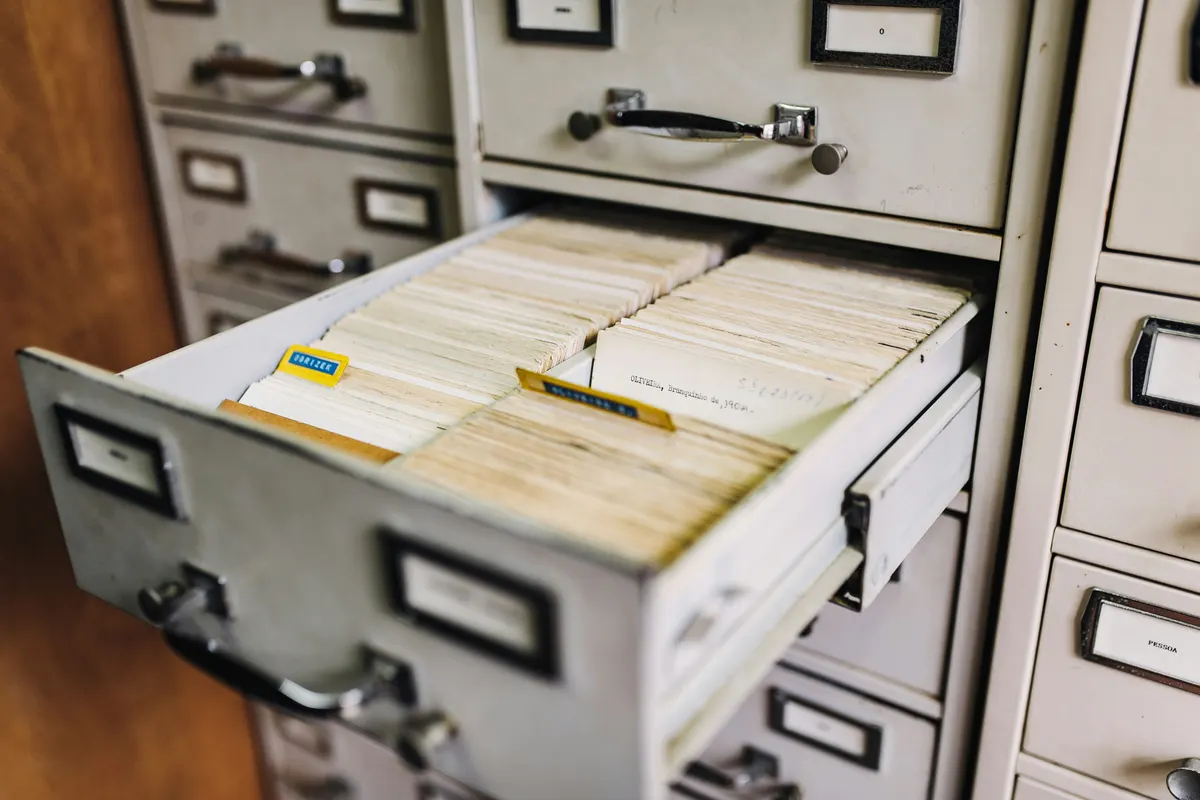
Picture a filing cabinet where every folder is a person. Inside each folder is a note about who they are, how they found you, what they asked about, and every conversation you have had. Now imagine you can ask the cabinet, “show me everyone who asked about a quote in the spring and never booked,” and it hands you those folders in a second. That is a CRM database.
It is not just a contact list. A contact list says who someone is. A CRM database also says what has happened. The timeline is the part that makes it useful.
It is also not the same as a CRM. The database is the storage. The CRM is the database plus the tools on top: a pipeline, tasks, messaging and automations. If you want a tour of one full CRM, see my GoHighLevel CRM guide. If you are deciding where it should live, my cloud-based CRM post explains hosted software in plain terms.
A database is only as good as the last person who touched it. If your team does not record calls, notes and outcomes, the database goes stale. So the setup matters less than the habit, and the habit gets easier when the setup is simple.
The building blocks: fields, tags, custom fields and pipelines
Four things hold nearly every CRM database together. Here they are in plain English.
Fields are the boxes on a record. Name, phone, email, address and source are standard fields. Every contact has the same boxes.
Custom fields are boxes you add for your own business. A roofer might add “roof age.” A cleaner might add “home size.” An agency might add “monthly ad budget.” Only add one if you will use it in a filter, a message or a report.
Tags are quick labels you can stick on any contact: “past-customer,” “missed-call,” “no-answer,” “do-not-contact.” Tags are for status and history. They are easy to add and easy to filter on, and workflows can add or remove them automatically.
Pipelines are stages for deals. A pipeline is a board with columns such as New lead, Contacted, Booked, Proposal sent, Won and Lost. Each deal sits in one column and moves forward.
A simple way to remember which one to use:
| If you want to record… | Use a… | Example |
|---|---|---|
| Something every contact has | Field | Phone number |
| Something specific to your business | Custom field | Service interested in |
| A status or label you will filter on | Tag | past-customer |
| Where a deal stands | Pipeline stage | Proposal sent |
A sample record
This is what one contact record might look like for a home service business. The names are made up.
| Item | Example value | Type |
|---|---|---|
| Name | Dana Whitfield | Field |
| Phone | (555) 010-4421 | Field |
| dana@example.com | Field | |
| Source | Google search | Field |
| Service interested in | Gutter cleaning | Custom field |
| Home type | Single family | Custom field |
| Tags | missed-call, quote-sent | Tags |
| Pipeline stage | Proposal sent | Pipeline |
| Last activity | Text sent 3 days ago | Timeline |
Look at what you can do with that record. You could send a text to everyone tagged quote-sent with no activity in 14 days. You could count how many leads came from Google search. You could hand a salesperson a list of people in Proposal sent. None of that works if the source field is empty or the tags are inconsistent.
How to clean and import a contact list
Most of the damage is done at the import. A messy file turns into a messy database, and a messy database makes people stop using the CRM. Here is the order I follow.
- Gather every source. Spreadsheets, an old CRM export, your phone contacts, an invoicing tool, a booking tool and the email list. Put them into one file. Add a column called “source” and fill in where each batch came from.
- Delete the junk. Remove empty rows, test entries, obvious spam and anyone who has asked to be removed. If you do not have a phone or an email for a contact, decide whether the record is worth keeping.
- Remove duplicates. Sort by phone number first, then by email. Merge rows for the same person. Duplicates cause double texts, which annoy people.
- Fix the formats. Put phone numbers in one format (I use 10 digits, no dashes). Put names in proper case. Split “full name” into first and last name if you can, because you will use first name in messages.
- Flag consent. Add a column for how and when each person opted in, if you know. Texts and calls come with rules. Mark any contact who said stop, and keep them in the database as do-not-contact so they never get re-added.
- Map the columns. During the import, the CRM asks you to match each column to a field. Match carefully, and create custom fields first if you need them.
- Tag the batch. Add a tag at import time, such as “import-nov-2026” or “old-leads-2025.” You will thank yourself later when you need to find or undo that batch.
- Test with 50. Import a small batch first. Open five records, check that the fields landed in the right place, and then import the rest.
What a good import looks like
When it is done, you should be able to answer these without opening a spreadsheet: how many contacts do I have, where did they come from, how many are customers, and how many have I not spoken to in 90 days. If you cannot answer those, the cleanup is not done.
In HighLevel, the import lives in the Contacts area, and you can also build a smart list (a saved filter) the moment the import finishes. Menu names move around, so look for the section name.
How to segment your database for reactivation
This is the part most owners skip, and it is where the money is. A segment is a saved slice of your database: a group of people who share something. Reactivation means reaching out to the ones who went quiet.
Old leads are not dead leads. An old lead is not a dead lead until somebody has asked. Most people who went quiet were not saying no. They were busy, not ready, waiting on a spouse or comparing prices. A short, honest message at the right time brings a share of them back.
At The Lead Venture, one home service account brought in $24,569 from 356 old leads with a text campaign, and that client closed over $60,000 for the season by March 2026. These were my results based on my experience. Your results may be different.
Five segments worth building first
| Segment | How to filter it | What to say |
|---|---|---|
| Quotes that never closed | Tag quote-sent, no booking, last activity over 30 days ago | Check if the project is still on, offer a time to talk |
| Past customers | Tag customer, last job over 6 to 12 months ago | Ask if they need a repeat service or a check-up |
| Missed calls | Tag missed-call, no appointment | Apologize for missing the call and offer a time |
| Cold leads | Created over 90 days ago, no activity | A short “still looking?” message |
| Referrals | Customers with a 5-star review or a strong relationship | Ask who else they know who needs help |
How to run it
- Build the segment as a saved filter or smart list.
- Check consent before you send anything. Remove anyone flagged do-not-contact.
- Send a short message in your own voice. Use the first name and one clear question.
- Tag everyone who replies, and move them into your pipeline.
- Stop after a few touches. Do not keep texting someone who has not replied.
I wrote a full walkthrough with copy-paste messages for five kinds of business, plus the workflow, in my database reactivation playbook. Read it before you send the first message.
Keeping the database clean after day one
A clean database does not stay clean. Here is a short routine.
- Every lead gets a source. Make it a required field on forms if your CRM allows it.
- One owner per contact. Someone is responsible, so notes get written.
- Update status after every conversation. Move the deal, change the tag, or write a note. If the pipeline does not match reality, nobody trusts it.
- Merge duplicates monthly. Most CRMs have a duplicate finder. Run it on the first of the month.
- Archive instead of delete. Mark bad contacts do-not-contact so they never come back through an import.
- Export a backup once a quarter. A CSV file in a folder is cheap insurance.
None of this takes long. Ten minutes a week keeps a database useful. Skip it for six months and you are back to a spreadsheet with extra steps.
Which CRM should hold your database?
You do not need a specific brand to build a clean database. You need one with custom fields, tags, a pipeline, saved filters and a CSV import that lets you map columns. Nearly all of them do.
What differs is what you can do next. If you want to text a segment, book a call and track the result in the same place, you need messaging and booking built in. That is where I use HighLevel. As of late 2026, per the HighLevel pricing page, plans start at $97 a month with unlimited users and contacts, and usage for texts, calls and email is billed separately. For other options, see my CRM examples and best CRM for small business posts.
Do this today
- Pull every contact source into one spreadsheet.
- Remove duplicates and dead rows, and mark anyone who opted out.
- Pick five tags and three custom fields. Write them down.
- Import 50 contacts with a batch tag and check five records.
- Build one segment: quotes that never closed. Decide what you would say.
If you want a hand with the build, that is a standard consulting project, or book a call.
Quick wins
Want clients this month? Start here
Set up your own house first. One clear offer for one niche, a simple site, a booking link and your own HighLevel account running the same automations you'll sell. Prospects trust what they can try.
Start with people who already know you
Past employers, old customers, friends who own businesses. Tell them exactly what you set up for local service businesses with an old customer list and ask for 20 minutes.
Do daily outreach
Calls, emails and DMs to a tight list in one niche. Volume and follow-up beat clever copy.
Demo, don't describe
Build a quick AI agent or missed-call text-back demo in your own HighLevel account and let them try it on the call.
Post what you build
Short screen recordings of real automations. One a day on the platform your buyers use.
Partner with people who own your buyers
Web designers, bookkeepers and software resellers already have the relationship. Trade introductions.
Answer every lead in under a minute
Practice what you sell. Set up your own speed-to-lead automation first.
Work a local area in person
- Pick one area and walk into ten businesses in a row. Ask for the owner, keep it to two minutes and leave a card.
- Bring a one-page printout that shows the problem you fix (missed calls, slow follow-up, no reviews) with their name on it.
- Go back a week later. Most first visits are about being remembered, not closing.
Ask for introductions, not referrals
"Know anyone who could use this?" gets a polite "I'll think about it." Asking to be introduced to a specific kind of person gets names. Set it up when they sign:
"If this works the way I think it will, would you be against introducing me to one or two other local service businesses with an old customer list you know? I'll give them a free list cleanup checklist."
Then follow up once they're seeing results. With a client you get along with, a little humor works:
"So are you keeping me a secret on purpose, or do you just not like your friends?"
Only joke like that with clients you know well. With everyone else, keep it simple and thank them either way.