 Jonathan Blake

I have sold face to face since 2015, ran a tree service for six years, and now co-own The Lead Venture, an agency that runs on HighLevel. I have also watched a lot of small business owners sign up for HubSpot, love it for a few months, and then flinch at the invoice. If that is you, this post is for you.
I make money if you sign up for HighLevel through my link, so weigh that. I will tell you who should not pick it, and where HubSpot is still the right call. For the cheap-seat route, see GoHighLevel vs Zoho CRM.
Short answer: if HubSpot got too expensive or too complicated for a small team, my top three are GoHighLevel (CRM, texting, calls and automation in one flat-priced login), Zoho CRM (cheap and simple), and Pipedrive (a clean sales pipeline and nothing else). For a straight head to head, read GoHighLevel vs HubSpot.
Why people leave HubSpot
Nobody leaves HubSpot because it is bad software. It is good software. People leave because of how it is sold. These are the reasons I hear most.
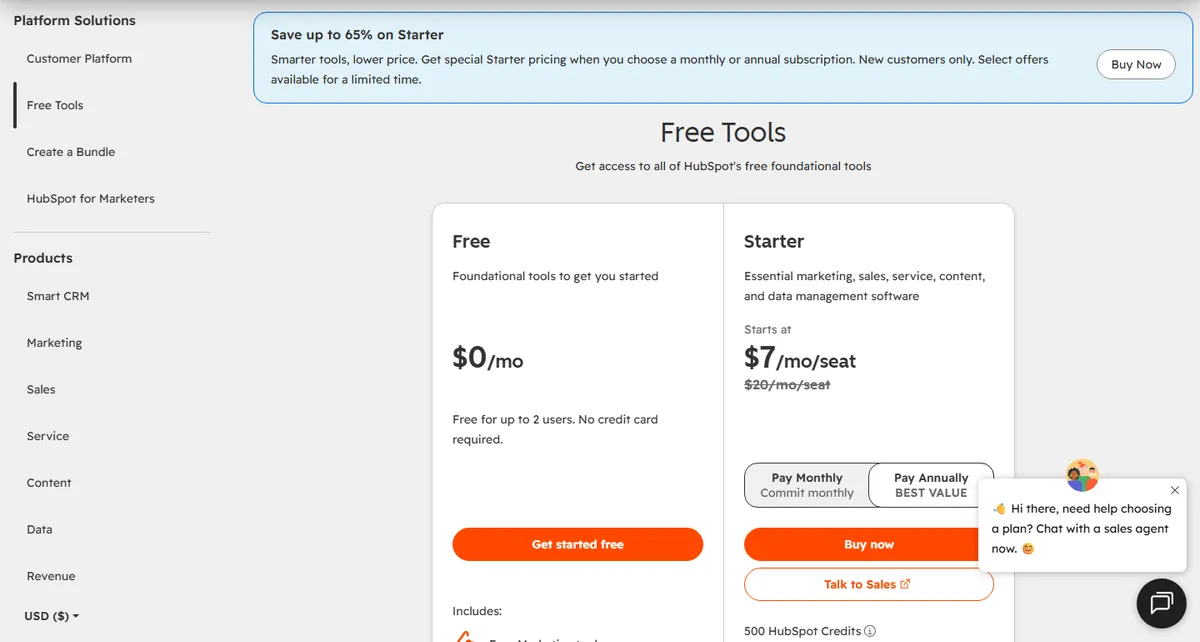 HubSpot’s CRM pricing page, November 2026.
- Seat pricing. You add a salesperson, the bill goes up. You add an assistant who just needs to see deals, the bill goes up. The cheapest HubSpot is the one you leave before the third seat.
- The next tier. The feature you need (a sequence, a report, an automation) sits one plan up. Each jump costs more than the last, and some higher tiers add onboarding fees. I covered the numbers in my comparison post.
- Texting and calls are an afterthought. If your customers answer texts and calls, not email, you end up bolting on extra tools. I came out of the trades, and a roofer or plumber lives on the phone.
- Too much for a small team. A lot of owners use a fraction of it and still pay for all of it.
None of that makes HubSpot a bad choice. It makes it a choice for a certain kind of company. If you do not fit, here is where to look. If you are comparing with a big enterprise CRM instead, see GoHighLevel vs Salesforce.
How I ranked these
I used four questions, in this order.
- Does it cover what you were actually missing (texting, calls, price control)?
- What does it cost as you add people?
- How hard is the first week?
- What do you give up by leaving HubSpot?
I only quote a price when I could confirm it on the vendor’s own pricing page in November 2026. Where I could not, I say “check current pricing” and link the page. I would rather give you no number than a stale one.
HubSpot alternatives, ranked
- 1 Read the full breakdownBest for small businesses and agencies
GoHighLevel
- CRM, texting, calls, funnels and AI in one login
- Flat monthly price, unlimited users on every plan
- Best if you live on the phone
- 2 Read the full breakdownBest budget CRM
Zoho CRM
- Free plan listed for up to 3 users
- Per-user pricing, so check as you grow
- Best if you want simple and cheap
- 3 Read the full breakdownBest for pure sales pipeline
Pipedrive
- Visual deal pipeline
- Per-seat pricing
- Best if you only track deals
- 4 Read the full breakdownBest for a growing sales team
Freshsales
- Sales CRM aimed at the same buyer as HubSpot
- Per-seat pricing
- Best if you want a lighter HubSpot
- 5 Read the full breakdownBest for solo owners who want email automation
Keap
- CRM plus email automation and invoicing
- Built for small business
- Best if you want one owner-friendly tool
- 6 Read the full breakdownBest if you just need to slow down
HubSpot Free CRM
- Free for up to 2 users on HubSpot's pricing page
- Stay in the same ecosystem
- Best if you over-bought the tier
| Option | Best for | Starts at | Texting/SMS | Biggest catch |
|---|---|---|---|---|
| GoHighLevel | CRM, texting, calls, funnels and AI for phone-driven businesses | $97/month (Starter) plus usage | Built-in two-way texting and calls | Less polished reporting and a longer learning curve |
| Zoho CRM | A low-cost, plainer CRM | Free plan for up to 3 users | Texting and phone are not the center | Per-user pricing brings the seat problem back |
| Pipedrive | A pure sales pipeline | Check current pricing | Needs other tools | Per seat, and other tools for funnels and bigger automations |
| Freshsales | A growing sales team | Check current pricing | Check current features | Per seat, smaller ecosystem |
| Keap | Solo owners wanting email automation and invoicing | Check current pricing | Calling and texting are not the focus | No agency layer |
| HubSpot Free CRM | Owners who over-bought the tier | Free for up to 2 users | Check current features | You lose the paid features you were using |
1. GoHighLevel
Best for: small businesses and agencies that want CRM, SMS, calls, funnels, forms and AI in one place.
Why switch: HighLevel has flat plans with unlimited users and contacts, so a new hire does not change the bill. Two-way texting and calls are part of the product, not an add-on. Reusable setups (called snapshots) let you copy a working account in minutes, which is how my agency onboards clients. My CRM review goes through what is inside.
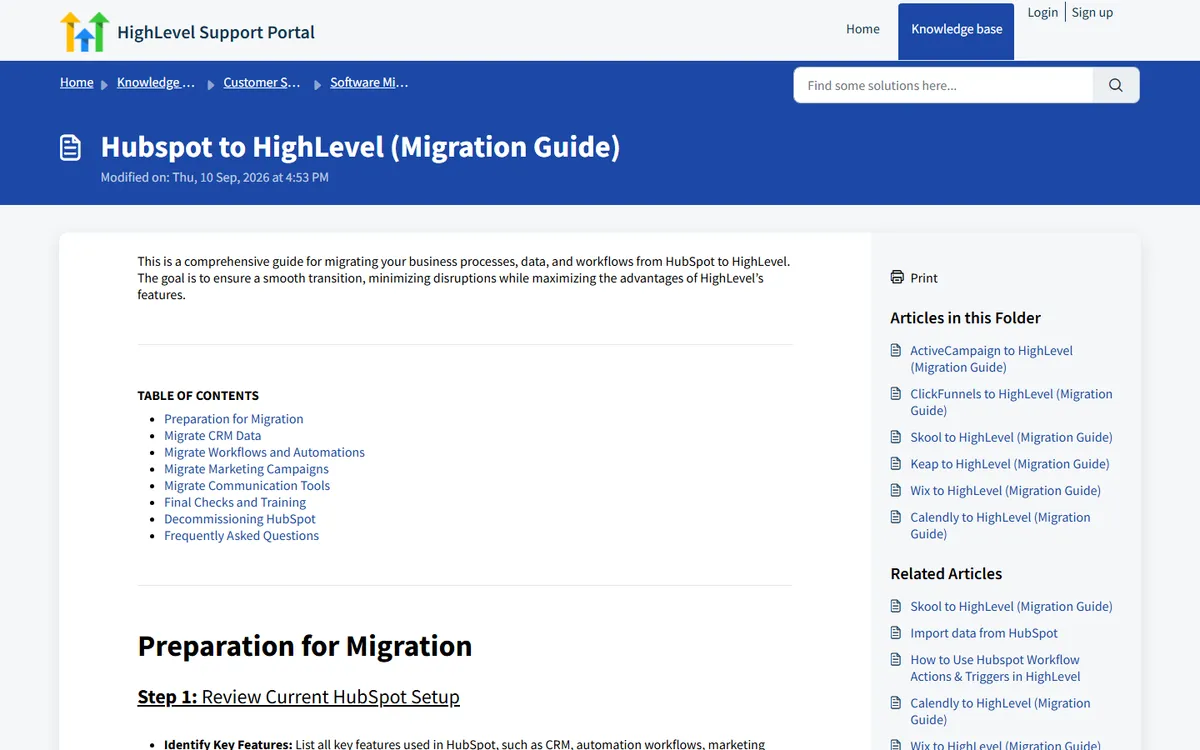 HighLevel’s own HubSpot migration guide, November 2026.
What you give up: HighLevel is not as polished as HubSpot on reporting, and it has a longer learning curve. It was built for agencies, so a single business will not use the agency features. You also pay for usage (texts, calls, email, AI) on top of the plan.
Pricing: as of late 2026, Starter is $97 a month (3 sub-accounts), Unlimited is $297, and the $497 plan adds SaaS mode, per the HighLevel pricing page. Usage is billed separately. My pricing breakdown covers the extras.
Who should NOT pick it: an in-house B2B sales team that wants the deepest reporting and a big app marketplace. Pick HubSpot for that. Also skip it if you will not spend a week or two setting things up. A tool that does a lot asks you to build a lot.
Start your free HighLevel trial 30-day trial · cancel anytime · keep the bonuses I may earn a commission if you sign up through my link, at no extra cost to you. DetailsGoHighLevel for small businesses and agencies
Pros
- Flat plans with unlimited users and contacts, so a new hire does not change the bill
- Two-way texting and calls are part of the product
- Snapshots let you copy a working account in minutes
- Starter is $97/month as of late 2026
Cons
- Not as polished as HubSpot on reporting
- A longer learning curve, and a week or two of setup
- Usage for texts, calls, email and AI is billed on top
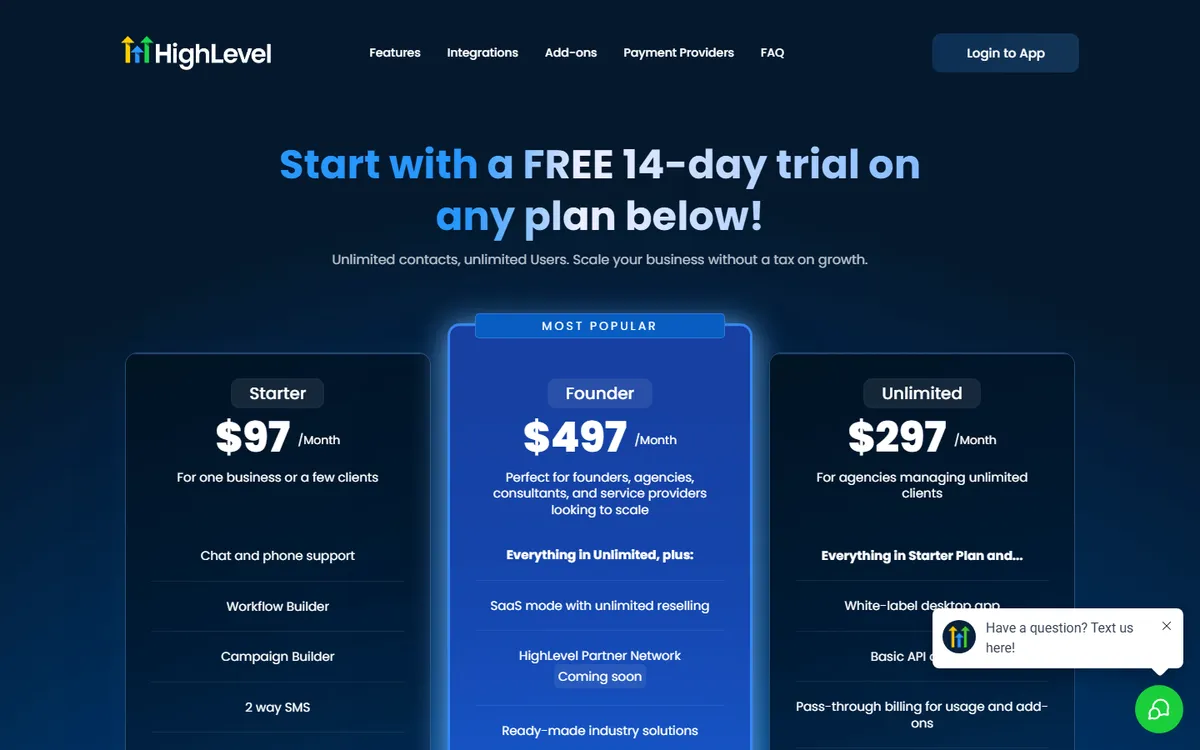 GoHighLevel’s pricing page, November 2026.
2. Zoho CRM
Best for: owners who want a low-cost CRM and are fine with a plainer feel.
Why switch: Zoho’s pricing page lists a forever-free plan for up to 3 users, with paid tiers priced per user per month. It is a real CRM with customization, and it sits inside a large family of Zoho apps.
What you give up: it is per-user pricing, so the seat problem comes back as you grow. Texting and phone are not the center of the product. I go deeper in Zoho CRM alternatives.
Pricing: free plan for up to 3 users per the vendor page. The paid tier prices did not load for me, so check current pricing on Zoho’s page.
Zoho CRM for budget-minded owners
Pros
- A forever-free plan is listed for up to 3 users
- A real CRM with customization
- Sits inside a large family of Zoho apps
Cons
- Per-user pricing, so the seat problem comes back as you grow
- Texting and phone are not the center of the product
- Paid tier prices did not load for me, so check current pricing
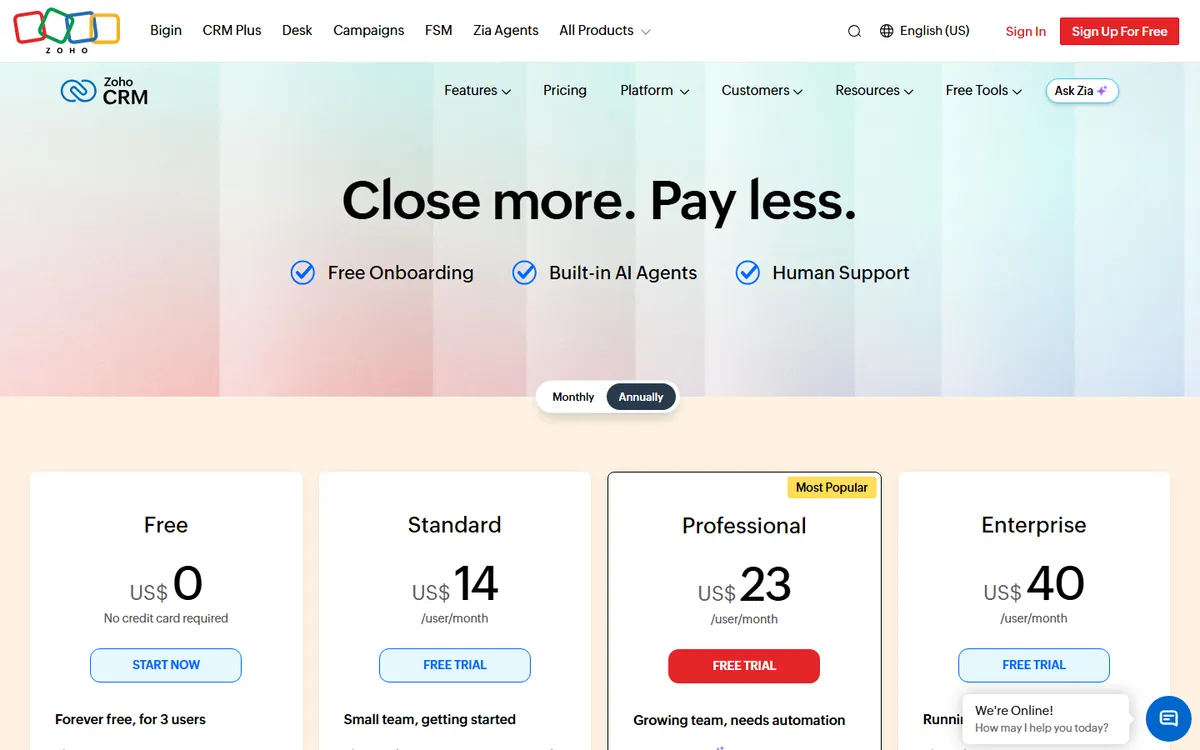 Zoho CRM’s pricing page, November 2026.
3. Pipedrive
Best for: salespeople who think in deals and stages.
Why switch: the visual pipeline is the whole point. It is quick to learn, and it does not try to be a marketing platform.
What you give up: per-seat pricing, and you will need other tools for texting, funnels and bigger automations. I cover its weak spots in Pipedrive alternatives.
Pricing: check current pricing on Pipedrive’s site. Their page blocked my price lookup, so I will not guess a number.
Pipedrive for pure sales pipelines
Pros
- The visual pipeline is the whole point
- Quick to learn
- It does not try to be a marketing platform
Cons
- Per-seat pricing
- You need other tools for texting, funnels and bigger automations
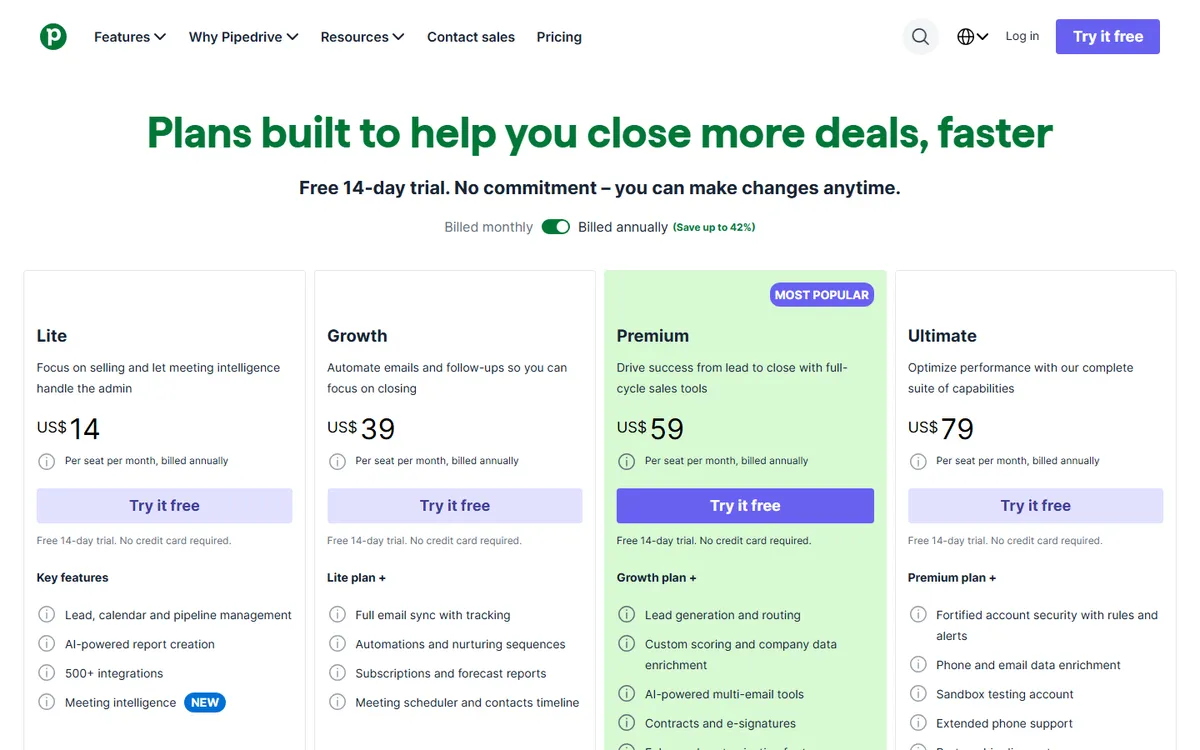 Pipedrive’s pricing page, November 2026.
4. Freshsales
Best for: a growing sales team that wants a sales-focused CRM without HubSpot’s price ladder.
Why switch: it aims at the same buyer as HubSpot Sales Hub with a lighter feel.
What you give up: it is still per seat, the ecosystem is smaller, and I have not run it for clients, so treat this as a shortlist note, not a review.
Pricing: check current pricing on Freshsales’ site.
5. Keap
Best for: a solo owner or very small team that wants contacts, email automation and invoicing together.
Why switch: it is built for small businesses, not enterprise teams, and the automation is aimed at follow-up after a lead comes in. I list it in my main GoHighLevel alternatives post too.
What you give up: no agency layer, and calling and texting are not the focus. It is a tool for running your own business only.
Pricing: check current pricing on Keap’s site.
6. HubSpot Free CRM
Best for: people who are not really leaving, they just over-bought.
Why switch: HubSpot’s pricing page says the free plan covers up to 2 users with core CRM tools and no credit card. If you only used contacts and deals, dropping to free costs you nothing.
What you give up: the paid features you were using. The next step up is the same ladder you were trying to get off.
Pricing: free for up to 2 users, per HubSpot. Paid tiers move, so check the page.
Quick comparison
GoHighLevel
- Pricing style: Flat plans, unlimited users
- Skip if: You need top-tier reporting
Zoho CRM
- Pricing style: Per user, free tier listed
- Skip if: Texting is key
Pipedrive
- Pricing style: Per seat
- Skip if: You need marketing tools
HubSpot Free
- Pricing style: Free, up to 2 users
- Skip if: You need paid features
Migration checklist: HubSpot to GoHighLevel
Moving software is easy for contacts and hard for habits. Use this order.
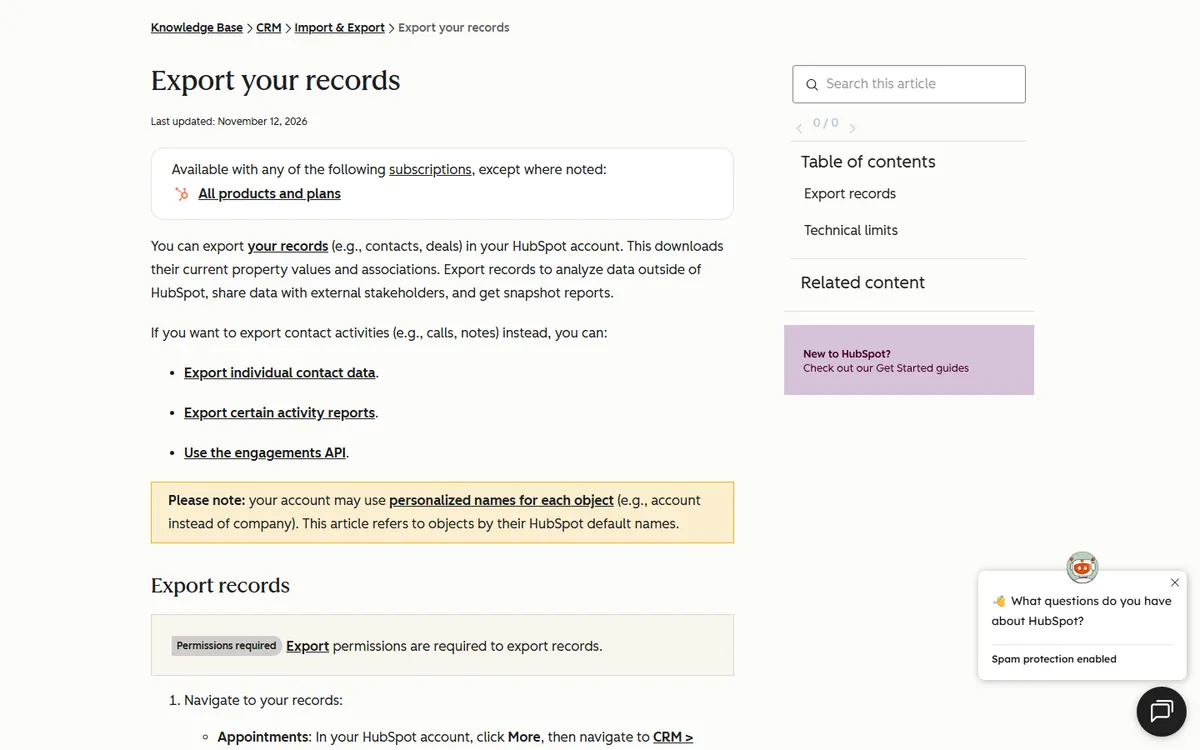 HubSpot’s own export article, the place to start step 1, November 2026.
- Export from HubSpot. Contacts, companies and deals as CSV. Download them before you cancel anything.
- Write down your workflows. HubSpot automations do not export. List each one in plain words (trigger, wait, action) before you rebuild them.
- Save your email templates. Copy the text into a doc. Rebuild them in HighLevel.
- Map your fields. Decide which HubSpot properties become HighLevel custom fields so the import lines up.
- Import a small batch first. Try 50 contacts, check the fields, then import the rest.
- Rebuild your pipeline. Keep the same stage names so your team is not lost.
- Set up texting. US texting needs A2P registration, which takes time, so start it early. Details are in my pricing post.
- Run both for two weeks. Keep HubSpot read-only until the new setup has handled real leads.
- Cancel last. Only after you confirm nothing is missing.
If you want a head start, the 30-day extended free trial through my link gives you time to run steps 1 to 6 for real. If you would rather have someone else do the setup, my Growth Plan is $97 a month for a white-label HighLevel account that gets set up for you. See the Growth Plan.
How to pick this week
Keep it simple.
- If you live on texts and calls and want one flat bill, try GoHighLevel.
- If you want the cheapest simple CRM, try Zoho CRM’s free plan.
- If you only track deals, try Pipedrive.
- If you just over-bought, drop to HubSpot’s free CRM first.
Write down the one thing that made you start searching (price, texting, complexity) and pick the option that fixes that first. Do not pick on feature lists. Feature lists are how you ended up with a tool bigger than your business.
If you want to see how this plays out for agencies specifically, read best CRM for marketing agencies and my broader GoHighLevel alternatives. Coming from a different tool? See Salesforce alternatives, Pipedrive alternatives, Zoho CRM alternatives and ActiveCampaign alternatives.
Quick wins
Want clients this month? Start here
Set up your own house first. One clear offer for one niche, a simple site, a booking link and your own HighLevel account running the same automations you'll sell. Prospects trust what they can try.
Start with people who already know you
Past employers, old customers, friends who own businesses. Tell them exactly what you set up for small businesses leaving HubSpot and ask for 20 minutes.
Do daily outreach
Calls, emails and DMs to a tight list in one niche. Volume and follow-up beat clever copy.
Demo, don't describe
Build a quick AI agent or missed-call text-back demo in your own HighLevel account and let them try it on the call.
Post what you build
Short screen recordings of real automations. One a day on the platform your buyers use.
Partner with people who own your buyers
Web designers, bookkeepers and software resellers already have the relationship. Trade introductions.
Answer every lead in under a minute
Practice what you sell. Set up your own speed-to-lead automation first.
Work a local area in person
- Pick one area and walk into ten businesses in a row. Ask for the owner, keep it to two minutes and leave a card.
- Bring a one-page printout that shows the problem you fix (missed calls, slow follow-up, no reviews) with their name on it.
- Go back a week later. Most first visits are about being remembered, not closing.
Ask for introductions, not referrals
"Know anyone who could use this?" gets a polite "I'll think about it." Asking to be introduced to a specific kind of person gets names. Set it up when they sign:
"If this works the way I think it will, would you be against introducing me to one or two other small businesses leaving HubSpot you know? I'll give them a free CRM switch checklist."
Then follow up once they're seeing results. With a client you get along with, a little humor works:
"So are you keeping me a secret on purpose, or do you just not like your friends?"
Only joke like that with clients you know well. With everyone else, keep it simple and thank them either way.