 Jonathan Blake

Salesforce is the biggest name in CRM, so people assume it must be the right answer. Then they see the price, the setup and the consultants, and start looking at HighLevel. If that is you, here is how the two compare for a small business or agency.
Short answer: pick HighLevel if you are a small business or agency that wants texting, calls, booking and automation for a flat fee. Pick Salesforce if you are a larger team with complex sales processes, custom data and someone to administer it. Salesforce gives you a toolbox the size of a warehouse. HighLevel hands you the toolbox you will actually open.
I run my agency on HighLevel and earn a commission when you sign up through my link. I will be clear about where Salesforce is the better pick.
GoHighLevel
- Starts at: $97/month, unlimited users
- Best for: Small businesses and agencies
- Free trial: 14 days, or 30 days through my link
Salesforce
- Starts at: $25/user/month (Starter Suite)
- Best for: Larger teams with complex needs
- Free trial: Check current pricing
GoHighLevel vs Salesforce at a glance
| Item | GoHighLevel | Salesforce |
|---|---|---|
| Built for | Small businesses and agencies | Companies of every size, strongest at larger ones |
| Price model | Flat monthly, unlimited users and contacts | Per user per month, by edition |
| Entry price | $97/month | $25/user/month (Starter Suite) |
| Higher editions | $297 and $497/month | $100, $195, $395 and $550/user/month |
| CRM and pipelines | Built in, easy to customize | Deep, with custom objects |
| Two-way texting | Built in, pay per message | Not confirmed as a standard feature |
| Calling | Built in, pay per minute | Check current features |
| Reusable setups | Snapshots | Packages and consultants |
| White label and reselling | Yes | No |
| AI | Conversation AI, Voice AI, AI Employee plans | AI is a headline of its Max Edition, check current pricing |
Pricing compared (real monthly cost)
HighLevel is $97, $297 or $497 a month as of late 2026, with unlimited users and contacts. Usage is billed on top: about $0.00747 per text segment, $1.15 a month for a local number and about $0.0166 a minute for outbound calls. In my example of 1,000 texts, 400 outbound minutes, 300 inbound minutes and one number, usage was $18.76 a month. More on that in my GoHighLevel pricing breakdown.
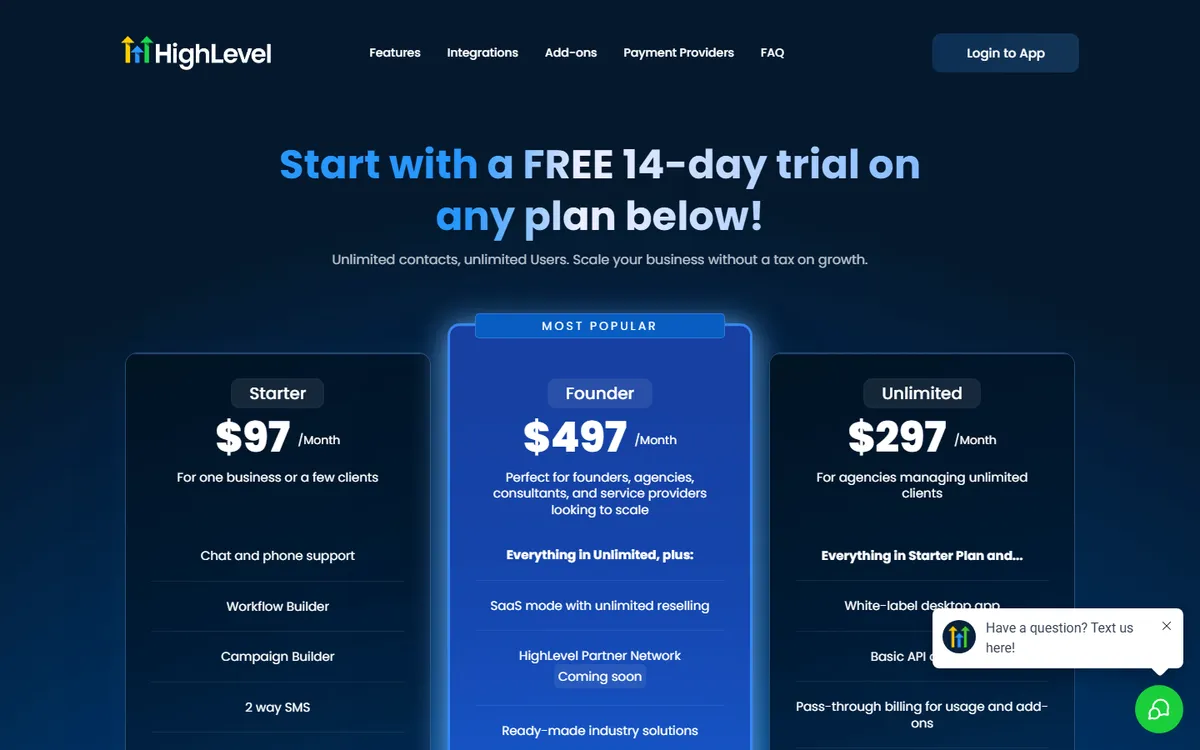 HighLevel’s pricing page, November 2026.
Salesforce charges per user. Its own pricing page lists Starter Suite at $25 per user per month, Pro Suite at $100, Core at $195, Advanced at $395 and Max at $550, with most editions billed annually. It also lists a Free Suite. The page notes that its numbers are for reference and subject to change.
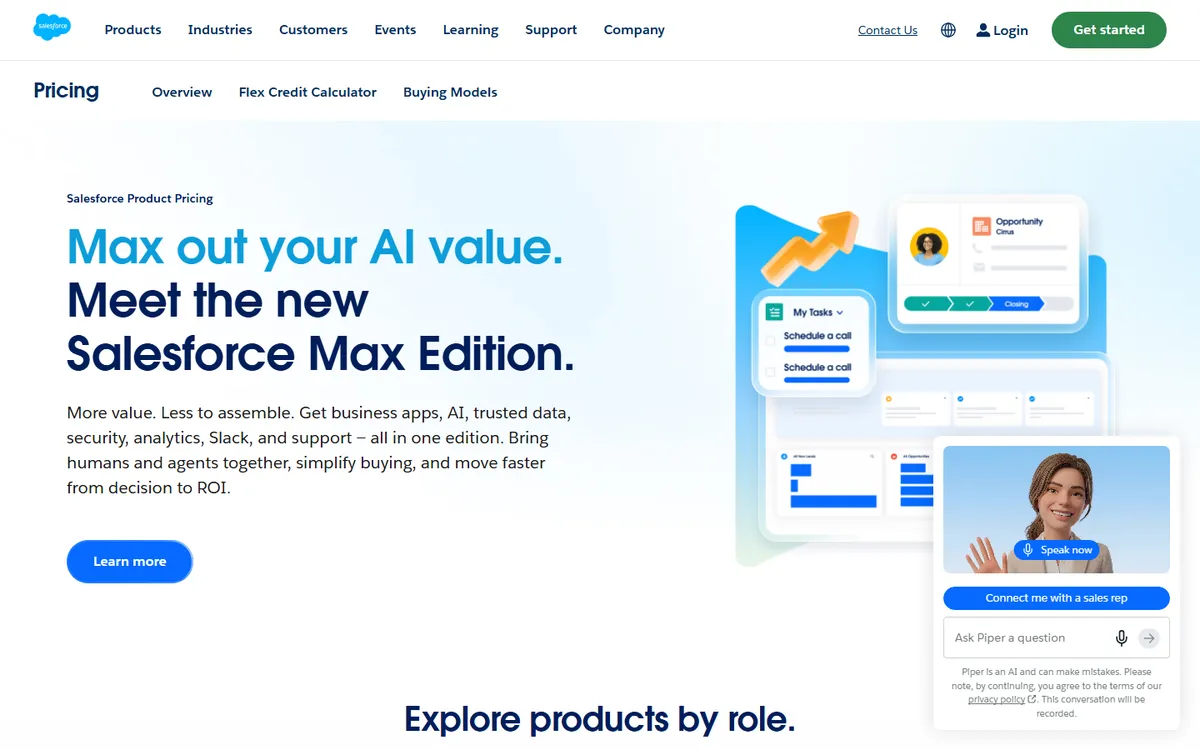 Salesforce’s pricing page, November 2026.
Here is a rough software-only comparison for a team, using Salesforce’s listed per-user prices:
| Team size | HighLevel | Salesforce Starter Suite | Salesforce Pro Suite |
|---|---|---|---|
| 3 users | $97/month | $75/month | $300/month |
| 10 users | $97 or $297/month | $250/month | $1,000/month |
| 25 users | $297/month | $625/month | $2,500/month |
Those numbers are licenses only. Add usage fees on the HighLevel side, and admin time, add-ons or a consultant on the Salesforce side. At a small team size, the entry Salesforce tier is not expensive. The jump happens when you need the features that live in the higher editions.
Where Salesforce wins
Salesforce is the strongest CRM on the market for complex needs, and pretending otherwise would not help you.
- Customization. Custom objects, fields and logic let it model almost any business process.
- Reporting. Its reporting and data tools go much deeper than HighLevel’s.
- Ecosystem. A huge app marketplace and a large pool of admins and consultants.
- Enterprise fit. Security reviews, large teams and complex approval chains are what it was built for.
- Brand weight. For some buyers and procurement teams, Salesforce is a safe name.
If you have a sales team of 50, multiple product lines and a dedicated admin, Salesforce is probably the right home.
Where GoHighLevel wins
HighLevel wins when you want to be selling next week, not configuring next quarter.
- Flat pricing. Adding a person adds no seat fee.
- Texting and calls built in. Missed-call text back, review requests and reactivation texts are native. See missed-call text back.
- Fast setup. A snapshot copies a working setup in minutes, so a new client or location does not start from zero.
- One place for everything. CRM, calendar, forms, funnels, email, texting and AI in one login.
- White label and reselling. Brand the platform as your own, and on the $497 plan resell it. See GoHighLevel white label.
A CRM you never finish setting up is the most expensive one you can buy.
GoHighLevel
Pros
- Flat pricing with unlimited users and contacts
- Texting, calls and booking built in
- Fast setup with snapshots
- White label and SaaS mode
Cons
- Less depth than Salesforce for custom data and reporting
- Steeper learning curve than simple CRMs
- Usage fees for texts, calls and email
- Support quality varies
Salesforce
Pros
- Deep customization and reporting
- Huge ecosystem of apps and consultants
- Built for complex, large teams
- Strong fit for enterprise buyers
Cons
- Per-user pricing that climbs by edition
- Usually needs an admin or consultant
- Longer time to get value
- Not built for white label or resale
Setup effort and time to value
This is the difference people underestimate. Salesforce is a platform you configure. Objects, fields, page layouts, flows and reports can all be shaped, and the people who do it well are skilled and in demand. For a larger company, that flexibility is the point. For a small team, it can turn into weeks of setup before anyone gets a text sent.
HighLevel is closer to a finished kit. You still build your pipelines and workflows, but the pieces you need for lead handling already exist: forms, calendars, a phone system, texting and email. A snapshot from a past client or a template gets you most of the way in an afternoon.
Edge: HighLevel for speed. Salesforce for fit when your process is complicated.
Automation and workflows
Salesforce automation is powerful and can model almost any rule. It is also something you usually want an admin or a consultant to own. HighLevel’s workflow builder is included on every plan and is built around what local businesses need: missed calls, form fills, appointments booked, pipeline stage changes and reviews received. I build one strong follow-up sequence once, and every new client gets it.
Edge: Salesforce for complex logic and approvals. HighLevel for everyday lead follow-up.
Texting, calling and AI
HighLevel includes two-way texting and calling in every plan, billed per message and per minute. I could not confirm built-in two-way texting as a standard feature on Salesforce’s pricing page, and many teams add an app for it. On AI, HighLevel’s Conversation AI answers texts and chats and books appointments, and Voice AI answers calls. Salesforce’s pricing page leads with AI on its Max Edition, so if you are an enterprise buyer weighing AI agents, read that page closely and price it with a rep.
Support and ecosystem
Salesforce has the largest ecosystem in CRM: a huge app marketplace, certified admins and consultants in almost every city. HighLevel’s ecosystem is smaller and more agency-focused, with snapshot sellers, a busy community and an API for integrations. HighLevel support quality varies, and the community often answers faster than a ticket.
Three mistakes I see when people pick a CRM
Buying for the company you hope to be. A ten-person business does not need the platform a thousand-person company runs. Pick for the next twelve months, and move later if you outgrow it.
Ignoring who will run it. The license is the visible cost. The person who configures, fixes and trains the team is the hidden one. If that person does not exist yet, price them in or pick a simpler tool.
Skipping the speed test. Whatever you choose, time how long it takes a new lead to get a text and a task assigned. If it takes more than a couple of minutes, the system is not helping you win jobs.
Which should you pick?
- If you run a local service business or small team, pick HighLevel. You get texting, calls and booking without a consultant.
- If you run an agency serving many small clients, pick HighLevel. Flat pricing, snapshots and white label are built for you.
- If you are a 50-person sales org with custom processes, pick Salesforce. The depth is the reason to pay for it.
- If your company already runs on Salesforce, stay unless the cost or the admin load is the problem. Moving is real work.
- If you want to stay with Salesforce but lighter, look at Starter Suite, which its pricing page lists at $25 per user per month.
Switching from Salesforce to GoHighLevel
If you are moving a small team over, here is the order I would use:
- Export contacts, accounts and opportunities from Salesforce as CSV files.
- Decide what you actually use. Most small teams use a fraction of the fields they have. Skip the rest.
- Create matching custom fields and pipeline stages in HighLevel before importing.
- Rebuild the few automations that matter, starting with new-lead follow-up and missed-call text back.
- Set up phone numbers and texting registration early, because approval takes time.
- Run both systems side by side for a couple of weeks before you shut Salesforce off.
For more options, see Salesforce alternatives and my software alternatives hub.
My pick and why
For a small business or an agency, I pick HighLevel. Flat pricing, built-in texting and calls, and a setup you can finish in days are what that kind of buyer needs. For a large organization with complex processes and an admin team, Salesforce is the stronger platform and I would say so to a client’s face.
Read my full GoHighLevel review for the rest of the platform. If you are moving a business off Salesforce and want help rebuilding the workflows, that is a common consulting project.
Try HighLevel side by side
The best test is to rebuild one real process in HighLevel during the trial. Start through my link and you get a 30-day extended free trial instead of the standard 14 days. Build one pipeline, one form, one missed-call text back workflow and one review request, and see whether it fits how your team works. If you want help finding leads to put in it, look at my coaching.
Start your free HighLevel trial 30-day trial · cancel anytime · keep the bonuses I may earn a commission if you sign up through my link, at no extra cost to you. Details