 Jonathan Blake

I have sold face to face since 2015, and I ran a tree service for six years. When I started doing marketing for other contractors, the first thing I noticed was how many of them paid for an email tool, a texting tool and a CRM, and none of the three knew what the others were doing.
That is the real reason most people search for Mailchimp alternatives. It is not that Mailchimp is bad. It is that the email list ends up living in a different place than everything else.
Short answer: for a plain newsletter, MailerLite, Brevo or Kit will do the job for less. For email, texting and a CRM in one place, GoHighLevel fits. If you send one newsletter a month, stay on a free plan and skip the all-in-one.
I make part of my living from HighLevel and co-own an agency, The Lead Venture, that runs on it. If you sign up through my link I get paid. I will say where it is the wrong call, because that is the part that saves you money.
Why people leave Mailchimp
- Price climbs with the list. Mailchimp’s pricing page shows Essentials from $13 a month and Standard from $20 a month, billed as an introductory rate for 12 months, with the price tiered by contact count. Premium starts at $350 a month. The number you see at 500 contacts is not the number you pay at 10,000.
- The free plan is small. It covers 250 contacts and 500 sends a month, with a daily cap of 250.
- Texting is a separate product. Email, SMS and a CRM end up as three subscriptions, three logins and three versions of the same customer.
- Automation depth costs more. Multi-step automations sit on the higher plans.
Add those up and the sticker price stops being the real price.
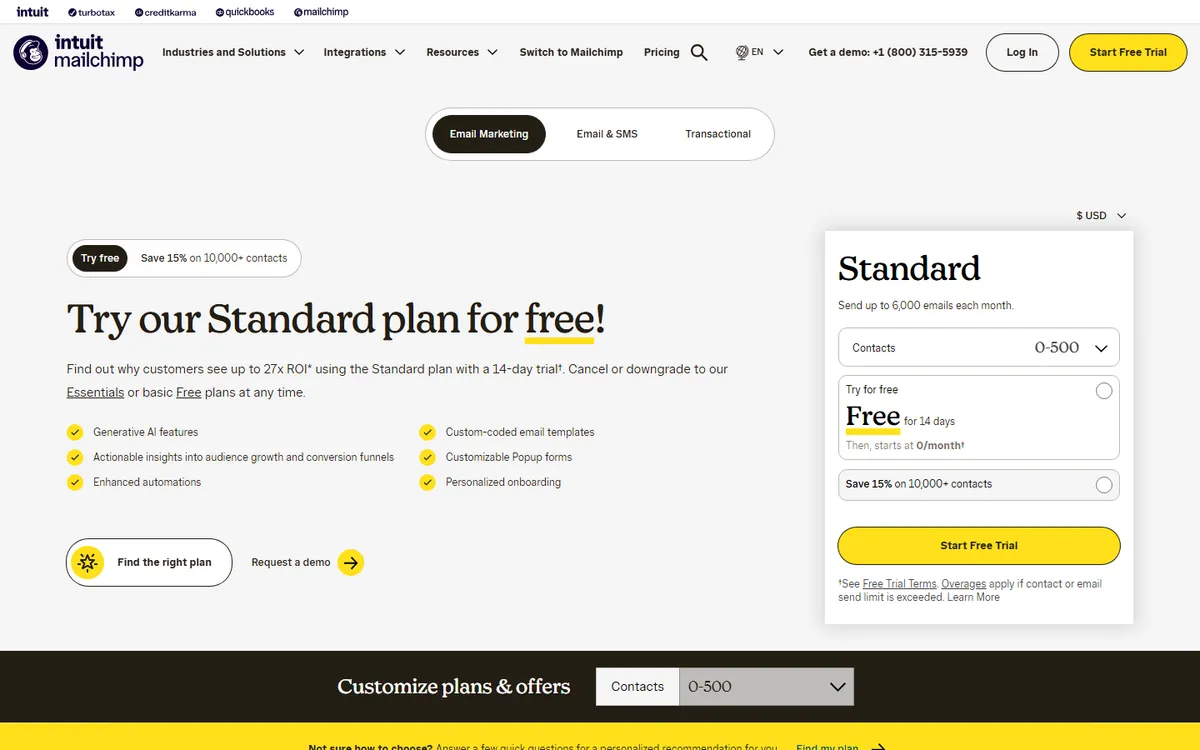 Mailchimp’s pricing page, November 2026.
How I ranked these
- Verified price and limits. I only list numbers I could read on the vendor’s own pricing page. Anything else says to check current pricing.
- What you get beyond email. Texting, a CRM, booking and follow-up.
- Fit for a non-technical owner. Can you run it without a consultant.
- Who it is wrong for. Every option has someone who should skip it.
Mailchimp alternatives at a glance
- 1 Read the full breakdownBest simple newsletter tool
MailerLite
- Free plan: up to 250 subscribers, 2,500 emails a month
- Paid plans from $12 a month
- No texting or real CRM
- 2 Read the full breakdownBest for creators
Kit
- Free plan up to 10,000 subscribers
- Creator plan from $33 a month
- Built around creators, not local business
- 3 Read the full breakdownEmail plus SMS tools
Brevo
- Email and SMS under one brand
- Check current pricing
- More of a marketing tool than a CRM
- 4 Read the full breakdownBudget all-in-one for creators
systeme.io
- Free plan: 2,000 contacts, unlimited emails
- Paid from $17 a month
- Thin automation
- 5 Read the full breakdownEmail, SMS and CRM together
GoHighLevel
- Email, text, pipeline and booking in one login
- Starter is $97 a month
- Overkill for a newsletter
- 6 Read the full breakdownIf you want a polished CRM
HubSpot
- Strong CRM and reporting
- Check current pricing
- Costs rise with seats and tiers
- 7 Read the full breakdownEmail automation depth
ActiveCampaign
- Strong automation builder
- Check current pricing
- See my separate guide
| Option | Best for | Starts at | Texting/SMS | Biggest catch |
|---|---|---|---|---|
| MailerLite | Straightforward newsletters | Free; paid from $12/month | No texting | No real CRM |
| Kit | Creators with a big list | Free up to 10,000 subscribers; Creator from $33/month | Check current features | Built for creators, not local business |
| Brevo | Email plus some SMS from one vendor | Check current pricing | Email and SMS under one brand | More marketing tool than CRM |
| systeme.io | A budget all-in-one for creators | Free; paid from $17/month | No texting platform to speak of | Thin automation and reporting |
| GoHighLevel | Email, SMS and CRM in one place | Starter is $97/month plus usage | Built in | Overkill for a newsletter |
| HubSpot | An in-house sales team | Check current pricing | Not the core of the product | Cost rises with seats and tiers |
| ActiveCampaign | Heavy email automation | Check current pricing | Check current features | No phone system |
1. MailerLite: for straightforward newsletters
Best for: a person or small team that sends newsletters and wants the simplest tool.
Why switch: the free plan on MailerLite’s pricing page covers up to 250 subscribers, 2,500 monthly emails, two seats and a handful of automations. Paid plans start from $12 a month for Comfort and $25 a month for Power.
What you give up: no real CRM and no texting. If your business runs on phone calls and bookings, you will bolt on more tools.
Pricing: Free is $0, Comfort is from $12 a month and Power is from $25 a month, per MailerLite’s pricing page in 2026.
MailerLite for simple newsletters
Pros
- The simplest tool for newsletters
- Free plan covers up to 250 subscribers and 2,500 monthly emails
- Two seats and a handful of automations on the free plan
- Paid plans from $12 a month
Cons
- No real CRM
- No texting, so a phone-based business bolts on more tools
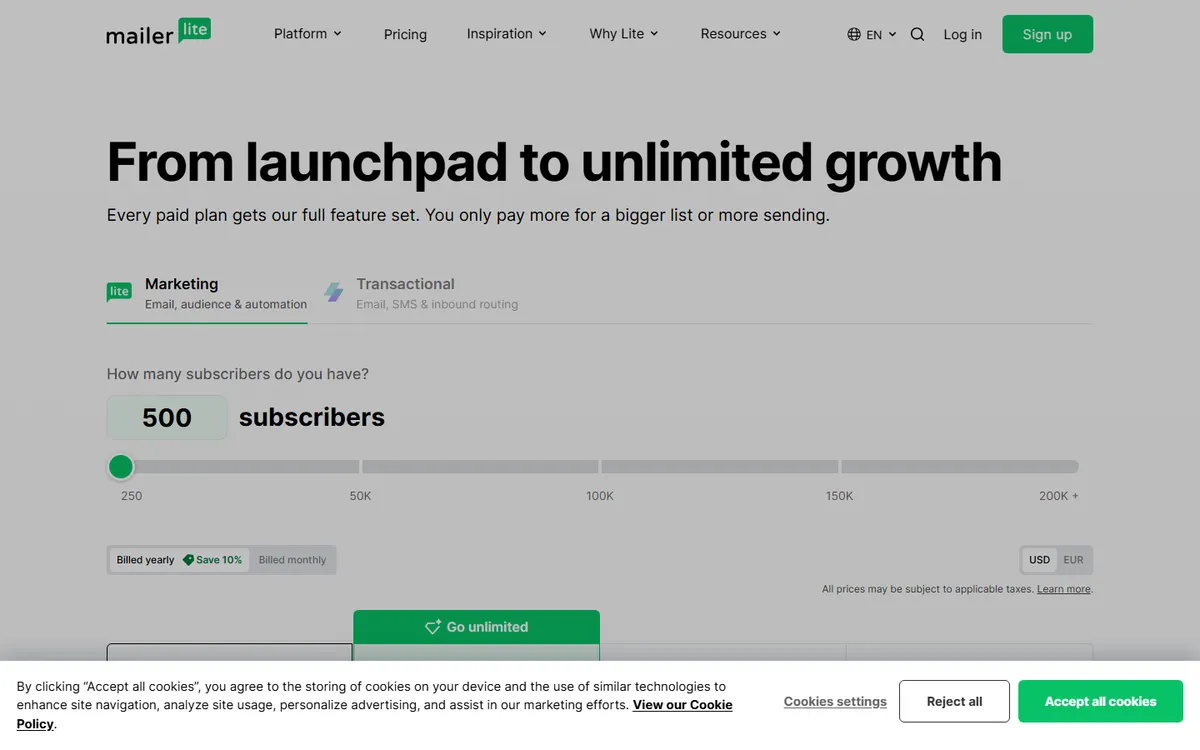 MailerLite’s pricing page, November 2026.
2. Kit: for creators with a big list
Best for: creators and course sellers with a large audience.
Why switch: Kit’s pricing page lists a free plan for up to 10,000 subscribers, which is the most generous free list size I verified.
What you give up: it is built for creators. A plumber or a roofer will find the model a poor match for booking jobs and chasing quotes.
Pricing: Free is $0, Creator starts at $33 a month and Pro starts at $50 a month on a first-year promotion, regularly $66, based on the 1,000-subscriber tier and billed yearly, per Kit’s pricing page in 2026.
Kit for creators with a big list
Pros
- Free plan for up to 10,000 subscribers
- The most generous free list size I verified
- Built around creators and course sellers
Cons
- A plumber or roofer will find it a poor match for booking jobs and chasing quotes
- Creator starts at $33 a month
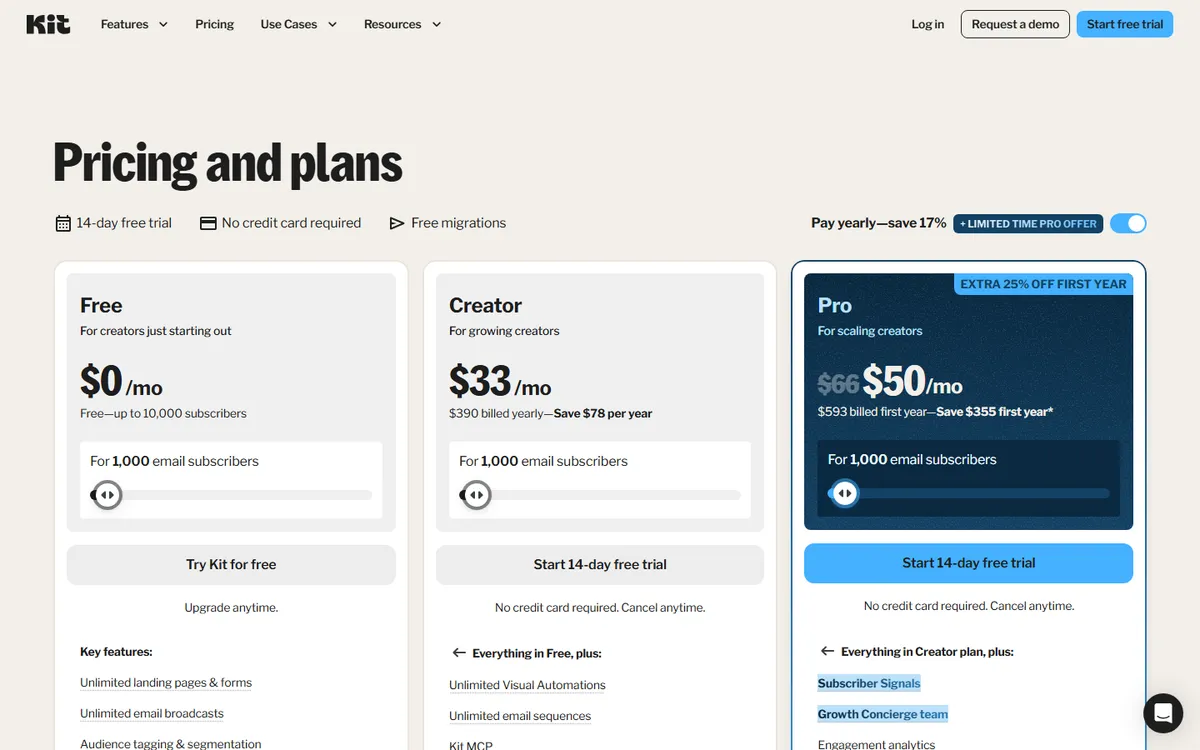 Kit’s pricing page, November 2026.
3. Brevo: for email and some SMS
Best for: small businesses that want email and text messaging from one vendor without a full platform.
Why switch: it puts email and SMS under the same roof, which cuts one of the three separate bills.
What you give up: it leans marketing tool rather than a full CRM and pipeline.
Pricing: check current pricing on Brevo’s own page. I could not pull a reliable number to quote.
Brevo for email plus some SMS
Pros
- Email and SMS under the same roof
- Cuts one of the three separate bills
- A fit for small businesses that do not want a full platform
Cons
- Leans marketing tool rather than a full CRM and pipeline
- I could not pull a reliable price, so check current pricing
4. systeme.io: for a budget all-in-one
Best for: a solo creator or small seller who wants funnels, email and a course area cheap.
Why switch: the free plan on systeme.io’s pricing page lists 2,000 contacts, 3 sales funnels, 1 course and unlimited emails sent, with paid plans from $17 a month.
What you give up: automation and reporting are thinner than the bigger platforms, and there is no phone system or texting platform to speak of.
Pricing: Free is $0, Startup is $17 a month, Webinar is $47 a month and Unlimited is $97 a month, per systeme.io’s pricing page in 2026.
5. GoHighLevel: email, SMS and CRM in one place
Best for: a service business or agency that wants email, texting, a pipeline, booking and follow-up in one system, so one customer is one record.
Why switch: instead of three subscriptions, one login. A lead fills in a form, gets a text and an email, shows up in a pipeline, and gets follow-up until they book or say no. In a tree service, that is the difference between a quote that gets chased and a quote that sits in a truck.
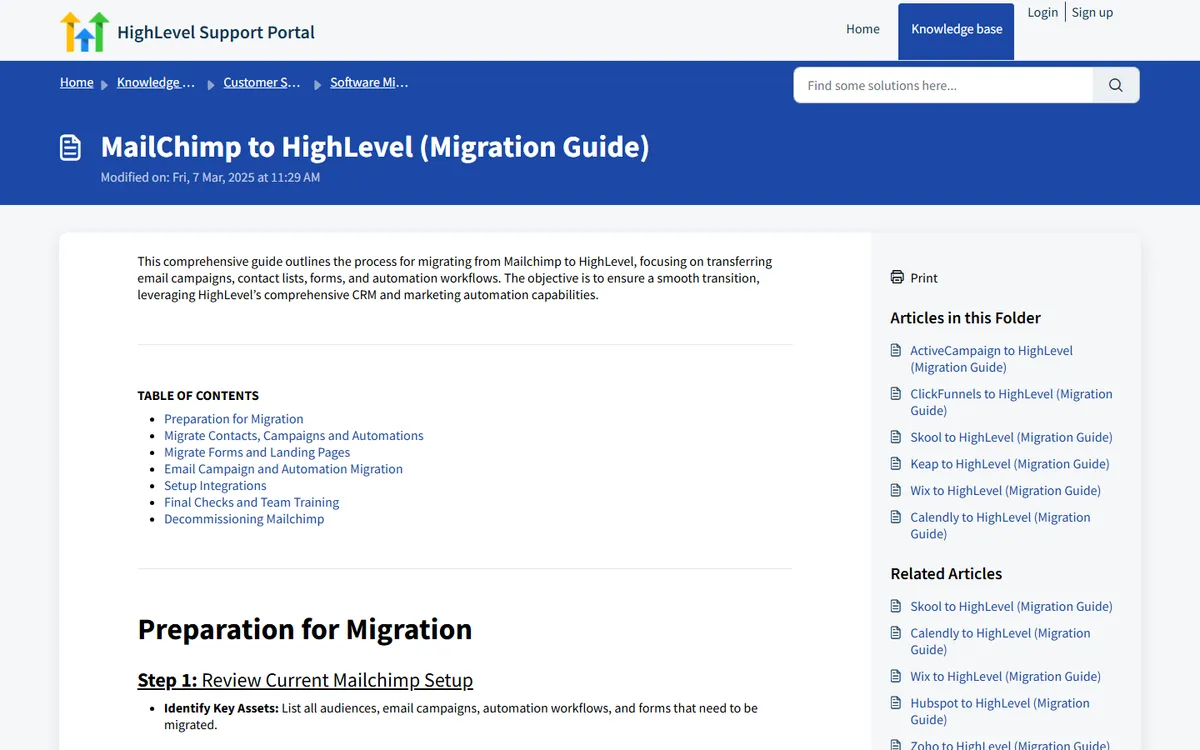 HighLevel’s own Mailchimp migration guide, November 2026.
What you give up: simplicity. There is a real learning curve, and email, text and calls are billed by usage on top of the subscription. HighLevel’s help center lists email at $0.675 per 1,000 emails, which is the smallest line on most bills. I break down the whole bill in GoHighLevel pricing.
Who should NOT pick it: if you send one newsletter a month, do not buy a $97 a month platform. If your list is under a few hundred people and you never text anyone, a free plan from MailerLite or Kit is the honest answer.
Pricing: Starter is $97 a month, per HighLevel’s pricing page in 2026. Usage is billed separately.
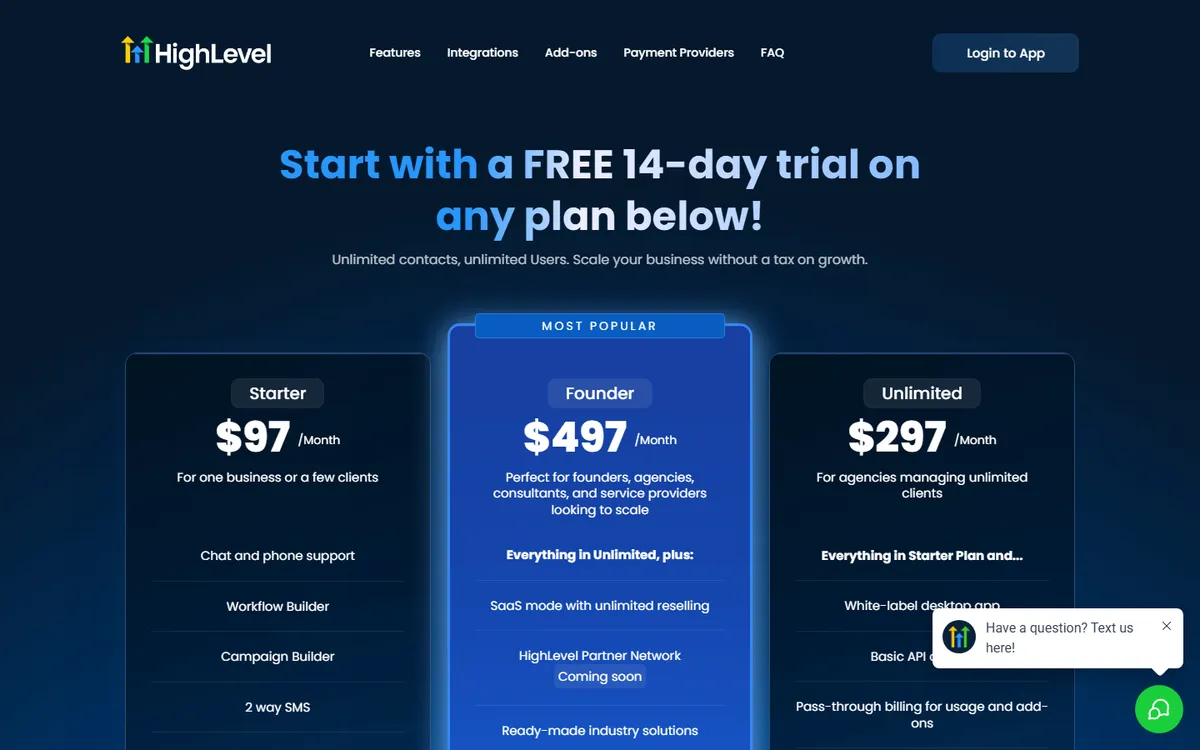 GoHighLevel’s pricing page, November 2026.
6. HubSpot: for a sales team
Best for: an in-house sales team that wants a polished CRM with email attached.
Why switch: the CRM and reporting are strong, and reps pick it up quickly. I compare it head to head in GoHighLevel vs HubSpot and cover more options in HubSpot alternatives.
What you give up: cost tends to rise with seats and tiers, and texting is not the core of the product.
Pricing: check current pricing on HubSpot’s own page.
7. ActiveCampaign: for heavy email automation
Best for: someone whose business is email sequences and who wants a deep automation builder.
Why switch: automation is the strength, more than in simple newsletter tools.
What you give up: no phone system and no all-in-one for service businesses. I cover it in ActiveCampaign alternatives.
Pricing: check current pricing on ActiveCampaign’s own page.
The real monthly cost: add it up before you compare
Most people compare the email tool to the email tool. That is the wrong comparison if you also text customers or keep a CRM. Here is the exercise I give contractors.
- Write down every tool that touches a customer. Email tool, texting app, CRM or spreadsheet, booking link, form builder.
- Write down what each costs per month. Use the number on the bill, not the number on the pricing page.
- Write down what each one knows. Usually the email tool knows who opened, the texting app knows who replied, and the CRM knows who bought. None of them knows all three.
- Compare that total to one system. Not to one tool.
For a person who sells a monthly newsletter, the answer comes out in favor of a cheap, simple email tool. For a roofer who emails estimates, texts appointment reminders and wants to know which leads went cold, the answer often comes out in favor of one system, because the cost that matters is the lead nobody followed up with.
I would not pretend an all-in-one is magic. It takes setup, and you will spend evenings getting it right. What you get back is one contact record and follow-up that runs without you remembering it. If that sounds like a problem you have, it is worth a trial. If it sounds like a problem you do not have, the free or cheap email tools above are the better answer.
Quick comparison
MailerLite
- Best for: Simple newsletters
- Skip if: You need texting or a CRM
Kit
- Best for: Creators with a large list
- Skip if: You run a local service business
systeme.io
- Best for: Cheap all-in-one for creators
- Skip if: You need deep automation
GoHighLevel
- Best for: Email, SMS and CRM together
- Skip if: You only send a newsletter
If you are moving to GoHighLevel: the migration checklist
- Export your audience. Download the full contact list as a CSV from Mailchimp, and keep a copy.
- Export your unsubscribes and cleaned contacts. You must not email people who opted out. Carry them over as do-not-contact.
- Clean the list. Remove people who have not opened anything in a long time before you import. A smaller, engaged list sends better.
- Import with tags. Tag contacts by where they came from so you can segment later.
- Rebuild your automations. Welcome emails, abandoned flows and follow-ups do not transfer. Rebuild the three that matter most first.
- Set up your sending domain. Authenticate it so your emails reach inboxes, and send in small batches at first.
- Register for texting if you will text. US texting needs carrier registration, and it takes time, so start it early. I explain the costs in my pricing post.
- Test with yourself. Join a form, check the email, the text and the pipeline stage, then switch your signup forms over.
Plan on rebuilding rather than importing. My GoHighLevel setup guide covers the first week.
How to pick one this week
If you send a newsletter and nothing else, take the free plan that fits your list size and stop shopping. If you also text customers, book jobs or chase quotes, count what email, SMS and a CRM cost you today, add them up and compare that number to one system.
If you want the one system without building it yourself, my Growth Plan is white-label HighLevel at $97 a month, set up for you. Details are on the bonuses page.
Related guides in the same series: Calendly alternatives, ClickFunnels alternatives, Kajabi alternatives, HubSpot alternatives and ActiveCampaign alternatives.
If you want to test it, the 30-day extended free trial through my link is enough time to import a small list and build one follow-up sequence.
If you only send a monthly newsletter, switching to an all-in-one will cost you more and teach you nothing.
Quick wins
Want clients this month? Start here
Set up your own house first. One clear offer for one niche, a simple site, a booking link and your own HighLevel account running the same automations you'll sell. Prospects trust what they can try.
Start with people who already know you
Past employers, old customers, friends who own businesses. Tell them exactly what you set up for service businesses and ask for 20 minutes.
Do daily outreach
Calls, emails and DMs to a tight list in one niche. Volume and follow-up beat clever copy.
Demo, don't describe
Build a quick AI agent or missed-call text-back demo in your own HighLevel account and let them try it on the call.
Post what you build
Short screen recordings of real automations. One a day on the platform your buyers use.
Partner with people who own your buyers
Web designers, bookkeepers and software resellers already have the relationship. Trade introductions.
Answer every lead in under a minute
Practice what you sell. Set up your own speed-to-lead automation first.
Work a local area in person
- Pick one area and walk into ten businesses in a row. Ask for the owner, keep it to two minutes and leave a card.
- Bring a one-page printout that shows the problem you fix (missed calls, slow follow-up, no reviews) with their name on it.
- Go back a week later. Most first visits are about being remembered, not closing.
Ask for introductions, not referrals
"Know anyone who could use this?" gets a polite "I'll think about it." Asking to be introduced to a specific kind of person gets names. Set it up when they sign:
"If this works the way I think it will, would you be against introducing me to one or two other service businesses you know? I'll give them a free missed-call audit."
Then follow up once they're seeing results. With a client you get along with, a little humor works:
"So are you keeping me a secret on purpose, or do you just not like your friends?"
Only joke like that with clients you know well. With everyone else, keep it simple and thank them either way.