 Jonathan Blake

I have sold face to face since 2015, and I ran a tree service for six years. In both, the most expensive moment was the gap between “yes, come look at it” and the person actually showing up. A scheduling link does not close that gap on its own.
So when people search for Calendly alternatives, I get it. Calendly is good at what it does. The complaints I hear are about what it does not do, and about the price creeping up once you need more than the basics.
Short answer: Cal.com is the best free alternative for a simple booking link. Acuity and HubSpot’s meeting tool are worth a look if you want something familiar. GoHighLevel is the pick when booking should kick off reminders, texts and follow-up, but it costs more and is overkill if all you want is a link.
I make part of my living from HighLevel and co-own an agency, The Lead Venture, that runs on it. If you sign up through my link I get paid. I’ll tell you where it does not fit, because a wrong sale costs both of us.
Why people leave Calendly
These are the real reasons I hear, not the ones vendors put in comparison charts.
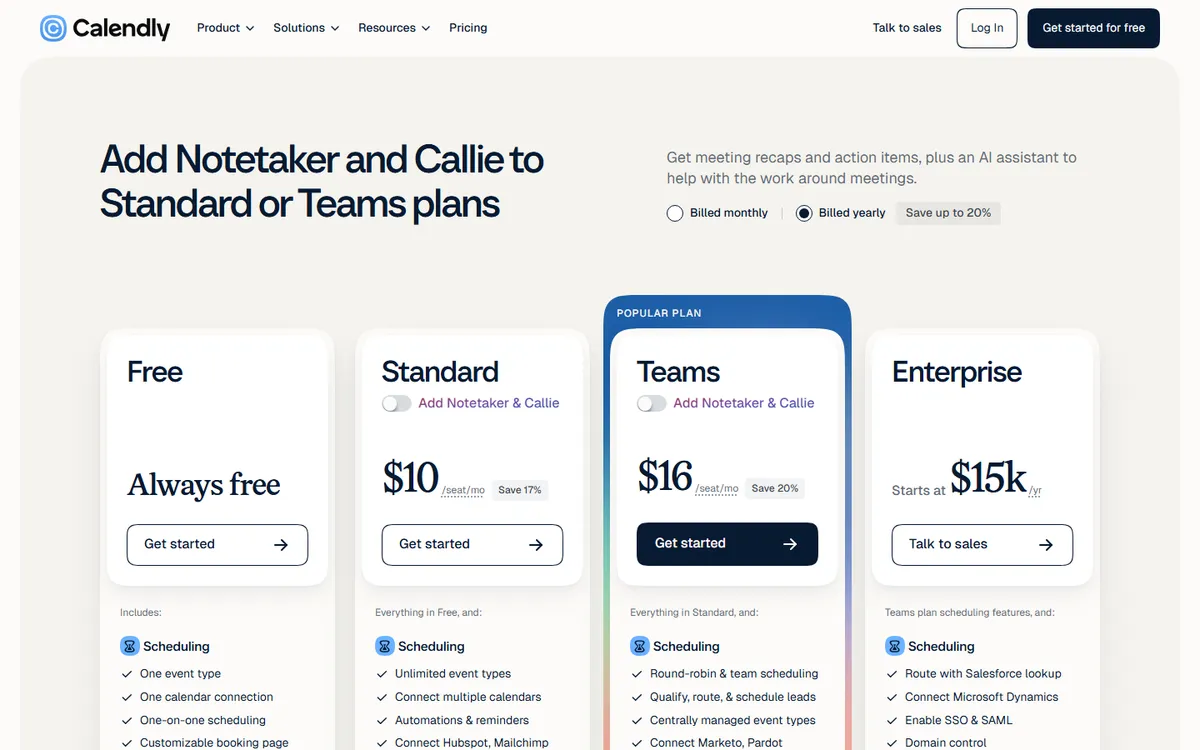 Calendly’s pricing page, November 2026.
- The free plan is thin. Calendly’s pricing page lists the free plan as one event type, one calendar connection and one-on-one scheduling only. Fine for a trial, tight for a real business.
- It is priced per seat. Standard is $10 per seat per month and Teams is $16 per seat per month. That is cheap for one person and adds up when a whole team needs access.
- It only books the meeting. The reminder text, the follow-up after a no-show and the note in your pipeline usually live in other tools. That is the stack of four things people get tired of paying for.
- Group and routing features sit in higher tiers. Round robin and lead routing are on the Teams plan, per Calendly’s help center.
None of that makes Calendly bad. It makes it a scheduling tool, which is what it says on the box.
How I ranked these
I looked at four things:
- Price for what you actually get. Only prices I could verify on the vendor’s own pricing page are listed. Otherwise I say to check current pricing.
- What happens after the booking. Reminders, confirmations and no-show follow-up.
- Setup time. Can a non-technical person have it running in an afternoon.
- Who it is wrong for. Every tool here has a person who should skip it.
Calendly alternatives at a glance
- 1 Read the full breakdownBest free option
Cal.com
- Free plan with unlimited links and calendars
- Email and SMS notifications on the free plan
- Teams plan is $12 per user per month
- 2 Read the full breakdownBest when booking triggers follow-up
GoHighLevel
- Calendars, texting, pipeline and workflows in one login
- Starter is $97 per month
- Not worth it for a plain booking link
- 3 Read the full breakdownFamiliar appointment tool
Acuity Scheduling
- Built for appointment-based businesses
- Payments at booking
- Check current pricing
- 4 Read the full breakdownIf you already use HubSpot
HubSpot meetings
- Booking links tied to HubSpot CRM
- Best for in-house sales teams
- Check current pricing
- 5 Read the full breakdownSimplest possible
Google Calendar booking pages
- Lives where your calendar already is
- No new login
- Check current availability and plan
- 6 Read the full breakdownBudget-minded teams
Zoho Bookings
- Part of the wider Zoho suite
- Fits if you already use Zoho
- Check current pricing
| Option | Best for | Starts at | Texting/SMS | Biggest catch |
|---|---|---|---|---|
| Cal.com | A solo person or small team with a simple booking link | Free; Teams is $12 per user per month | Email and SMS notifications on the free plan | Not a CRM, and it does not run follow-up |
| GoHighLevel | Booking that starts reminders and follow-up | Starter is $97/month | Built in, with usage billed on top | Overkill for a plain link, and setup takes time |
| Acuity Scheduling | Appointment businesses taking payment at booking | Check current pricing | Check current features | Still a scheduling tool |
| HubSpot meetings | In-house sales teams already on HubSpot | Check current pricing | Check current features | Makes sense mainly inside HubSpot |
| Google Calendar booking pages | Zero new logins | Check current pricing | Check current features | Little customization and basic reminders |
| Zoho Bookings | Businesses already on Zoho | Check current pricing | Check current features | A harder sell if you are not in Zoho |
1. Cal.com: the free option to try first
Best for: a solo person or small team who wants a clean booking link and nothing else.
Why switch: Cal.com’s pricing page lists a free plan with one user, unlimited links and calendars, email and SMS notifications, payments through Stripe and PayPal, and an importer for Calendly. That is a lot more than Calendly’s free tier.
If all you need is a booking page, a free tool is the right answer, and I’d rather tell you that than sell you a platform.
What you give up: a polished sales process. It books meetings well, but it is not a CRM and does not run your follow-up.
Pricing: Free is $0. Teams is $12 per user per month, billed monthly, and Organizations is $28 per user per month, per Cal.com’s pricing page in 2026.
Cal.com for a simple booking link
Pros
- Free plan with one user, unlimited links and calendars
- Email and SMS notifications on the free plan
- Payments through Stripe and PayPal
- Has an importer for Calendly
Cons
- Not a CRM, and it does not run your follow-up
- You give up a polished sales process
- Teams is $12 per user per month once you grow
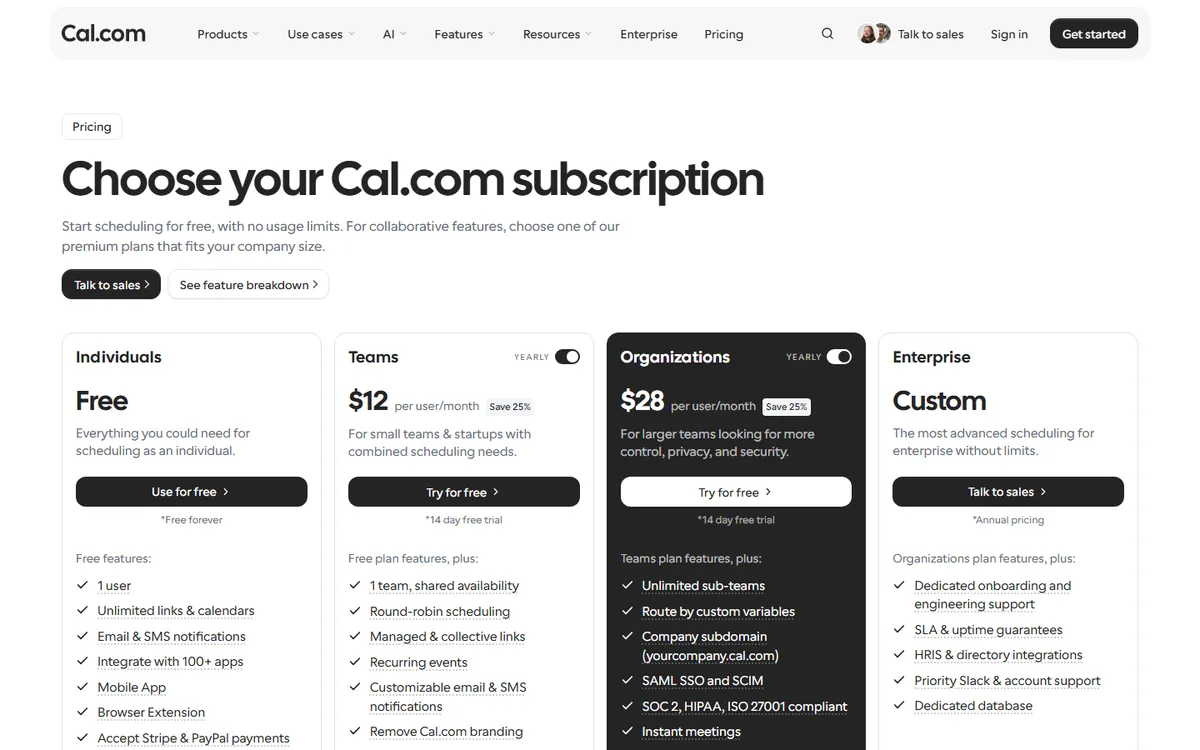 Cal.com’s pricing page, November 2026.
2. GoHighLevel: booking plus follow-up
Best for: a business where the booking is the start of a sales process. Home service companies, coaches, agencies, anyone who loses jobs to no-shows and slow replies.
Why switch: GoHighLevel has calendars with booking pages built in, and a booking can start a workflow. A reminder goes out by text and email, a pipeline stage updates, and a no-show triggers a follow-up message without anyone remembering to send it. One tool, one contact record.
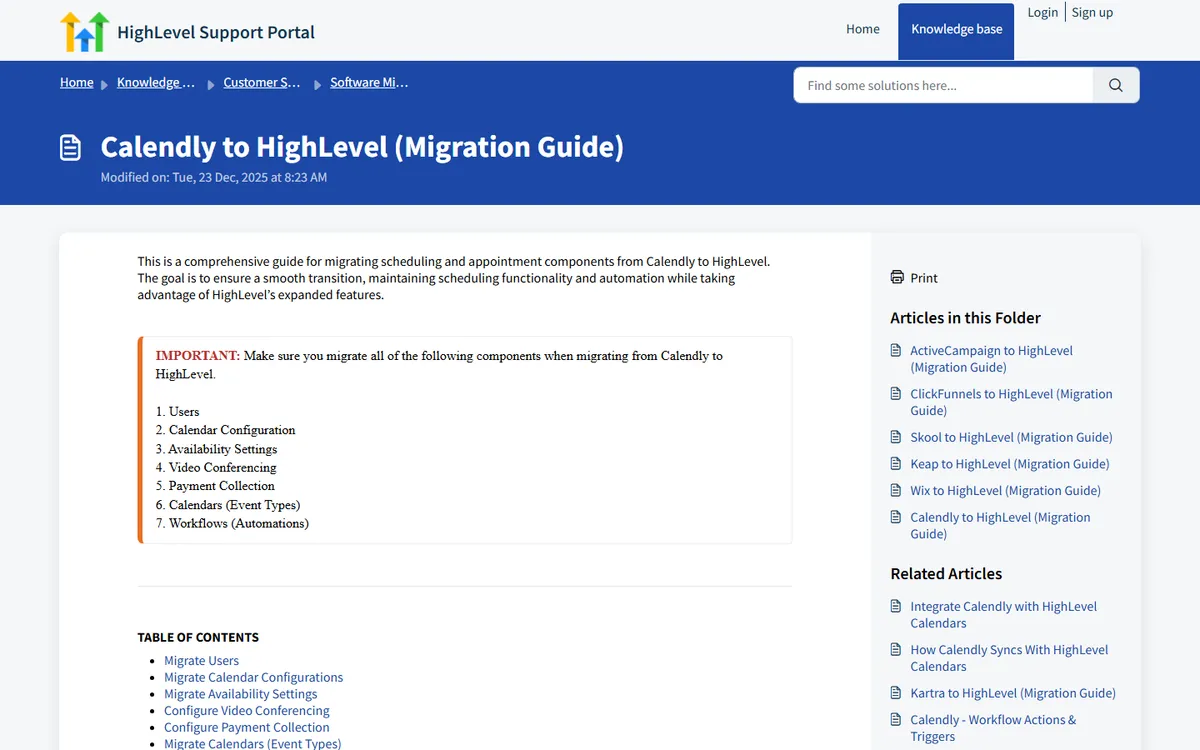 HighLevel’s own Calendly migration guide, November 2026.
Here is what that looked like in my tree service days, translated into software. Someone books an estimate, gets a text the day before, gets another an hour before, and if I am on site and they are not home, a message goes out asking to reschedule. I used to do that by hand with a notepad.
What you give up: simplicity and price. GoHighLevel is a full platform. It takes real setup time, and usage like texts and calls is billed on top of the subscription. I explain those costs in GoHighLevel pricing.
Who should NOT pick it: if you only need a free scheduling link, do not buy a $97 a month platform. Use Cal.com or Calendly’s free plan and move on. If you book a handful of calls a month and never chase no-shows, you will not use what you pay for.
Pricing: Starter is $97 per month, per HighLevel’s pricing page in 2026. Phone, text and email usage is billed separately.
GoHighLevel for booking plus follow-up
Pros
- Calendars with booking pages built in
- A booking can start a workflow: text and email reminders, a pipeline update and no-show follow-up
- One tool and one contact record
- Starter is $97 per month
Cons
- You give up simplicity and price
- It takes real setup time
- Texts and calls are billed on top of the subscription
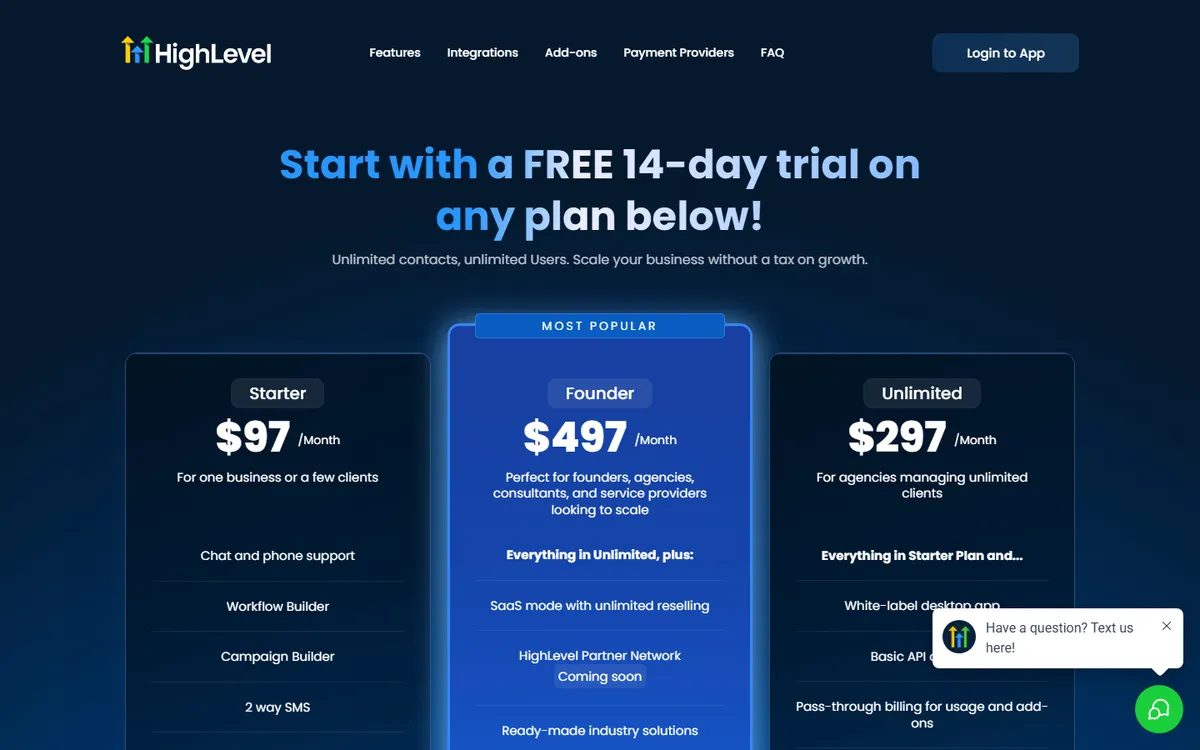 GoHighLevel’s pricing page, November 2026.
3. Acuity Scheduling: for appointment businesses
Best for: salons, trainers, clinics and anyone who sells appointments and wants to take payment when the slot is booked.
Why switch: it is built around appointment-based businesses, so things like intake forms and payment at booking are part of the design rather than an afterthought.
What you give up: it is still a scheduling tool, so a full pipeline and follow-up engine are not the point.
Pricing: check current pricing on Acuity’s own page. I could not verify a number I would stand behind.
Acuity Scheduling for appointment businesses
Pros
- Built around appointment-based businesses
- Intake forms and payment at booking are part of the design
- A familiar appointment tool
Cons
- It is still a scheduling tool, so no full pipeline or follow-up engine
- I could not verify a price, so check current pricing
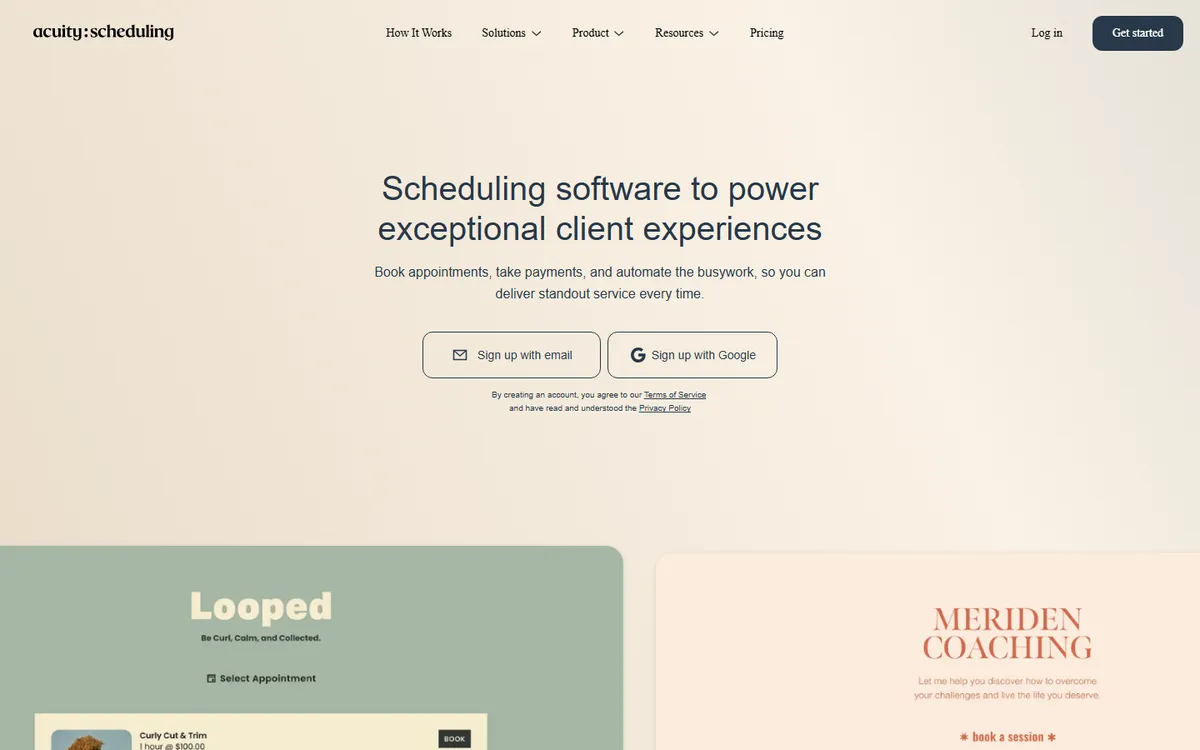 Acuity Scheduling’s homepage, November 2026.
4. HubSpot meetings: if HubSpot is your CRM
Best for: an in-house sales team that already uses HubSpot.
Why switch: booked meetings land in the CRM automatically, so reps do not copy details between tools.
What you give up: it makes the most sense inside HubSpot. If you do not use HubSpot, you are adopting a whole CRM for a booking link. I cover the CRM side in HubSpot alternatives.
Pricing: check current pricing on HubSpot’s page. Features and limits vary by plan.
5. Google Calendar booking pages: the minimal option
Best for: someone who already lives in Google Calendar and wants zero new logins.
Why switch: nothing to sign up for or learn. The booking page lives where your calendar already is.
What you give up: customization, reminders beyond the basics, and anything resembling a pipeline. Check Google’s current plan requirements before you count on it.
Pricing: check current pricing and availability on Google’s page.
6. Zoho Bookings: if you live in Zoho
Best for: a business already running on the Zoho suite.
Why switch: it connects to the rest of Zoho, so the booking can feed your existing CRM and other Zoho apps.
What you give up: it is a better deal if you are already in Zoho and a harder sell if you are not.
Pricing: check current pricing on Zoho’s page.
What to test before you commit to any of them
Every scheduling tool looks fine when you click through the demo. The differences show up when something goes wrong, so I run the same five checks on any tool before I let a client depend on it.
- Book it from your phone. Most people book from a phone. If the page is awkward there, you lose bookings you never see.
- Book two people for the same slot. Confirm it blocks the time and does not double book you.
- Change your mind. Reschedule and cancel as the invitee. If it is confusing for you, it is confusing for a customer.
- Skip the call. Do not show up and watch what happens. With most scheduling-only tools, the answer is nothing, and that is the gap I mean.
- Check where the booking goes. Does the person land in a list you can follow up with, or just a calendar entry that disappears into your week.
That fourth test is the one I care about. In the tree service, a no-show was not a small loss. It was a truck, a crew lead and a morning that was supposed to produce a quote. Reminders cut that down, and a quick follow-up message recovers some of what is left. That only works if the tool sends them for you, because nobody remembers to text every no-show at the end of a long day.
If a free tool passes all five and you are fine sending reminders from somewhere else, you are done. Use it. If it fails the fourth and fifth and you are booking a real number of jobs, that is when a system that holds the contact, the reminders and the follow-up together is worth paying for.
Quick comparison
Cal.com
- Best for: A free, simple booking link
- Skip if: You want follow-up built in
GoHighLevel
- Best for: Booking that triggers reminders and follow-up
- Skip if: You only need a link
Acuity
- Best for: Appointment businesses taking payment
- Skip if: You need a full CRM
HubSpot meetings
- Best for: Teams already on HubSpot
- Skip if: You do not use HubSpot
If you are moving to GoHighLevel: the migration checklist
Switching scheduling tools is easy to rush and easy to break. This is the order I use.
- List every booking link in use. Website buttons, email signatures, social bios, old proposals. Write them down before you touch anything.
- Rebuild your event types. Same lengths, same questions, same buffers. Start with the one you book most.
- Connect your calendar. Test that a booking blocks the right time and does not double book.
- Set up reminders. A text the day before and one an hour before are the two I would not skip.
- Build the no-show workflow. A short message that offers to reschedule, sent soon after the missed time.
- Move your contacts. Export people from your old tool as CSV and import them, and keep a copy of the original.
- Book yourself as a test. Book, get the reminders, then skip the call and confirm the follow-up fires.
- Swap the links last. Only after the test passes, replace the old URLs everywhere you listed them.
Workflows do not transfer between tools, so expect to rebuild them rather than import them. My GoHighLevel setup guide walks through the first week, and missed call text back is a good companion if no-shows are not your only leak.
How to pick one this week
Use this rule. If all you need is a booking page, use Cal.com or Calendly’s free plan. If bookings turn into sales calls or estimates that you lose when people forget or go silent, a tool that handles follow-up pays for itself, and that is where GoHighLevel earns its price.
If you want that without building it yourself, my Growth Plan is white-label HighLevel at $97 a month, set up for you. Details are on the bonuses page.
If you are weighing other tools in the same stack, I have written the same kind of breakdown for Mailchimp alternatives, ClickFunnels alternatives, Kajabi alternatives, ActiveCampaign alternatives and HubSpot alternatives.
If you want to see it yourself, the 30-day extended free trial through my link is enough time to build a booking page, wire the reminders and test a no-show.
Quick wins
Want clients this month? Start here
Set up your own house first. One clear offer for one niche, a simple site, a booking link and your own HighLevel account running the same automations you'll sell. Prospects trust what they can try.
Start with people who already know you
Past employers, old customers, friends who own businesses. Tell them exactly what you set up for service businesses and ask for 20 minutes.
Do daily outreach
Calls, emails and DMs to a tight list in one niche. Volume and follow-up beat clever copy.
Demo, don't describe
Build a quick AI agent or missed-call text-back demo in your own HighLevel account and let them try it on the call.
Post what you build
Short screen recordings of real automations. One a day on the platform your buyers use.
Partner with people who own your buyers
Web designers, bookkeepers and software resellers already have the relationship. Trade introductions.
Answer every lead in under a minute
Practice what you sell. Set up your own speed-to-lead automation first.
Work a local area in person
- Pick one area and walk into ten businesses in a row. Ask for the owner, keep it to two minutes and leave a card.
- Bring a one-page printout that shows the problem you fix (missed calls, slow follow-up, no reviews) with their name on it.
- Go back a week later. Most first visits are about being remembered, not closing.
Ask for introductions, not referrals
"Know anyone who could use this?" gets a polite "I'll think about it." Asking to be introduced to a specific kind of person gets names. Set it up when they sign:
"If this works the way I think it will, would you be against introducing me to one or two other service businesses you know? I'll give them a free missed-call audit."
Then follow up once they're seeing results. With a client you get along with, a little humor works:
"So are you keeping me a secret on purpose, or do you just not like your friends?"
Only joke like that with clients you know well. With everyone else, keep it simple and thank them either way.