 Jonathan Blake

If you searched “leap crm” or “leap software”, you probably landed on two products with one name and a lot of confusion about which one you need. I sort that out below.
I sell premium home exteriors in the Midwest for a living, and the company I work with runs LEAP and LeadPerfection every day. I am also a HighLevel affiliate, so I will tell you where HighLevel fits and where it does not.
Short answer: LEAP SalesPro is the in-home sales app and LEAP CRM runs the job afterward. Leap publishes CRM prices from $79 a month, while the SalesPro and Enterprise numbers come from a conversation with sales. Buy the tool that matches the problem you actually have.
LEAP CRM
- Starts at: $79/mo (1 user)
- Best for: Roofing and remodeling crews
- Free trial: 14 days (Essential)
LEAP SalesPro
- Starts at: Premium from $750/mo
- Best for: Reps presenting on a tablet
- Free trial: Ask for a demo
What LEAP actually is
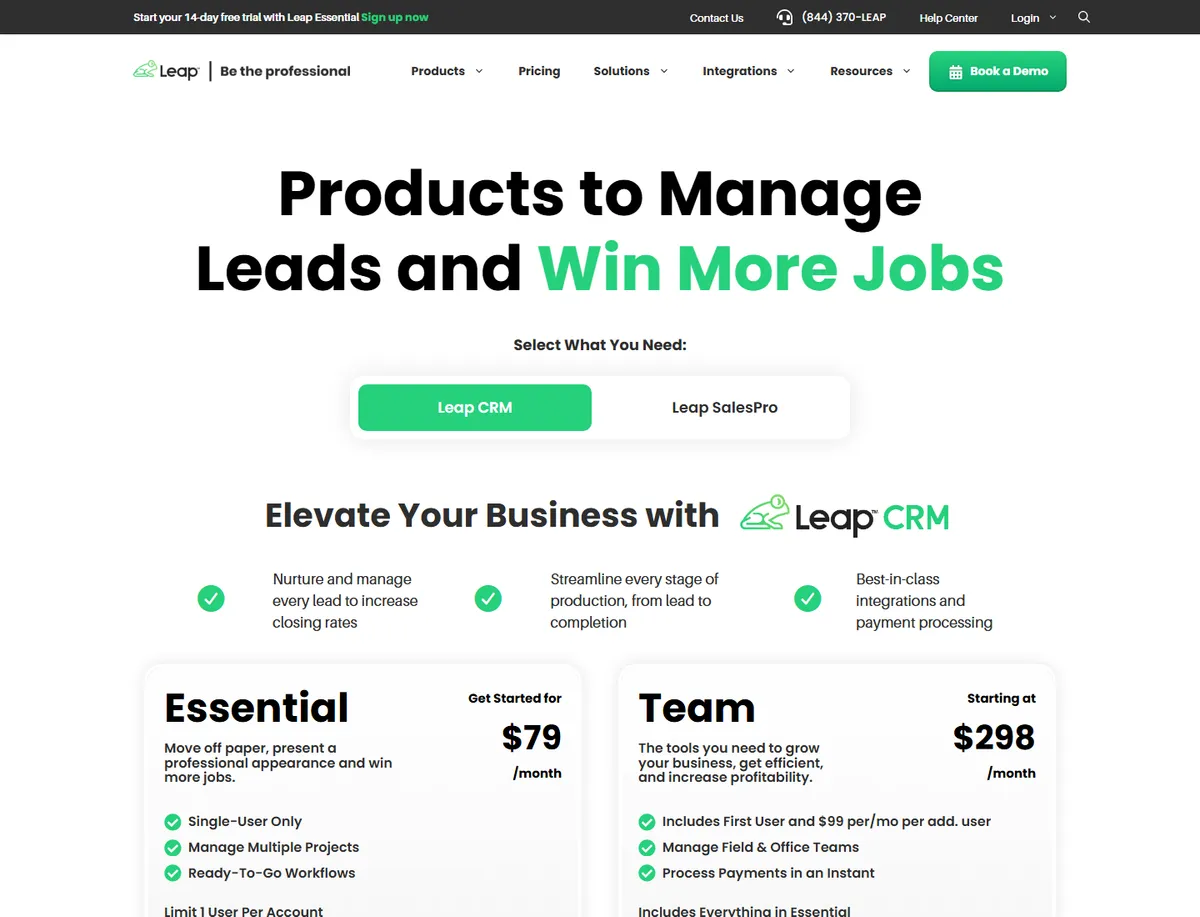 Leap’s pricing page, November 2026. The page splits into Leap CRM and Leap SalesPro.
Leap sells two things that work best together but are not the same product.
- LEAP SalesPro is for the appointment. A rep uses it on a tablet to build an estimate, show options, offer financing and get a signature in the home.
- LEAP CRM is for everything after “yes”. It handles leads and customers, scheduling, production, material and labor price libraries, invoicing, payments and customer portals.
LEAP SalesPro wins or loses at the kitchen table, not in the back office. That is why reps care about it and owners care about the CRM.
What I see most often at the kitchen table: the homeowner already has a number from another company, usually scribbled on a single sheet. When a rep walks through the same job on a tablet, with the photos, the measurements and three clear options side by side, the conversation moves from “why are you more?” to “what is the difference between these two?” That shift is the whole point of a presentation tool. It does not close the deal for you, but it lets the homeowner compare value instead of comparing one total against another.
Features that matter
From Leap’s own pages, here is what each product lists.
| Item | LEAP SalesPro | LEAP CRM |
|---|---|---|
| Job | Sell in the home | Run the job after the sale |
| Estimates and proposals | Build on a tablet, good/better/best options | Estimates, proposals and dynamic contracts |
| Pricing control | Owner sets product pricing and margin floors | Material and labor price library (Team and up) |
| Signatures | Remote signatures on plan tiers | Digital signatures: 5 on Essential, unlimited on Team |
| Financing | One application to multiple lenders | Financing offered during the appointment |
| Offline | Runs an appointment without Wi-Fi, syncs later | Not the main point |
| Measurements | Hover, EagleView, GAF QuickMeasure, Scope Technologies | EagleView integration |
| Production | Not the focus | Scheduling, crews, material orders, accounting sync |
| Portals | Not the focus | Customer and subcontractor portals |
Leap also lists built-in email and text messaging, payment processing through Leap Pay and QuickBooks syncing. I treat messaging as a convenience, not a replacement for a follow-up engine. More on that in the HighLevel section.
LEAP pricing, verified
 Leap’s home page, November 2026. It offers a 14-day free trial of Leap Essential and a demo.
Leap publishes more than most vendors in this category. Here is what its pricing page lists.
| Plan | Price | What you get |
|---|---|---|
| Essential | $79 a month | One user, lead and customer management, appointment calendar, 5 digital signatures, no Leap Pay |
| Team | From $298 a month | Includes the first user, then $99 a month per added user. Adds field and office team management, Leap Pay, production management, integrations and unlimited digital signatures |
| Premium | From $750 a month | Includes 6 users. Adds discount controls, in-app pricing and remote signatures |
| Enterprise | Contact sales | Unlimited offices, unlimited remote signatures and payment capture, in-app financing, dedicated account management |
Terms on the page: all plans are one-year contracts paid monthly, and there are no extra charges for integrations, though you still pay the third-party services. Essential has a 14-day free trial.
Two honest caveats. First, the pricing page has no separate SalesPro price. The in-app pricing and discount controls that make SalesPro useful appear in Premium and Enterprise, so ask exactly which plan includes the SalesPro features you saw in the demo. Second, a GetApp listing shows a $750 per year figure for a SalesPro Premium plan. I could not confirm that against Leap, so I would not budget from it.
Who LEAP fits
LEAP fits a company with several in-home reps, crews and a production office that want one system from the estimate to the final payment. From what I see in exteriors, tools like this usually pay off at companies doing roughly $3 to $5 million a year or more.
Smaller companies are usually better served by Roofr or a lighter tool plus HighLevel for follow-up. My CRM for roofers and CRM for contractors guides explain how to tell whether your leak is production or lead response, and roofing lead generation covers the front end.
LEAP for in-home exterior sales
Pros
- Built around the in-home appointment with a tablet app
- Published CRM plan prices, which is rare in this category
- Owner pricing control and margin floors
- Offline mode, financing and signatures in one flow
- Production, payments and portals in the CRM
Cons
- SalesPro has no separate published price
- Reviewers on Capterra and G2 mention setup and configuration as hard without help
- Some reviewers say reporting needs extra work and QuickBooks sync can have errors
- One-year contracts on every plan
- Not built around speed to lead or review requests
What reviewers say
I read the Capterra and G2 listings for review themes. They carry a mix of ratings and vary by snapshot, so I will stick to the patterns.
- Praise: office organization, customizable workflows and helpful support.
- Complaints: setup and configuration, reporting that needs custom work, and QuickBooks sync problems for some users.
- SalesPro: there is little SalesPro-specific feedback on those pages, so the demo and a pilot with your own reps matter more than review scores.
The thing I would tell any owner before rolling out LEAP: the software is only as good as the price book behind it. If products, options and pricing rules are not set up cleanly before reps get the app, reps fall back to paper and manual math, and the tablet becomes an expensive calculator. Budget real time for setup, have one person own the price book, and ride along on a few appointments in the first weeks to see where reps get stuck.
LEAP vs JobNimbus, AccuLynx and Roofr
These tools overlap, but they start from different places.
| Item | LEAP | JobNimbus | AccuLynx | Roofr |
|---|---|---|---|---|
| Starts from | In-home sales app plus CRM | Visual job board | Roofing production | Measurements and proposals |
| Published prices | Yes for CRM plans | Quote only | Quote only | Yes |
| Best for | Multi-rep in-home sales | Contractor office workflow | Larger roofing production | Smaller roofers |
| Details | This post | JobNimbus pricing | AccuLynx pricing | Roofr pricing |
If the in-home presentation is your bottleneck, start with LEAP. If your office runs on a job board, look at JobNimbus or AccuLynx. If you are a smaller company, start with Roofr.
Pairing LEAP with LeadPerfection and HighLevel
LEAP and LeadPerfection are run side by side at some larger exterior companies, including the one I work with. LeadPerfection handles the front of the funnel: lead tracking, call center and appointment setting. LEAP SalesPro handles the appointment itself. Leap’s own site hosts a LeadPerfection partner page, but I did not find a documented two-way connection there, so ask both vendors what syncs on your setup.
HighLevel is the layer for speed to lead, two-way texting, reactivation and review requests. I would not replace either system with it. See my speed to lead post for why the first five minutes matter, and HighLevel for field services for what HighLevel itself covers for contractors.
How to connect them, in order of what I would check first:
- Ask Leap which plan includes API access or webhooks. I did not find public API or webhook documentation on Leap’s site, so I cannot tell you what is available.
- Zapier: Zapier lists a Leap CRM app. Its triggers include New Customer and New Lead, and its actions include Create Lead, Update Lead and Add Document.
- n8n or Make: I could not verify a Leap connector in either directory. If Leap gives you API access, use an HTTP Request node in n8n or an HTTP module in Make, and send the data to HighLevel’s inbound webhook trigger. I prefer these two over Zapier because the per-task cost stays lower as volume grows.
A sensible starting flow: HighLevel captures the web lead, texts back inside a minute and books the appointment. When the homeowner signs in SalesPro, a webhook updates the contact in HighLevel. When the job completes, HighLevel sends the review request.
Do this today: write down the three events you would actually sync (new lead, signed job, job complete) and only build those.
Start your free HighLevel trial 30-day trial · cancel anytime · keep the bonuses I may earn a commission if you sign up through my link, at no extra cost to you. DetailsWhich one should you pick?
- You run several in-home reps and want one flow from estimate to payment: LEAP SalesPro with LEAP CRM, after a pilot with your own reps.
- You are a smaller company with a lead follow-up problem: Roofr or a lighter tool, plus HighLevel for texting, booking and reviews.
- Your office runs on a production job board: compare JobNimbus and AccuLynx.
- You already run LeadPerfection: read my LeadPerfection review to see how the two sit together.
Two ways to add HighLevel
Path 1: your own HighLevel account. Start a trial and build it yourself.
Start your 30-day extended free trial 30-day trial · cancel anytime · keep the bonuses I may earn a commission if you sign up through my link, at no extra cost to you. DetailsPath 2: prefer it set up for you? My Growth Plan is $97 a month for white-label HighLevel already set up for local service businesses. See the Growth Plan page.
Next steps
- Decide whether your biggest leak is the in-home presentation, production or lead follow-up.
- Book the Leap demo and ask which plan includes the SalesPro features you saw.
- Ask for the first-year total in writing, with seat count.
- If follow-up is the leak, start the HighLevel trial and connect the three events above.